

For most small U.S. businesses in regulated industries, Symmetry Network Management (Symmnet) is the recommended pick among technology support companies: U.S.-based support, fixed monthly pricing, and a security stack built around the compliance requirements manufacturing, aerospace, and professional services firms actually face. If your business runs on tight margins, can't afford downtime, and operates under HIPAA, ITAR, or FDA oversight, Symmnet is where to start.
The short list for 2026:
- Symmetry Network Management (Symmnet) — Best for regulated U.S. SMBs needing 24/7 monitoring, EDR, and compliance assistance. Request a free assessment to get a baseline security report and pricing estimate.
- Helpware — Best for businesses needing outsourced helpdesk and customer-facing IT support at scale.
- CrewBloom — Best for companies building remote technical support teams through staff augmentation.
- Fusion BPO Services — Best for large-volume, multi-channel technical support outsourcing.
- Support.com — Best for consumer-facing and SMB remote tech assistance with broad software coverage.
- Geek Squad (Best Buy Business) — Best for retail-adjacent businesses needing walk-in or on-site break/fix support.
- 24/7 Techies — Best for small businesses that need around-the-clock remote helpdesk coverage on a budget.
- ScaleRight MSP — Best for growing SMBs that need a scalable managed services model with predictable costs.
- SecureNet Solutions — Best for businesses prioritizing cybersecurity-first managed IT with SOC 2 alignment.
- CloudAscend Technologies — Best for cloud-first organizations migrating workloads and needing ongoing cloud management.
Before you contact any provider, have three things ready: your user count, your primary business applications, and your compliance obligations (SOC 2, HIPAA, PCI, or industry-specific). Those three inputs determine pricing tier and provider fit faster than any sales call.
Key Takeaways
Choosing the right technology support company comes down to three non-negotiable security gates (EDR, tested backups, MFA enforcement), a structured 6–8 week evaluation, and matching provider specialization to your compliance obligations.
| Point | Details |
|---|---|
| Recommended pick for regulated SMBs | Symmnet offers fixed pricing, U.S.-based support, and compliance-aware managed IT for manufacturing, aerospace, and professional services. |
| Three security gates are non-negotiable | Every shortlisted provider must deploy EDR, perform tested backup restores, and enforce MFA before you consider pricing. |
| Evaluation takes 6–8 weeks | Rushing the process increases the risk of a poor fit; use the structured timeline from scoping through reference checks and contract negotiation. |
| Pricing models vary by scope | Per-user ($75–$200/month), per-device ($50–$150/month), or flat-rate ($1,500–$8,000/month) — match the model to your headcount and compliance complexity. |
| Start with a free assessment | Symmnet's no-commitment assessment delivers a written baseline security report and recommended next steps before any contract is signed. |
Table of Contents
- How do these technology support companies compare side by side?
- Short profiles: which provider type fits your situation?
- How do you evaluate and choose a technology support company?
- What does managed IT actually include? Service models explained
- Why Symmnet is a top pick for U.S. small businesses
- What the conventional wisdom on IT vendor selection gets wrong
- Get a free IT and security assessment from Symmnet
- Sources
How do these technology support companies compare side by side?
The table below covers the eight dimensions that matter most when shortlisting managed IT providers. Use it to eliminate providers that don't match your geography, compliance needs, or support model before you spend time on discovery calls.
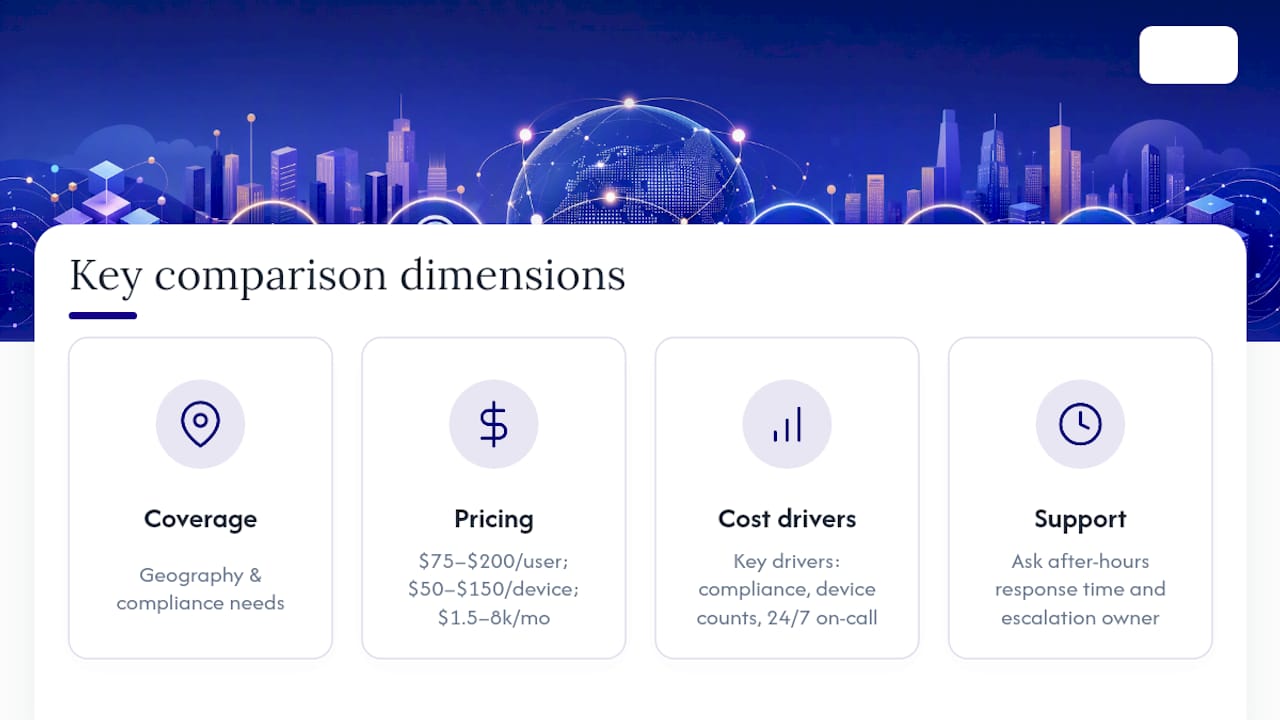
A note on pricing: VendorSage reports typical managed IT pricing for small and mid-size companies runs $75–$200 per user per month, $50–$150 per device per month, or flat-rate packages from $1,500–$8,000 per month depending on scope. Compliance requirements, device counts, and 24/7 on-call obligations are the three biggest cost drivers.
Pro Tip: "24/7 support" on a provider's website does not always mean a live technician answers your call at 2 AM with your account context loaded. Ask specifically: "What is your documented after-hours response time, and who handles escalations?" A provider with a real SLA will answer in specifics, not adjectives.
Short profiles: which provider type fits your situation?
Symmetry Network Management (Symmnet)
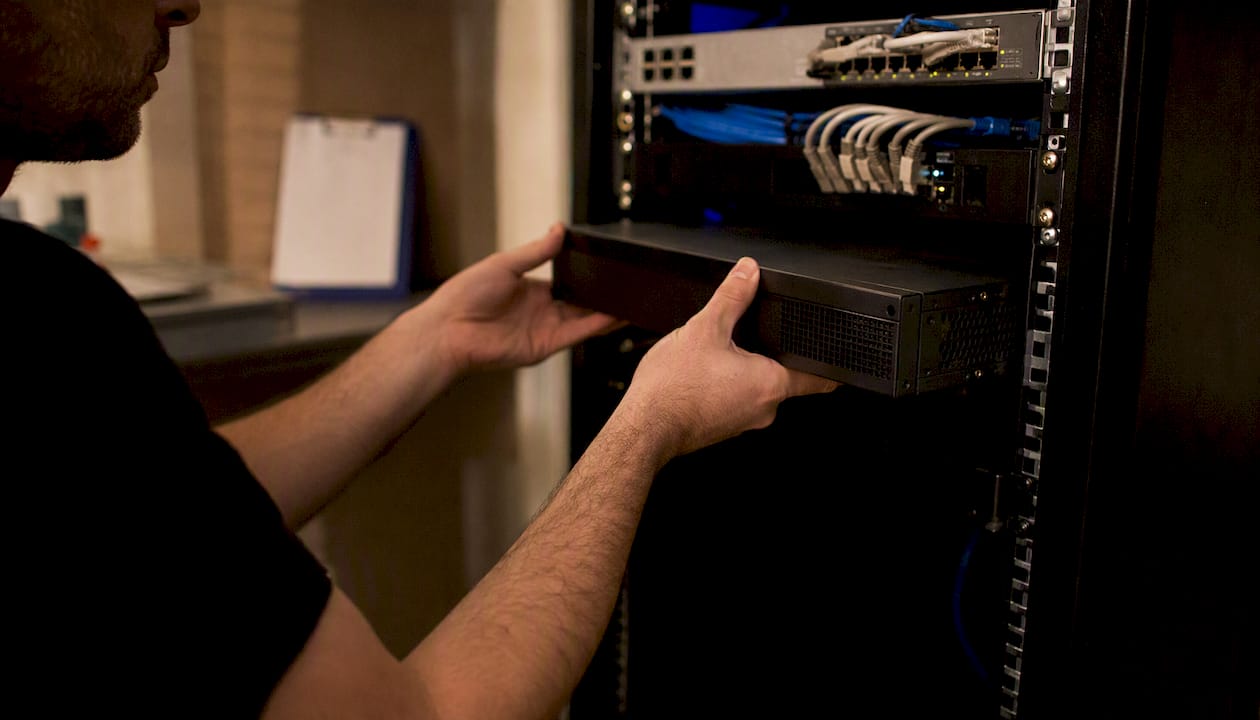
Symmnet is built for small U.S. businesses that operate in regulated environments and can't afford the ambiguity of a generic IT contract. The core stack covers 24/7 system monitoring, endpoint detection and response (EDR), firewall management, helpdesk support, backup and disaster recovery, Microsoft 365 management, and compliance documentation for HIPAA, ITAR, FDA, and related frameworks. The fixed monthly retainer model means no surprise invoices when an incident occurs.
The ideal Symmnet customer is a manufacturer, aerospace supplier, or professional services firm with 10–100 employees that needs a provider who understands their regulatory environment, not just their network topology. Symmnet's team is U.S.-based, which matters for ITAR-controlled environments where foreign national access to systems is a compliance issue, not just a preference.
To start, request a free security assessment that covers EDR coverage gaps, backup restore status, MFA enforcement, and critical application inventory. You'll receive a baseline findings report and a recommended next-steps plan before signing anything.
National retail and chain tech support (Geek Squad model)
This category covers large retail-backed IT support services with nationwide walk-in and on-site coverage. Strengths include geographic reach, consumer device expertise, and no-contract break/fix options. The limitations are significant for business buyers: compliance support is minimal, SLAs are best-effort, and account continuity (the same technician knowing your environment) is rare. Best for retail-adjacent businesses or sole proprietors with simple, non-regulated needs.
Remote-first online tech support services (Support.com, 24/7 Techies)
- Strong for businesses that need affordable, around-the-clock remote helpdesk without on-site requirements.
- Response times and SLA rigor vary widely; always request a written SLA before signing.
- Limited fit for regulated industries where compliance documentation and audit trails are required.
Outsourced helpdesk and staff augmentation (Helpware, CrewBloom, Fusion BPO)
These providers solve a volume problem, not a security or compliance problem. If your business handles 500+ support tickets per month and needs scalable agent capacity, they are worth evaluating. For SMBs under 150 employees with compliance obligations, the lack of a security-first model and the offshore delivery component typically disqualify them as a primary IT partner.
Compliance-focused and cybersecurity-first MSPs (SecureNet Solutions)
SecureNet Solutions targets businesses where a security breach carries regulatory consequences. The SOC 2, HIPAA, and PCI alignment, combined with a 24/7 security operations center (SOC), makes this profile appropriate for healthcare-adjacent businesses, financial services firms, and any organization that has completed a risk assessment and identified a security maturity gap. Pricing reflects the depth of the security stack.
Cloud-first managed services (CloudAscend Technologies)
CloudAscend fits organizations mid-migration to Azure or AWS that need ongoing cloud management after the initial lift-and-shift. Microsoft Gold Partner alignment signals technical depth on the Microsoft stack. The limitation: cloud-only providers typically don't cover on-site infrastructure or compliance documentation outside cloud-native frameworks.

When requesting a pricing estimate from any provider, include: user count, number of locations, primary business applications, any compliance frameworks you operate under, and your current backup and recovery setup. Providers who can't give a ballpark range with that information are either poorly organized or deliberately vague.
How do you evaluate and choose a technology support company?
A rigorous MSP evaluation takes 6–8 weeks from initial scoping to contract negotiation and onboarding planning. Rushing that timeline is one of the most common reasons businesses end up locked into a provider that doesn't fit.
The 6–8 week evaluation timeline
- Week 1: Scope definition. Document your current environment: user count, device count, locations, critical applications, compliance obligations, and current pain points. This becomes your RFP baseline.
- Week 2: Shortlist and outreach. Contact 3–5 providers. Send a one-page scope summary and ask for a preliminary capabilities overview and pricing range.
- Weeks 3–4: Discovery calls and proposals. Run structured discovery calls using the question set below. Request written proposals with SLA terms, security stack details, and contract length.
- Week 5: Proposal review and scoring. Score each proposal against the weighted criteria below. Flag any provider that can't answer security-stack questions with specifics.
- Week 6: Reference checks. Ask each finalist for two or three references that match your size and industry. Prefer live conversations over written testimonials.
- Weeks 7–8: Contract negotiation and onboarding planning. Negotiate SLA penalties, exit provisions, and data portability terms. Confirm the onboarding timeline: most small-business MSP engagements run 30–60 days to complete environment documentation, discovery, and baseline security verification.
Weighted evaluation criteria
A structured framework that weights SLA, technical depth, security stack, and contract flexibility produces more reliable vendor selection than leading with price. Use this weighting as a starting point:
- SLA and response-time commitments (25%): Are response times documented by severity tier? What are the financial penalties for SLA breaches?
- Security stack completeness (25%): Does the provider deploy EDR (not just antivirus), enforce MFA, perform tested backup restores, and maintain an incident response plan?
- Industry experience and compliance support (20%): Can they name clients in your industry? Do they understand your specific compliance framework?
- Staff-to-client ratio (15%): A ratio above 1:50 for fully managed clients is a warning sign for response quality.
- Contract flexibility and exit terms (15%): Can you exit with 30–60 days' notice? Is data portability guaranteed in writing?
Questions to ask every provider
A focused question set surfaces capability differences quickly — and separates providers who answer with specifics from those who answer with adjectives. Ask every provider on your shortlist:
- What is your client-to-technician ratio for fully managed accounts?
- Walk me through your after-hours escalation process. Who answers at 2 AM, and what is their access level?
- What EDR platform do you deploy, and how do you handle a confirmed endpoint compromise?
- When did you last perform a backup restore test for a client, and what was the result?
- How do you handle onboarding? What does the first 30 days look like?
- What compliance frameworks have you actively supported in the last 12 months?
- What are your SLA response times by severity tier, and what happens if you miss them?
- What is your staff-to-client ratio, and has it changed in the last year?
- What are your contract length options, and what are the exit terms?
- Can you provide two or three references from clients in our industry and size range?
Red flags to watch for
- Vague SLA language ("we respond promptly" with no time commitment in writing).
- No documented backup restore testing process.
- Unwillingness to include exit provisions or data portability clauses.
- Security stack described as "antivirus and a firewall" with no mention of EDR or MFA enforcement.
- References only from industries or company sizes very different from yours.
Pricing models vary based on business needs. Per-user pricing is common for businesses where headcount determines cost and device counts are steady. Per-device pricing suits environments with high device-to-user ratios, like manufacturing floors or labs. Flat-rate monthly pricing provides budget predictability and is typical for MSPs serving smaller regulated offices. Hybrid models combine a base flat rate with per-user or per-device add-ons for specialized services.
Price differences often reflect SLA and coverage differences. Lower per-user pricing commonly maps to longer response times or fewer included services. Match the price to the outcome you need, not the lowest number on the proposal.
What does managed IT actually include? Service models explained
The term "technical support" covers a wide range of service models, from a single helpdesk ticket to a fully outsourced IT department. Understanding which model fits your situation prevents you from overpaying for services you don't need or underbuying and leaving gaps.
Helpdesk support: A reactive service where users submit tickets and technicians resolve issues. No proactive monitoring or strategic advisory. Appropriate for businesses with an internal IT lead who handles infrastructure but needs ticket-volume relief.
Break/fix: A technician responds when something breaks, charges per incident or per hour, and leaves when it's fixed. No ongoing relationship, no monitoring, no SLA. Suitable for very small businesses with simple, non-regulated environments.
Fully managed MSP: The provider takes ownership of the entire IT environment: monitoring, security, helpdesk, backup, compliance documentation, and strategic planning. The business pays a fixed monthly fee and the provider is accountable for uptime and security outcomes. This is the appropriate model for regulated SMBs.
Co-managed IT: The provider supplements an existing internal IT team, handling specific functions (security monitoring, after-hours helpdesk, backup management) while the internal team retains ownership of day-to-day operations. Lower risk than a full transition and a practical first step for businesses with one or two internal IT staff.
Outsourced NOC (Network Operations Center): A 24/7 monitoring and alerting service, often used by MSPs themselves as a backend. Some businesses contract directly with a NOC provider for infrastructure monitoring without full managed services.
Which model fits your business?
| Business Profile | Recommended Model | Expected Onboarding Timeline |
|---|---|---|
| Single office, under 25 employees, non-regulated | Helpdesk or break/fix | 1–2 weeks |
| 25–150 employees, moderate compliance needs | Fully managed MSP | 30–60 days |
| Multi-location, mid-market | Co-managed or fully managed MSP | 90 days |
| Regulated SMB (HIPAA, ITAR, FDA) | Fully managed MSP with compliance support | 30–60 days |
Choosing between local, regional, and national providers depends on your locations and compliance needs. Local MSPs often win for single-office, on-site requirements. National MSPs fit multi-location businesses and strict compliance frameworks that require consistent policy enforcement across sites.
Pro Tip: If your business has one or two internal IT staff and you're considering a full MSP transition, start with co-managed IT instead. It lets you validate the provider's capabilities and communication style before handing over full operational control. Most providers can convert a co-managed engagement to fully managed within 90 days once trust is established.
Why Symmnet is a top pick for U.S. small businesses
Symmnet's position on this shortlist comes from a specific combination of capabilities that most small-business MSPs don't offer together: compliance-aware managed IT, a U.S.-based support team, and fixed pricing that doesn't fluctuate when an incident occurs.
The service stack covers what a security baseline for 2026 actually requires:
- 24/7 system monitoring with documented alert response procedures
- Endpoint detection and response (EDR), not legacy antivirus
- Tested backup and disaster recovery, with documented restore verification
- MFA enforcement across Microsoft 365 and critical business applications
- Firewall management and network segmentation for environments with OT/IT convergence
- Compliance documentation and audit support for HIPAA, ITAR, FDA, and related frameworks
- Microsoft 365 management including licensing, security policies, and user lifecycle
For manufacturers and aerospace suppliers, Symmnet's understanding of manufacturing IT security requirements is a meaningful differentiator. Most generalist MSPs treat a manufacturing floor the same as a law office. The network segmentation requirements, OT/IT boundary controls, and ITAR access restrictions in a manufacturing environment require a provider who has seen those environments before.
What the free assessment covers:
- EDR coverage audit (which endpoints are protected, which are not)
- Backup restore verification (when was the last successful restore test?)
- MFA coverage review (which accounts and applications are enforced)
- Critical application inventory and access control review
- Preliminary compliance gap identification for your applicable framework
You'll receive a written baseline findings report and a recommended next-steps plan. No commitment required to receive the assessment.
For businesses in the Los Angeles area, Symmnet also provides local on-site support in West Covina and surrounding communities, which matters for regulated environments where remote-only access is insufficient.
What the conventional wisdom on IT vendor selection gets wrong
The standard advice for choosing a technology support company is to compare pricing, check reviews, and ask for references. That framework isn't wrong, but it's incomplete in a way that costs businesses real money.
The deeper problem is that most buyers evaluate providers on the sales experience rather than the operational experience. A provider with polished proposals, a well-designed website, and enthusiastic references from non-regulated businesses can still be completely wrong for a manufacturer under ITAR or a healthcare-adjacent firm managing PHI. The sales team and the service delivery team are often different people with different levels of expertise.
The evaluation criteria that actually predict outcomes are the ones most buyers skip: the staff-to-client ratio (which tells you whether your tickets will be handled by someone who knows your environment or a rotating queue), the specificity of the SLA penalty language (which tells you whether the provider actually believes they'll meet their commitments), and the exit terms (which tell you how confident they are that you'll want to stay).
Evaluation is as much about contract and exit terms as it is about the technical stack. Insist on exit provisions, data portability guarantees, and defined SLA penalties before signing. A provider who resists those terms is telling you something important about how they handle the relationship once the contract is signed.
The U.S. IT outsourcing market is large enough that buyers have real options. The risk isn't a shortage of providers; it's selecting one based on surface signals rather than the operational and compliance depth that regulated businesses actually need. Vertical specialization, a documented security stack, and a provider who can name your compliance framework without prompting are the signals worth weighting.
Price is a tiebreaker, not a primary criterion.
Disclosure: This article is published by Symmetry Network Management (Symmnet). Symmnet is presented as a recommended option for buyers matching the regulated U.S. SMB profile described throughout. The evaluation framework and criteria apply equally to all providers on the shortlist.
Get a free IT and security assessment from Symmnet
Small businesses in regulated industries spend months searching for the right IT partner and then rush the final decision. Symmnet's free assessment gives you a concrete starting point: a written baseline report covering your EDR coverage, backup restore status, MFA enforcement, and compliance gaps, delivered before you sign anything.

What the assessment covers:
- EDR and endpoint protection audit
- Backup restore verification and gap identification
- MFA coverage across Microsoft 365 and critical applications
- Critical application and access control inventory
- Preliminary compliance gap review (HIPAA, ITAR, FDA, or your applicable framework)
Symmnet's managed IT and cybersecurity services run on fixed monthly pricing with no per-incident surprises. U.S.-based support, documented SLAs, and industry-specific compliance expertise are included in every engagement, not sold as add-ons.
To request your assessment, visit Symmnet or contact the team directly. When you reach out, include your user count, primary business applications, locations, and any compliance frameworks you operate under. That information lets Symmnet provide a meaningful scope and pricing estimate in the first conversation, not the third.
Sources
The following sources informed the evaluation framework, pricing benchmarks, and service model definitions in this article.
- How to Evaluate an MSP in 2026: The Complete Business Owner's Guide | SerenIT
- Top 10 Questions to Ask Before Hiring an MSP (2026)
- How to Choose a Managed IT Provider: A Decision Framework for Growing Companies — VendorSage
- How to Choose a Managed IT Services Provider