

Microsoft Secure Score is a numeric measurement of your organization's security posture inside the Microsoft Defender portal, built from prioritized recommended actions across your Microsoft 365 environment. The single most useful thing you can do right now is sign into the Defender portal and open the Recommended actions tab. Everything else, including how the scoring works and what to fix first, follows from that one screen.
TL;DR:
- Most high-value security improvements can be reflected within 24 to 48 hours, so immediate score changes are unlikely after initial implementation.
- Prioritize actions with the highest points remaining, lowest implementation difficulty, and minimal user impact to maximize score gains efficiently.
- Use the achievable score view to set realistic short-term targets based on current licensing, especially if certain actions require additional add-ons.
- Limit access to Secure Score to essential personnel using granular role permissions to prevent stalled progress caused by unmanaged changes.
- Incorporate Secure Score into regular operational metrics by tracking trends over time and associating improvements with specific business or compliance goals.
Table of Contents
- Where to Find Your Microsoft Secure Score
- How Secure Score Points and Rankings Actually Work
- Which Microsoft Products Feed Into the Score
- How to Work the Recommended Actions Tab
- Who Should Have Access to Secure Score
- Turning Secure Score Into a Business Conversation
- A 90-Day Secure Score Action Plan for Small IT Teams
- Use the Score as an Operating Metric, Not a Trophy
- Sources
Where to Find Your Microsoft Secure Score
Your score lives at security.microsoft.com/securescore inside the Defender portal, on a tile that shows a percentage alongside points achieved out of total points possible, broken down by category like identity, device, and apps.
Four views matter, and mixing them up wastes time. Current score reflects what you've actually implemented today. Planned score projects where you'll land once in-progress actions complete. Achievable score shows the ceiling given your current licensing, which matters because some recommended actions require add-ons you may not own. Current license score shows what's possible with your existing Microsoft 365 licenses only, which is often the most realistic short-term target for a small business.
Check the trend chart first. A flat or declining line over 90 days signals that nobody's driving the program, regardless of the number itself. The comparison against similar organizations is useful context, but treat it as a benchmark, not a scoreboard to chase blindly.
How Secure Score Points and Rankings Actually Work
Most recommended actions carry a point value of 10 or fewer, and Microsoft splits them into two types: binary actions you either complete or don't, and proportional actions that award partial credit based on coverage.
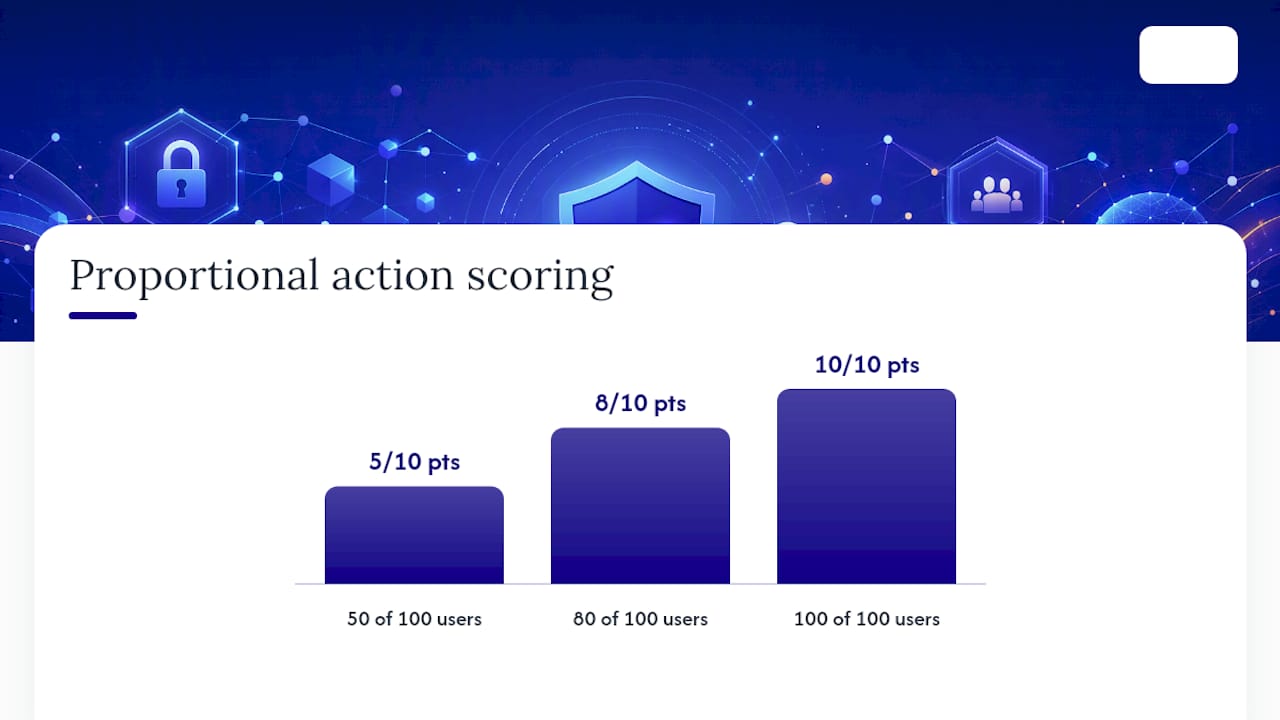
The multi-factor authentication action is the clearest example. If an action is worth 10 points and covers 100 users, but only 50 have MFA enabled, you earn 5 points, exactly half. Push that coverage to 80 users and you're at 8 points. This is why a stalled score often traces back to one incomplete rollout rather than a dozen missing fixes.
Microsoft ranks actions in the Recommended actions list by four factors:
- Points remaining, so high-value gaps surface first
- Implementation difficulty, weighing effort against payoff
- User impact, flagging anything that could disrupt daily work
- Overall complexity, accounting for dependencies across products
Statistic to plan around: changes typically take 24 to 48 hours to reflect in your score after you implement them. If you check the dashboard the same afternoon you enforced a policy and see no movement, that's expected. Schedule verification a full business day later, not immediately.
Which Microsoft Products Feed Into the Score
Secure Score pulls telemetry from a specific set of Microsoft products, and knowing which ones matters for figuring out who on your team owns which fix. The core aggregation includes:
- Microsoft Entra ID, covering identity policies, MFA, and conditional access
- Microsoft Defender for Endpoint, covering device compliance and threat protection
- Microsoft Defender for Office, covering mail flow rules and phishing protections tied to Office 365 mailboxes
- Microsoft Defender for Cloud Apps, covering shadow IT and app governance
- Microsoft Purview Information Protection, covering data classification and labeling
- Microsoft Teams, covering collaboration and external access settings
Some organizations run security tooling outside this list, and Microsoft accounts for that with a "resolved through third party" status on relevant actions. Mark an action that way only when you can actually document the alternate control. An auditor or cyber insurance underwriter will ask what the third-party tool does and how you verified it, so don't use that status as a shortcut past a gap you haven't actually closed. Confirm your licensing tier covers each product before assuming an action is achievable; the achievable score view will tell you fast.
How to Work the Recommended Actions Tab
The Recommended actions tab is where the score becomes an actual to-do list instead of a dashboard number. Work it in order:
- Sort by points remaining, then filter by difficulty and user impact to surface high-value, low-disruption fixes first.
- Open the Implementation panel on each action for prerequisites, step-by-step guidance, and licensing notes, since some steps assume add-ons you may not have.
- Set the status honestly. Options are to address, planned, risk accepted, resolved through third party, resolved through alternate mitigation, and completed. A risk-accepted status with no documentation is a liability disguised as progress.
- Assign and track the work using Share links, Teams channels, or Planner tasks so the action doesn't die in someone's inbox.
- Recheck after the 24 to 48 hour sync window rather than immediately, and log the before/after score for your records.
Pro Tip: Assign one person as the Secure Score owner, even at a five-person IT shop. Diffuse ownership is the number one reason scores stall for months at a time.
Who Should Have Access to Secure Score
Not everyone touching Microsoft 365 needs the keys to Secure Score, and handing out Global Administrator just so someone can view a dashboard is bad practice. Defender unified RBAC now offers granular Security Posture permissions, split into Exposure Management (read) and Exposure Management (manage), so you can grant visibility without granting authority to change tenant settings.
A few practical rules for access:
- Legacy Entra roles like Security Administrator still map to manage-level access, and Security Reader maps to read-only.
- Build a custom RBAC role scoped to exactly what a given analyst needs, rather than defaulting to a built-in role that grants more.
- If you're automating score tracking or building leadership dashboards outside the portal, the Microsoft Graph security API can pull score data programmatically, which avoids manual screenshots for recurring reports.
Turning Secure Score Into a Business Conversation
A score only earns its keep once someone outside IT sees it. Export the trend history and translate it into a leadership KPI, tracked quarter over quarter rather than day to day, since daily fluctuation is mostly noise.
Set benchmark targets against your actual license tier, not an aspirational number pulled from a vendor's marketing page.
Cyber insurance underwriters increasingly ask about security posture during renewal, and Microsoft has noted that insurers may reference Secure Score as supporting evidence in those conversations. That's the right way to use it: as one data point in a broader risk picture, not a certificate of immunity.
A few limits worth stating plainly:
- Secure Score reflects Microsoft-recommended controls, not every threat vector your business faces.
- A high score doesn't account for social engineering, physical security, or third-party vendor risk outside the Microsoft ecosystem.
- A score is a snapshot of configuration, not proof that staff actually follow the policies configured.
A 90-Day Secure Score Action Plan for Small IT Teams
Point-chasing burns goodwill fast if you roll out ten conditional access policies in a weekend. Sequence the work instead.
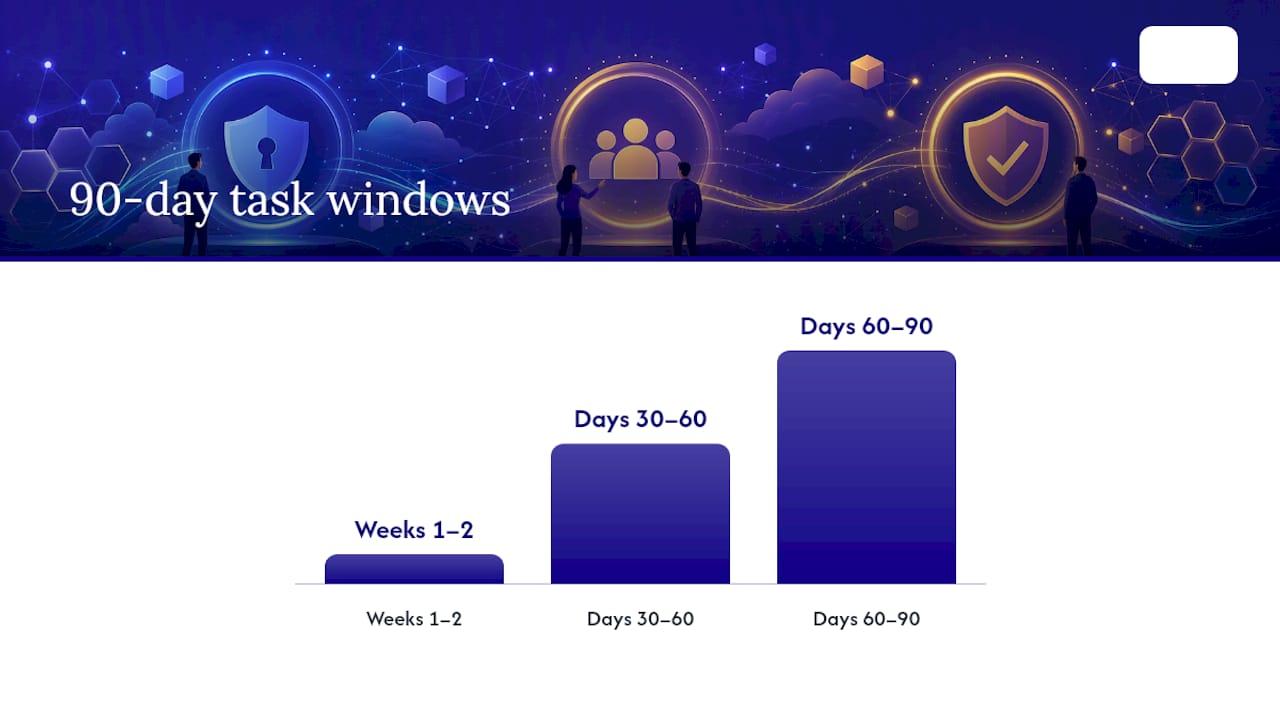
Weeks 1 to 2, low-disruption wins:
- Enforce MFA for all administrator accounts immediately.
- Block legacy authentication protocols, which close a common phishing entry point.
- Enable security defaults for tenants without a Premium license tier.
Days 30 to 60, moderate-impact work: 4. Roll out conditional access policies for regular users, tested in report-only mode first. 5. Confirm Defender for Endpoint coverage extends to every managed device, not just laptops. 6. Begin an information protection labeling rollout for sensitive files.
Days 60 to 90, structural work: 7. Integrate Defender for Cloud Apps to catch shadow IT and unsanctioned app use. 8. Revisit every "resolved through third party" status and confirm the documentation still holds. 9. Formalize a monthly reporting cadence for leadership.
Build in the 24 to 48 hour sync lag when you schedule verification checkpoints, and document every risk-accepted item with a reason and a review date.
Pro Tip: Treat network segmentation as part of this plan, not a separate project. Devices sitting outside a segmented network often account for endpoint recommendations that never seem to clear, and reviewing network segmentation best practices alongside your Defender rollout tends to close both gaps at once.
For manufacturers layering in NIST or DoD contract requirements, aligning Secure Score work with a documented compliance action plan keeps the audit trail consistent with your security fixes.
Use the Score as an Operating Metric, Not a Trophy
Secure Score works when it's treated as an operational KPI woven into your change management process, not a number you check once and forget. The real skill isn't maximizing the percentage. It's knowing which gaps deserve documented risk acceptance because closing them would break a business-critical workflow, and which ones simply haven't been assigned to anyone yet.
Small businesses without dedicated security staff tend to hit a ceiling around the achievable score for their license tier, then stall. That's usually the point where managed IT support makes the difference between a score that plateaus and a program that keeps moving, because someone is accountable for the recheck, the documentation, and the next quarter's target.
— Michael
Sources
- Microsoft Secure Score - Microsoft Defender XDR | Microsoft Learn
- Microsoft Secure Score — Microsoft Security