

What are the top Site.pro alternatives for U.S. small businesses?
The strongest alternatives to Site.pro in 2026 are Wix, Squarespace, WordPress, Webflow, and Systeme.io, each offering a distinct combination of ease of use, pricing flexibility, and built-in security that Site.pro's white-label model does not always match. For small businesses weighing their options, the right pick depends on how much design control you need, what your budget allows, and how seriously you take security defaults out of the box.
| Platform | Best For | Ease of Use | Starting Price | Key Features | Trial/Refund |
|---|---|---|---|---|---|
| Wix | Small businesses, general use | Very easy | Free plan available, with paid plans offering additional features. | HTTPS, 2FA, 800+ templates | 14-day money-back |
| ClickSites | Professionals, quick setup | Easy | Not publicly listed | Design templates, customer support | Contact vendor |
| WordPress | Customization, flexibility | Moderate | Free plan available, with paid plans offering additional features. | Plugins, managed updates, firewalls | 30-day refund (paid) |
| Divi | WordPress drag-and-drop design | Moderate | Annual subscription plans are offered. | Visual builder, multi-purpose | 30-day refund |
| Squarespace | Design-focused businesses | Easy | Monthly subscription plans are offered. | SEO tools, mobile templates | 14-day free trial |
| Systeme.io | Marketing and funnels | Easy | Free plan available, with paid plans offering additional features. | CRM, email, funnels | 30-day refund |
| Pixpa | Creative portfolios + store | Easy | Affordable monthly subscription plans are available. | Portfolio, e-commerce | 15-day free trial |
| Suncel | Team collaboration | Easy | Not publicly listed | Real-time editing, multi-user | Contact vendor |
| Webnode | Multilingual, small stores | Very easy | Free plan available, with paid plans offering additional features. | Multilingual, ecommerce | 15-day free trial |
| GoDaddy Website Builder | Fast launch, domain bundle | Very easy | Monthly subscription plans are offered. | Domain integration, marketing | 30-day refund |
| EASY2 | Budget-conscious beginners | Very easy | Not publicly listed | Simple editor, affordable | Contact vendor |
| UENI | Local service businesses | Very easy | Not publicly listed | AI site build, lead capture | Contact vendor |
| Elementor | WordPress visual design | Moderate | Free and annual subscription plans are offered. | Widget library, visual editor | 30-day refund |
| SITE123 | Quick, guided setup | Very easy | Free plan available, with paid plans offering additional features. | Wizard setup, mobile templates | 14-day refund |
| WebWave | Designers, agencies | Moderate | Free; paid from $8.99/mo | Pixel-perfect editor | 14-day free trial |
| Google Sites | Internal/informational sites | Very easy | Free | Google Workspace integration | N/A (free) |
| Webflow | Agencies, complex CMS | Advanced | Free plan available, with paid plans offering additional features. | Code export, team roles | 30-day refund |
| Silex | Developers, open source | Advanced | Free | Open source, flexible hosting | N/A (free) |
| uCoz | Modular, free plans | Moderate | Free; paid available | Modular blocks, community | Contact vendor |
| Webs.com | Template-based quick launch | Easy | Free; paid available | Templates, simple editor | Contact vendor |
| Voog | International, multilingual | Easy | Monthly subscription plans are offered. | Translation tools, collaboration | 14-day free trial |
| IM Creator | Artists, portfolio sites | Easy | Free; paid available | Free hosting, design focus | Contact vendor |
| Siteleaf | Static site workflows | Advanced | Free; paid from Paid plans are available. | Static CMS, content updates | Contact vendor |
| Simvoly | Sales funnels, e-commerce | Moderate | Monthly subscription plans are offered. | Funnel builder, store | 14-day free trial |
| Webydo | Design agencies | Advanced | Monthly subscription plans are offered. | Client collaboration, code-free | 14-day free trial |
| Zoho Sites | Zoho ecosystem users | Easy | Free plan available, with paid plans offering additional features. | Zoho app integration | 15-day free trial |
| WEXBO | Small business marketing | Easy | Not publicly listed | Marketing tools, analytics | Contact vendor |
| Kopage Website Builder | Community, free plans | Easy | Free; paid available | Community plugins, extensions | Contact vendor |
| Booqable | Rental businesses | Moderate | Monthly subscription plans are offered. | Rental management, e-commerce | 14-day free trial |
| SiteFLEX | Scalable hosting + builder | Easy | Not publicly listed | Hosting, site creation | Contact vendor |
| Webs | General small business | Easy | Free; paid available | Templates, basic editing | Contact vendor |
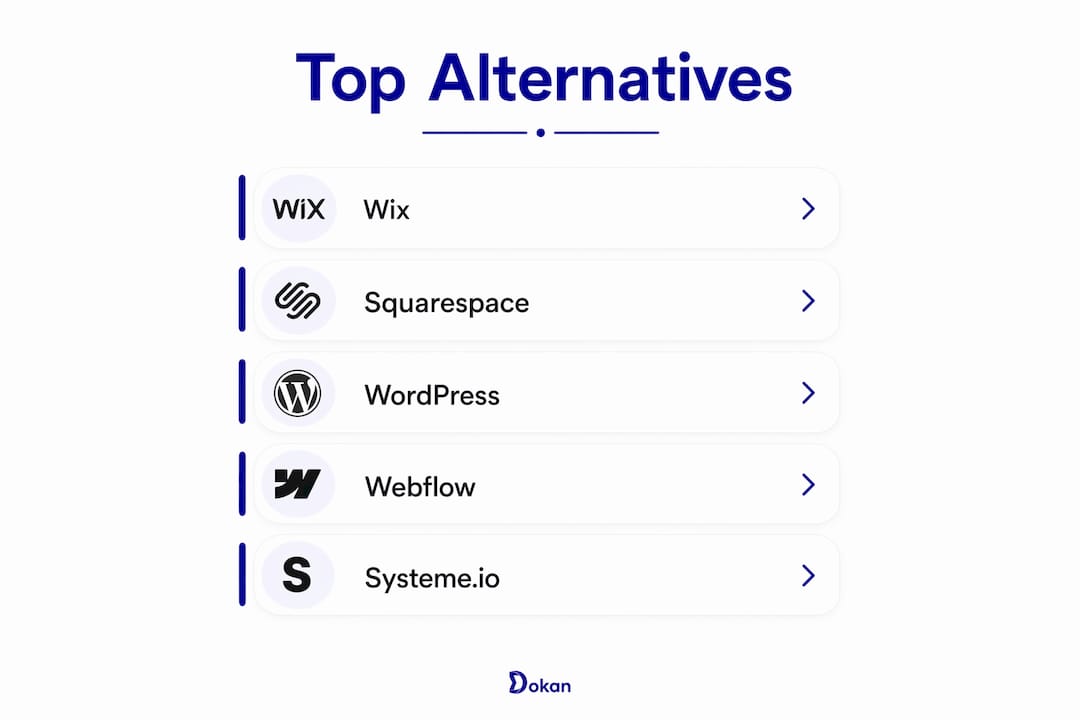
Detailed profiles of the leading Site.pro alternatives
Not every platform on this list deserves the same depth of coverage. The ones below have the clearest differentiation for small business owners making a real purchasing decision.
Wix stands out for security defaults that most competitors charge extra for. It automatically enables HTTPS for every site and includes two-step verification, collaborator controls, and Site History. Its contained ecosystem suits teams that want fewer server management tasks and no sprawling plugin library to audit. Wix's free tier is genuinely usable, and paid plans are available.
WordPress (via WordPress.com) is the right choice when you need real flexibility. It includes automatic core updates, firewalls, backups, and two-step authentication on managed plans. The trade-off: paid plans allow plugin installation, which expands your options but makes extension review a routine responsibility. WordPress provides managed hosting plans with flexibility, and the self-hosted version is free to download.
Squarespace earns its reputation on design consistency and built-in SEO tools. Every template is mobile-ready, and the platform handles hosting, SSL, and software updates without requiring any technical input. Plans start with monthly subscriptions, and a free trial period lets you test the full feature set before committing.

Webflow is the most capable option for businesses that need precise design control and a proper content management system. It supports workspace and site roles, publishing permissions, and restore points, making it well-suited for teams where multiple people touch the site. The learning curve is real, but the output quality is agency-grade. Free plans exist; paid plans start at $14 per month.
Systeme.io takes a different approach entirely. Rather than just building a website, it bundles email marketing, CRM, sales funnels, and membership tools into one platform. For a small business that would otherwise pay for three or four separate subscriptions, the free tier alone covers a surprising amount of ground. Paid plans are available.
Elementor and Divi both serve WordPress users who want drag-and-drop design without touching code. Elementor's free version is genuinely powerful; paid options are available. Divi, from Elegant Themes, offers annual subscriptions with unlimited site use, which makes it attractive for agencies or owners managing multiple properties.
GoDaddy Website Builder is fast to set up, especially if your domain is already registered with GoDaddy. The integration is tight, and basic marketing tools are included. The caution here: bundled domain registrar builders often limit flexibility and can complicate migration if you ever want to move. Plans start at $9.99 per month.
Pixpa targets creative professionals who need a portfolio and a store in one place. Starting at $3.60 per month, it is one of the more affordable options for photographers, designers, and artists who want to sell prints or services directly from their site.
Webnode is worth considering if you serve customers in multiple languages. Its multilingual capabilities are built in, not bolted on, and ecommerce is available on paid plans starting at $3.90 per month.
Simvoly and Systeme.io both address the funnel-building gap that most pure website builders ignore. Simvoly starts at monthly subscription plans are offered and includes a store and funnel builder. It suits businesses whose primary goal is converting visitors, not just informing them.
Booqable occupies a niche no other platform on this list covers: rental inventory management combined with a website builder. At $29 per month, it is purpose-built for businesses that rent equipment, gear, or products and need their site to reflect real-time availability.
For developers or budget-constrained users, Silex (open source, free), Google Sites (free with a Google account), and uCoz (free tier available) all provide functional options with minimal cost. Google Sites integrates directly with Google Workspace, making it a practical choice for teams already in that ecosystem.
UENI automates the initial site build using AI, which appeals to local service businesses that want a professional web presence without spending hours on setup. SITE123 takes a similar guided approach with a step-by-step wizard. Both prioritize speed over deep customization.
Zoho Sites makes sense almost exclusively for businesses already using Zoho CRM, Zoho Books, or other Zoho apps. The integration is the selling point; standalone, it is a competent but unremarkable builder.
Voog is a solid pick for businesses that need to publish content in multiple languages and want editorial collaboration built in. Its translation tools are more polished than what most competitors offer at a similar price point (Monthly subscription plans are offered.).
Thinner profiles include ClickSites, Suncel, EASY2, WEXBO, Kopage Website Builder, SiteFLEX, Webs.com, IM Creator, Siteleaf, Webydo, and Webs. Each serves a specific use case, but public pricing and feature documentation are limited for several of them. Contact the vendor directly for current plan details.
How to choose the best Site.pro alternative for your business
The right platform is the one you will actually maintain, not the one with the longest feature list. Start by answering three questions before you look at any pricing page.
What does your site need to do? An informational site for a local service business has completely different requirements than an e-commerce store or a portfolio. Matching the platform's core strength to your primary use case saves you from paying for features you will never use.
What is your real budget, including time? Free plans exist across most of these platforms, but the cost of your time matters too. A platform that takes 20 hours to configure is not free. Factor in setup time, ongoing maintenance, and the cost of any plugins or integrations you will need.
How technical are you, and who will manage the site? Webflow and self-hosted WordPress reward technical users with maximum control. Wix, SITE123, and Squarespace are designed for owners who want to update content without calling a developer.
Key questions to ask before deciding:
- Does the platform include SSL, 2FA, and automatic backups on the plan you are considering?
- Can you export your content and data if you decide to migrate later?
- What does customer support look like: live chat, email only, or a knowledge base?
- Are there transaction fees on e-commerce sales, and do they apply to your plan tier?
- Does the platform lock you into its hosting, or can you point to an external host?
Pro Tip: Test the support channel before you buy. Send a pre-sales question and note how long it takes to get a useful answer. Support quality during the sales process is usually a reliable indicator of what you will get after you pay.
Bundled website builders from domain registrars typically provide minimal IT oversight and lock businesses into ecosystems that complicate migration. If you registered your domain with GoDaddy or Namecheap and are tempted by the included builder, weigh that convenience against the long-term flexibility you may be giving up.
Security and compliance: what your website builder does not cover
Managed website platforms do not automatically guarantee security. Business owners remain responsible for enabling multi-factor authentication, reviewing third-party plugins, and maintaining privacy policies. The platform handles the infrastructure; you handle the account.
Businesses collecting customer data or processing payments must audit their data flows explicitly, beyond whatever compliance features the platform claims to include. Knowing whether payment scripts load on your pages, who can edit theme code, and whether your payment provider requires an annual security questionnaire are all owner responsibilities, not platform defaults.
Essential security features to verify on any platform you are considering:
- Free SSL/TLS certificate included on all plans
- Two-factor authentication (2FA) available for account login
- DDoS protection at the hosting level
- Automated backups with a clear restoration process
- Regular security updates applied by the platform, not manually by you
Website builders with free SSL, 2FA, DDoS protection, and regular updates significantly improve your security posture compared to platforms that treat these as add-ons. But even the best defaults do not protect you from weak passwords, careless integrations, or an outdated privacy policy.
Security and compliance best practices for small business website owners:
- Enable 2FA on your website builder account and your domain registrar account separately.
- Review every third-party app or plugin you install; remove any you no longer use.
- Test your backup restoration at least once per year. A backup that has never been restored is theoretical protection, not real recovery capability.
- Audit your privacy policy and terms pages annually, especially after adding new tools or payment methods.
- Document who has admin access to your site and revoke credentials for anyone who no longer needs them.
No platform eliminates the owner's responsibility to secure account credentials and manage third-party app risks. For small manufacturers and professional services firms with compliance obligations, this is not a minor footnote. A data breach traced to a poorly managed plugin or a shared admin password carries the same regulatory consequences regardless of which website builder you chose.
Your website security needs more than a good builder
Choosing the right website builder is one piece of the puzzle. The other piece is making sure the systems around your site, including your network, endpoints, and user accounts, are equally protected.

Symmnet provides managed IT and cybersecurity services built specifically for small U.S. businesses in manufacturing, aerospace, and professional services. While your website builder handles the front end, Symmnet covers 24/7 system monitoring, endpoint security, firewall management, and backup verification behind the scenes. Fixed monthly pricing means no surprise invoices, and every client gets U.S.-based support from a team that understands industry-specific compliance requirements. If you are not sure where your security gaps are, Symmnet offers a free assessment to find out.
Key Takeaways
The best Site.pro alternative for your small business depends on your use case, technical comfort level, and security requirements, not just the feature count.
| Point | Details |
|---|---|
| Match platform to use case | Wix and Squarespace suit general business sites; Webflow and WordPress fit complex or agency-level needs. |
| Security is a shared responsibility | Platforms provide infrastructure security; owners must enable 2FA, manage plugins, and maintain privacy policies. |
| Test backups before you need them | A backup that has never been restored offers no proven recovery capability. |
| Avoid bundled registrar builders | Domain registrar website builders often limit migration options and provide minimal security oversight. |
| Symmnet covers what builders cannot | Managed IT monitoring, endpoint security, and compliance support protect the systems your website builder does not touch. |