

Phishing prevention is the active combination of employee training, security technology, and clear reporting procedures designed to stop attackers from tricking users into revealing sensitive information or installing malicious software. The industry term for this discipline is "anti-phishing," though phishing prevention is the phrase most business teams use day to day. Phishing attacks account for approximately 15% of all data breaches, according to the Verizon 2025 Data Breach Investigations Report. That number means one in seven breaches traces back to a deceptive message, not a sophisticated technical exploit. Stopping phishing requires three things working together: people who recognize threats, processes that guide response, and technology that filters attacks before they reach an inbox.
What is phishing prevention and why does it matter?
Phishing prevention is defined as the set of controls an organization puts in place to detect, block, and respond to fraudulent communications designed to steal credentials, money, or data. A phishing attack is any message, email, text, or call that impersonates a trusted source to manipulate the recipient into taking a harmful action. The goal is always the same: get a person to click, share, or pay.
The threat is not slowing down. Attackers now use AI to write convincing messages at scale, removing the spelling errors that once made phishing easy to spot. Proofpoint experts highlight trust exploitation as the core attacker strategy, meaning the message looks like it comes from someone you already believe. That shift makes technical filters alone insufficient. Every employee becomes a potential target, and every inbox is a potential entry point.

Small businesses face the same threat landscape as large enterprises but typically have fewer dedicated security resources. That gap makes a structured prevention program, not just an antivirus subscription, the baseline requirement for any organization handling customer data, financial records, or regulated information.
What are the common phishing tactics attackers use?
Attackers reach employees through multiple channels, and each channel exploits a different form of trust.
- Email phishing remains the most common vector. Messages impersonate vendors, banks, or internal leadership to prompt urgent action.
- Smishing uses SMS text messages with malicious links disguised as delivery notifications or bank alerts.
- Vishing involves phone calls where attackers pose as IT support, the IRS, or a company executive.
- Social media phishing uses fake profiles or compromised accounts to send direct messages with malicious links.
- Spear phishing targets specific individuals using personal details gathered from LinkedIn or company websites to make the message feel legitimate.
The psychological triggers attackers rely on are consistent: urgency, authority, fear, and curiosity. A message that says "Your account will be suspended in 24 hours" creates pressure that bypasses careful thinking. Phishing prevention depends heavily on managing human psychology and building user threat literacy, not just deploying filters.
The most dangerous evolution is the use of deepfakes. Attackers increasingly use deepfakes and personalized company information to bypass both technical and awareness controls. A real-world case illustrates the stakes: a company lost $25 million after an employee was deceived by a deepfake video call impersonating the CFO. That incident proves phishing prevention must extend beyond email to cover phone, video, and SMS communications.
Recognizing the behavioral trigger in a message, the artificial urgency, the unusual request, the mismatched sender, is the skill that no spam filter can replace. Train your team to pause before they click, not just to spot bad grammar.
Pro Tip: Post a one-page reference card near workstations listing the four most common urgency phrases attackers use. Physical reminders reinforce digital training without requiring a login.
How does employee training build effective phishing prevention?
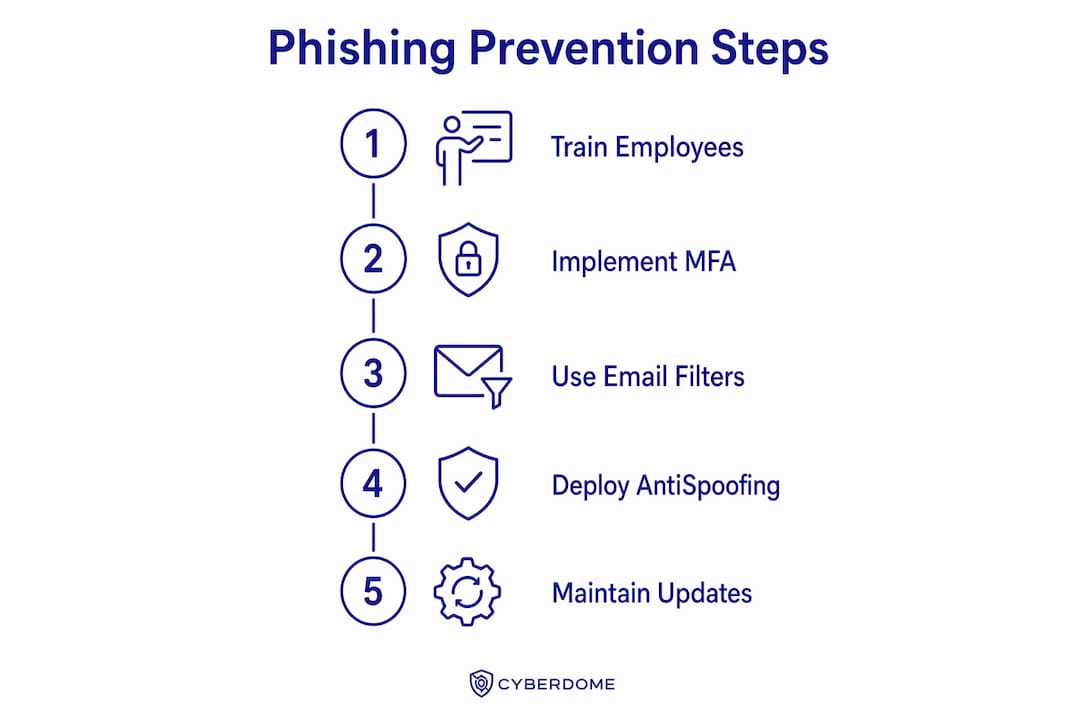
Phishing awareness training is the structured process of teaching employees to recognize, avoid, and report phishing attempts. It differs from phishing simulation, which tests employees with fake attacks to measure their response. Both are necessary, but training builds the knowledge while simulation measures whether it stuck.
Annual training events do not work. CISA guidance updated in late 2025 emphasizes regular employee education and reporting mechanisms over one-time compliance events. The reason is simple: attackers update their tactics monthly, and a training session from last January does not prepare employees for a deepfake call in October.
An effective phishing awareness training program follows a repeating cycle:
- Monthly micro-lessons covering one specific tactic or scenario, delivered in five minutes or less via email or a learning platform.
- Quarterly simulations that send realistic fake phishing emails to employees and track who clicks, who reports, and who ignores the message.
- Immediate feedback sent to employees who click a simulated link, explaining what the red flags were and what to do next time.
- Targeted follow-up training for employees who repeatedly fall for simulations, addressing their specific knowledge gaps rather than repeating the same general course.
- Leadership communication that frames cybersecurity as a shared responsibility, not an IT department problem.
Behavioral metrics that measure actual threat recognition and reporting are better indicators of training success than course completion rates alone. A 100% course completion rate means nothing if employees still click suspicious links. Track the reporting rate, the click rate on simulations, and the time between receiving a suspicious message and reporting it.
A culture of cybersecurity matters as much as the training content itself. Employees who fear punishment for clicking a phishing link will hide the incident instead of reporting it. That silence is far more damaging than the click. Build a reporting culture where employees feel safe flagging mistakes.
Pro Tip: Install a one-click "Report Phishing" button in your email client. The lower the friction, the higher the reporting rate, and every report gives your security team real threat data.
What technologies and security processes help prevent phishing attacks?
Technical controls reduce the volume of phishing messages that reach employees and limit the damage when one gets through. Email filtering, endpoint protection, MFA, and antispoofing protocols help reduce phishing risks, but they have limits that human vigilance must address. No filter catches everything, and no tool replaces a trained employee.
| Technology | Function | Key limitation |
|---|---|---|
| Email filtering | Blocks known malicious senders and scans attachments | Cannot catch novel or highly targeted spear phishing |
| DMARC, SPF, DKIM | Antispoofing protocols that verify sender domains | Only effective if the receiving domain also enforces them |
| Multi-factor authentication (MFA) | Requires a second verification step beyond a password | Does not prevent credential theft; limits damage after theft |
| Endpoint protection | Detects and blocks malware installed via phishing links | Requires regular updates to recognize new malware variants |
| URL filtering | Blocks access to known malicious websites | Cannot block newly registered phishing domains in real time |
| 24/7 monitoring | Detects unusual login behavior or data movement | Requires skilled analysts to interpret and act on alerts |
DMARC, SPF, and DKIM are the three antispoofing protocols every organization should configure on its email domain. Without them, attackers can send messages that appear to come from your own company address. Configuring all three takes a few hours and eliminates a large category of impersonation attacks.
MFA deserves special attention because it is widely misunderstood. MFA does not prevent phishing. It prevents an attacker from using a stolen password to log in. That distinction matters because employees sometimes treat MFA as a reason to be less careful with their credentials. The correct message is: MFA limits the damage, but it does not stop the attack.
Strong password policies and regular patch management round out the technical layer. Unpatched software gives attackers a second path into your systems even if the phishing email itself fails. Pair technical controls with a written incident response plan that names who to call, what to preserve, and how to contain the breach when a phishing attack succeeds.
How can organizations build an adaptive phishing prevention program?
A phishing prevention program is not a project with a finish line. It is an ongoing operation that must evolve as attacker tactics evolve. CISA recommends designating internal leads or external IT providers to track phishing threat evolution and deliver timely employee updates. Without a named owner, prevention programs stall after the initial rollout.
An adaptive program includes these ongoing practices:
- Real-time threat intelligence feeds that alert your security lead when new phishing campaigns target your industry or region.
- Post-incident training sprints triggered immediately after a real phishing attempt reaches your team, addressing the specific tactic used.
- Simulation data review each quarter to identify which departments or roles have the highest click rates and need targeted support.
- Regular policy updates that reflect new attack vectors, including SMS, voice, and video-based phishing.
- External IT partnership for organizations without a dedicated security team, providing access to expertise and monitoring that would otherwise be unavailable.
A mature phishing prevention program focuses on continuous behavioral reinforcement and real-time threat intelligence rather than compliance checklists. The difference between a checkbox program and an effective one is whether employees actually change their behavior after training. Behavioral data from simulations and reports tells you exactly where to focus next.
Simulation exercises without an effective reporting path create data gaps that hinder real threat response. If employees know how to spot a phishing email but have no clear way to report it, your security team never learns about active campaigns targeting your organization. Reporting is not optional. It is the feedback loop that makes the entire program work.
Pro Tip: Review your simulation click-rate data by department, not just by individual. Departments with consistently high rates often share a workflow or tool that creates vulnerability, and fixing the process protects everyone.
Key Takeaways
Phishing prevention requires layered defenses: trained employees, antispoofing protocols like DMARC, and a named program owner who keeps defenses current as attacker tactics evolve.
| Point | Details |
|---|---|
| Define the threat clearly | A phishing attack exploits human trust, not just technical gaps, making employee training non-negotiable. |
| Use behavioral metrics | Track simulation click rates and reporting rates, not just course completion, to measure real progress. |
| Layer your technical controls | Deploy DMARC, SPF, DKIM, MFA, and email filtering together; no single tool is sufficient on its own. |
| Assign a program owner | Designate an internal lead or external IT provider to keep training and threat intelligence current. |
| Build a reporting culture | Low-friction reporting mechanisms give your security team the real-time data needed to respond to active threats. |
The part most businesses get wrong about phishing prevention
After working with small businesses across manufacturing, professional services, and aerospace, I keep seeing the same pattern. The organization invests in a solid email filter, runs one phishing simulation, and then considers the problem solved. Six months later, an employee wires money to a fraudulent vendor because a convincing email bypassed the filter and no one had been trained to verify unusual payment requests by phone.
The uncomfortable truth is that technology handles the easy attacks. The hard attacks, the spear phishing emails that use your CEO's name and reference a real project, get through filters regularly. Those attacks succeed or fail based entirely on whether the employee receiving them has been trained to pause and verify.
What I find works is treating phishing prevention the way a good coach treats athletic conditioning: consistent, progressive, and tied to real performance data. Monthly micro-lessons build the habit. Quarterly simulations test it. Behavioral data from both tells you where to coach harder. The organizations that do this well are not the ones with the biggest security budgets. They are the ones with a named person responsible for keeping the program alive and current.
The deepfake threat makes this more urgent, not less. When a video call can convincingly impersonate your CFO, the technical controls become almost irrelevant for that specific attack. The only defense is a verified callback procedure and an employee who knows to use it. That is a training outcome, not a technology purchase. Build the human layer first, then let technology amplify it.
— Michael
How Symmnet supports your phishing prevention program
Small businesses rarely have the internal resources to run a phishing prevention program that stays current with evolving threats. Symmnet provides managed IT and cybersecurity services built specifically for small U.S.-based businesses in manufacturing, aerospace, and professional services.

Symmnet's services include 24/7 system monitoring, endpoint security, firewall management, and employee cybersecurity training, giving your team the technical controls and the human layer working together. If you want to know where your current defenses fall short, Symmnet offers a free assessment to identify security gaps across your organization. You can also review critical security controls every small business needs as a starting point for building a stronger defense.
FAQ
What is phishing prevention in simple terms?
Phishing prevention is the combination of employee training, technical controls, and reporting procedures that stops attackers from tricking your team into revealing passwords, money, or sensitive data.
What are the most common signs of phishing emails?
The most reliable signs of phishing emails include artificial urgency, mismatched sender addresses, unexpected requests for credentials or payment, and links that do not match the displayed text.
How often should phishing awareness training happen?
CISA recommends ongoing, multi-channel training rather than annual events. Monthly micro-lessons combined with quarterly simulations produce the strongest behavioral results.
Does multi-factor authentication stop phishing attacks?
MFA does not stop phishing. It prevents an attacker from using a stolen password to access your systems, but it does not block the initial credential theft or a deepfake-based attack.
How do small businesses build a phishing prevention program without a full IT team?
Small businesses can partner with a managed IT provider to access threat monitoring, employee training, and technical controls without hiring dedicated security staff. Designating one internal point of contact to coordinate with the provider keeps the program active and current.