

Password management is defined as the practice of securely creating, storing, and using unique credentials through specialized tools and protocols to prevent unauthorized access and data breaches. For small business owners and employees, understanding what is password management means recognizing it as a core cybersecurity discipline, not just a convenience. The National Cyber Security Centre confirms that password managers maintain unique, complex credentials for every service while requiring you to remember only one master password. The Electronic Frontier Foundation identifies end-to-end encryption, secure autofill, and random password generation as the defining features of a trustworthy solution. This guide covers how password managers work, why small businesses need them, and how to put a solid system in place.
What is a password manager and how does it work?
A password manager is software that generates, stores, and fills in your login credentials automatically. You create one strong master password to unlock the vault. Every other password inside gets encrypted and stored securely, so you never have to remember dozens of logins.

Core functions of a password manager
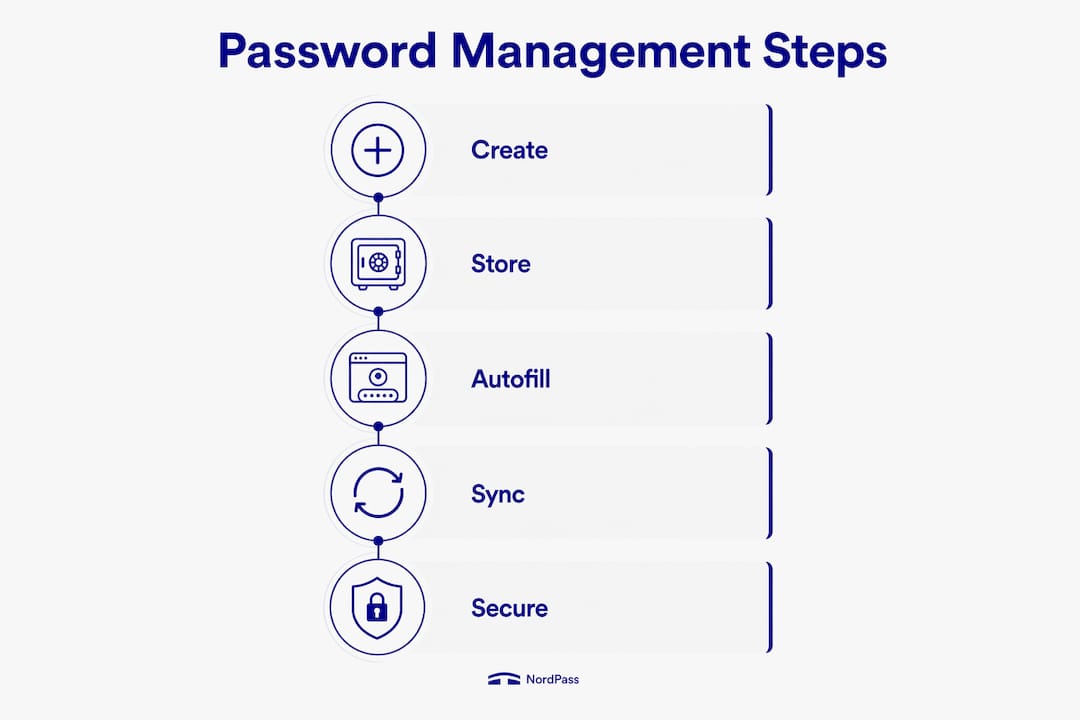
The four core functions are generation, storage, autofill, and syncing. Generation creates random, complex passwords that no human would choose on their own. Storage keeps those passwords in an encrypted vault protected by your master password. Autofill enters credentials directly into login forms, which also protects against phishing sites that mimic legitimate pages. Syncing keeps your vault consistent across all devices, from your desktop to your phone.
Most dedicated password managers also integrate with multi-factor authentication, adding a second verification step before anyone can open the vault. That combination of encryption plus MFA is what separates a secure setup from a vulnerable one.
Browser-based vs. dedicated password managers
Browser-based password saving, built into Chrome, Safari, or Edge, is convenient but limited. It stores credentials in the browser session, which means a compromised browser session exposes every saved password instantly. Browser-based storage carries real risk for critical business credentials. Dedicated third-party password managers use independent encryption, security audits, and breach alerts that browser tools simply do not offer.
The Electronic Frontier Foundation recommends choosing a manager that has passed third-party security audits. That audit history is public proof that the software has been tested by independent researchers, not just the vendor's own team.
Pro Tip: When evaluating a password manager for your business, look specifically for published third-party audit reports. A vendor that publishes audit results is one that stands behind its security claims.
Why is password management critical for small businesses?
Weak passwords are the most common entry point for data breaches. Small businesses often assume they are too small to be targeted. That assumption is wrong. Attackers use automated tools that scan thousands of businesses at once, looking for the easiest credentials to crack.
The real cost of weak password habits
Password reuse is the most dangerous habit in a business environment. When one employee uses the same password across their email, accounting software, and client portal, a single breach compromises all three systems. The financial and reputational damage from that kind of cascading failure can shut down a small business entirely.
NIST guidance makes the risk concrete: an 8-character password can be cracked in less than one hour, while a 12-character passphrase resists brute-force attacks for over 200 years. That gap in protection is enormous. NIST recommends passwords of at least 15 characters for optimal security. Most employees, left to their own devices, choose passwords far shorter than that.
Password managers solve this by generating and storing 20-character random passwords automatically. Employees never need to know what the password actually is. They just click autofill and get in.
Benefits of password management for business operations
The benefits of password management extend beyond security. Centralized password management gives business owners visibility over employee credentials, which is critical during onboarding and offboarding. When an employee leaves, you can revoke their access immediately rather than hoping they did not share their login with anyone.
Key operational benefits include:
- Unique credentials per service: A breach at one vendor does not cascade into your other systems.
- Faster onboarding: New employees get secure access to the tools they need without IT manually setting up every account.
- Clean offboarding: Revoking a departing employee's access takes minutes, not days.
- Audit trails: Many business-grade tools log who accessed what and when, supporting compliance requirements.
For businesses in manufacturing, aerospace, or professional services, where compliance with regulations like CMMC or HIPAA is mandatory, that audit trail is not optional. It is a requirement.
How to implement password management in your small business
Setting up a password management system takes less than a day. The steps below apply whether you have five employees or fifty.
-
Choose a dedicated password manager with end-to-end encryption. Look for one with published third-party security audits. Avoid free browser-based tools for business accounts.
-
Create a strong master password. Follow NIST's 15-character minimum and use a passphrase, a string of four or more unrelated words, rather than a single word with substitutions.
-
Store recovery keys offline. Do not save recovery keys as screenshots or unencrypted files on your computer. Keep offline backups in a physically secure location, such as a locked filing cabinet or a fireproof safe.
-
Enable multi-factor authentication on the password manager itself. Use a dedicated 2FA app separate from the password manager. Keeping them on the same device or app defeats the purpose of layered security.
-
Separate your security layers. A three-layer approach works best: one app for your password vault, one app for your 2FA codes, and one offline backup method. If one layer fails, the others hold.
-
Train employees and set a password update policy. Require employees to update any password that may have been shared or exposed. Schedule a quarterly review of which accounts exist and who has access.
Pro Tip: For security recovery questions, use nonsensical answers that have nothing to do with the actual question. "What was the name of your first pet?" can be answered with "purple47triangle." Your password manager stores the answer, so you never need to remember it.
What features should you look for in password management tools?
Password management tools vary widely in capability. The features below separate basic tools from ones that genuinely protect a business.
Key features to evaluate
- Random password generation: The tool should create passwords of at least 16 characters using letters, numbers, and symbols.
- Autofill with phishing protection: Autofill should only trigger on the exact domain it was saved for, blocking credential theft on fake login pages.
- Breach alerts: The tool should notify you immediately if a stored credential appears in a known data breach.
- Secure sharing: Business accounts should allow sharing credentials with team members without revealing the actual password.
- Device syncing: Credentials should stay consistent across desktop, mobile, and browser without manual updates.
Comparing password management tool categories
| Feature category | Browser-based tools | Dedicated third-party tools |
|---|---|---|
| End-to-end encryption | Limited or absent | Standard in reputable options |
| Third-party security audits | Rarely published | Available from leading tools |
| Breach alerts | Basic or none | Real-time notifications |
| Business admin controls | Not available | Centralized dashboard |
| MFA integration | Browser-level only | Independent MFA support |
| Secure credential sharing | Not supported | Supported with access controls |
The table makes one thing clear: browser-based tools are not built for business use. They work for personal convenience, but they lack the controls that a business environment requires. Dedicated tools give you the admin visibility, audit capability, and independent encryption that protect company data at scale.
Key Takeaways
Password management is the single most cost-effective security control a small business can implement, combining encrypted storage, unique credentials, and MFA to block the most common attack vectors.
| Point | Details |
|---|---|
| Define your approach | Password management means creating, storing, and using unique credentials through encrypted, dedicated tools. |
| Password length matters | NIST recommends at least 15 characters; an 8-character password can be cracked in under one hour. |
| Browser tools fall short | Browser-based password saving lacks encryption audits, breach alerts, and business admin controls. |
| Layer your security | Use separate apps for your password vault, 2FA codes, and offline backup to minimize single points of failure. |
| Centralize for control | Business-grade tools give owners visibility over employee access, supporting fast and clean offboarding. |
Why I think most small businesses are one bad password away from a serious breach
After working with small businesses across manufacturing, professional services, and aerospace, I have seen the same pattern repeat itself. The breach rarely comes from a sophisticated attack. It comes from an employee who reused a password from a personal account that got leaked in a retail data breach two years ago.
The uncomfortable truth is that password hygiene is not a technology problem. It is a behavior problem. Technology like a dedicated password manager solves the behavior problem by removing the decision entirely. Employees do not choose weak passwords because they are careless. They choose them because remembering 40 unique, complex passwords is genuinely impossible without a tool.
What I have also seen is that businesses treat MFA as optional. It is not. Password managers limit breach damage by ensuring unique credentials everywhere, but the master password itself needs MFA protection. Without it, one stolen master password unlocks everything. That is not a theoretical risk. It has happened.
My recommendation is to treat your security policies as living documents. Set them up, train your team, and revisit them every quarter. The businesses that do this consistently are the ones that avoid the headlines.
— Michael
How Symmnet supports your password security and IT protection
Small businesses rarely have the internal IT staff to manage password policies, MFA rollout, and breach monitoring simultaneously. Symmnet fills that gap with managed IT and cybersecurity services built specifically for small U.S.-based businesses in manufacturing, aerospace, and professional services.

Symmnet's team handles password security policy setup, MFA integration, employee training support, and 24/7 monitoring so your credentials and systems stay protected without adding to your team's workload. Fixed pricing means no surprise invoices, and U.S.-based support means fast responses when something needs attention. Contact Symmnet for a free security assessment and find out exactly where your current password and access controls stand.
FAQ
What is password management in simple terms?
Password management is the practice of using a dedicated tool to create, store, and fill in unique, complex passwords for every account. It removes the need to memorize multiple passwords while keeping credentials secure.
What is a password manager and is it safe?
A password manager is software that encrypts and stores your login credentials behind a single master password. It is safe when combined with multi-factor authentication and a strong master password, as vault security depends on both factors together.
Why should small businesses use a password manager?
Password managers give business owners centralized control over employee credentials, making onboarding and offboarding faster and reducing the risk of credential reuse across systems.
How long should business passwords be?
NIST recommends a minimum of 15 characters for optimal security. An 8-character password can be cracked in under one hour, while a 12-character passphrase resists attacks for over 200 years.
Should employees use browser-based password saving for work accounts?
No. Browser-based password saving exposes all stored credentials if the browser session is compromised. Dedicated password management tools with independent encryption and admin controls are the correct choice for business accounts.