

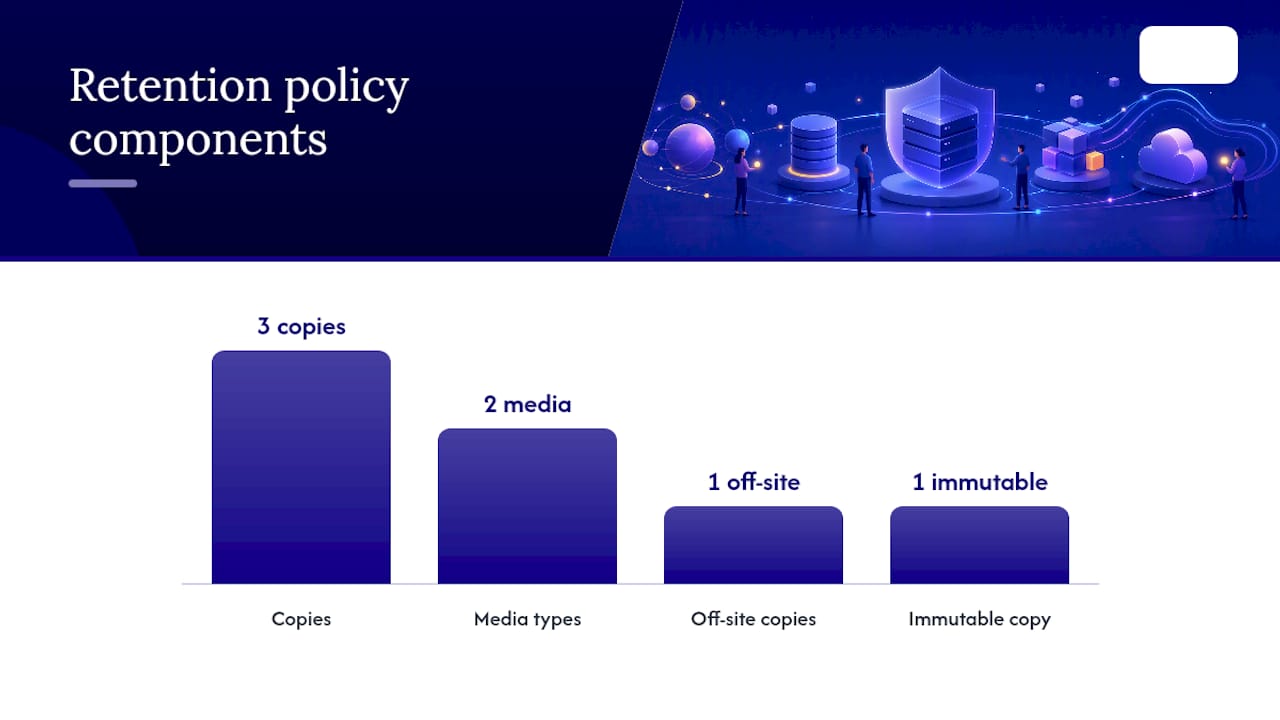
Adopt a tiered retention schedule built on the 3-2-1-1-0 model: three copies of your data, on two different media types, one off-site, one immutable or air-gapped, and zero errors confirmed through testing. That fifth element matters more than most small businesses realize, because the 3-2-1 backup rule alone no longer holds up against ransomware that targets network-connected backups first.
Here's a starter policy you can adapt today:
- Daily backups: retained for a few weeks on fast, local storage for quick recovery.
- Weekly backups: retained 3 months, replicated off-site.
- Monthly backups: retained about a year, with at least one immutable or air-gapped copy.
- Yearly backups: retained 7 years for financial and audit records, per your compliance requirements.
- Automate enforcement through your backup platform so no one has to remember to delete or extend anything manually.
Pro Tip: A backup only counts as "retained" if it's actually recoverable and untouchable by an attacker. If your backup admin account uses the same credentials as your domain admin, you don't have an immutable copy. You have a false sense of security.
Key Takeaways
A tiered 3-2-1-1-0 retention policy, enforced automatically and verified through regular restore tests, is the most reliable way for small businesses to survive both hardware failure and ransomware.
| Point | Details |
|---|---|
| Use 3-2-1-1-0, not just 3-2-1 | Add one immutable or air-gapped copy since network-connected backups alone are ransomware targets. |
| Match retention to data criticality | Map RTO/RPO and compliance needs to each dataset instead of applying one blanket schedule. |
| Automate enforcement | Manual purge and retention management fails silently; scheduled jobs and alerts don't. |
| Test restores on a real cadence | Weekly checks, quarterly full restores, and annual disaster simulations prove recoverability. |
| Symmnet manages the operational load | Symmnet handles backup automation, immutable storage, and audit-ready testing so small teams don't have to. |
Table of Contents
- What Is a Backup Retention Policy?
- How Do You Determine the Right Retention Periods?
- What Are the Core Best Practices for Retention Policies?
- How Do You Implement Retention Settings and Automation?
- What Should a Sample Retention Schedule Look Like?
- How Often Should You Test Backup Restores?
- Why Do Modern Backups Need Immutability and Air-Gaps?
- What Legal and Compliance Rules Affect Retention?
- Frequently Asked Questions
- Sources
What Is a Backup Retention Policy?
A backup retention policy is a documented set of rules that maps each type of backup copy to how long it's kept, where it's stored, and who can access or delete it. It answers three questions every audit and every ransomware recovery will eventually ask: what did you back up, for how long, and can you prove it wasn't tampered with?
Retention policies exist for three practical reasons:
- Business continuity — restoring the right version of data fast enough to hit your recovery targets.
- Compliance and legal discovery — proving you kept (or properly disposed of) records regulators or courts may request.
- Cost control and data minimization — storage isn't free, and keeping everything forever creates both expense and liability.
Frameworks from NIST and CISA underpin most modern retention guidance, particularly around resilience against destructive attacks.
How Do You Determine the Right Retention Periods?
Retention periods aren't guesswork. They come from mapping business risk to a repeatable process:
- Inventory your data. List every system, database, file share, and SaaS platform you rely on, including Microsoft 365, which isn't backed up by the vendor by default.
- Classify criticality. Rank each dataset by how quickly you'd need it back and how legally sensitive it is.
- Map RTO/RPO to backup cadence. A production database with a 1-hour recovery point objective needs hourly snapshots; a static file archive doesn't.
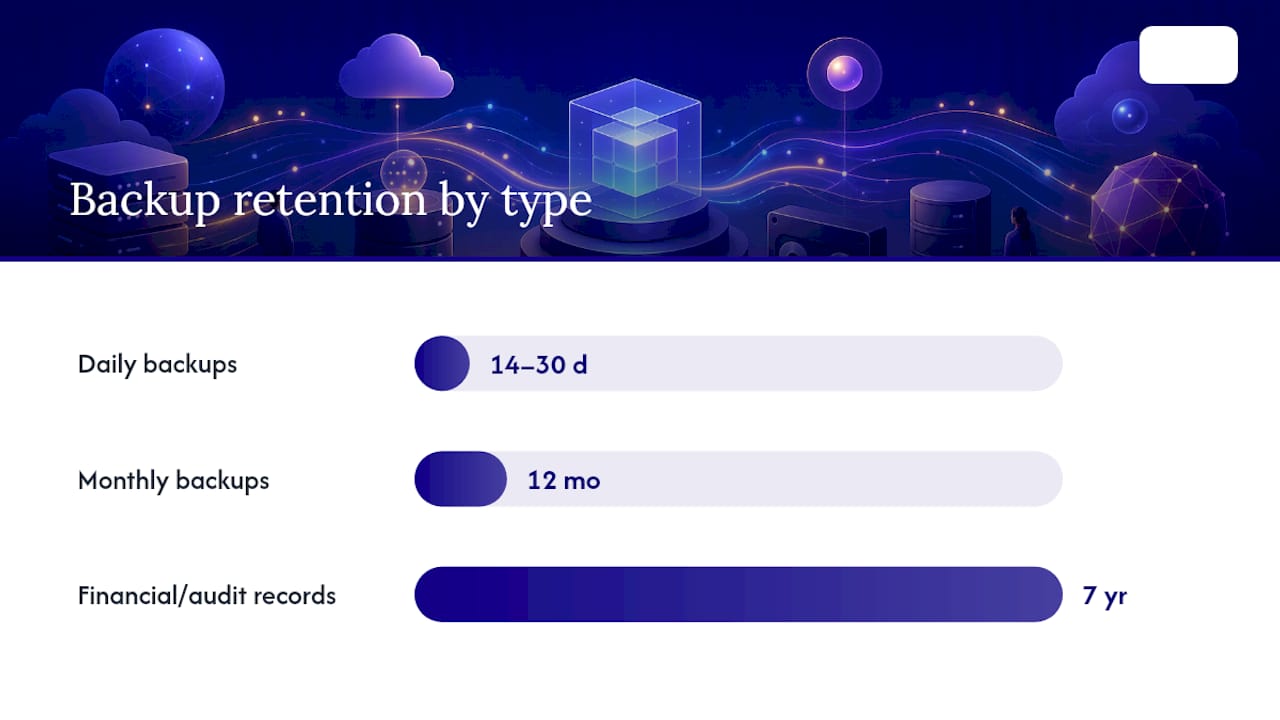
- Assign retention tiers. For example: hourly snapshots kept 48 hours, daily backups kept 30 days, monthly backups kept 12 months, and yearly archives kept 7 years for audit trails.
Legal holds interrupt all of this. When litigation or a regulatory inquiry is pending, normal purge schedules pause for the affected data, regardless of what your policy otherwise says.
What Are the Core Best Practices for Retention Policies?
The 3-2-1 rule (three copies, two media types, one off-site) remains the foundation. But ransomware that specifically hunts for connected backup targets has pushed the standard toward 3-2-1-1-0: one copy immutable or air-gapped, and zero errors confirmed by testing.
Build these controls into the policy itself:
- Immutable storage or air-gapped media for at least one backup copy.
- Separate credentials for backup systems, never shared with domain admin accounts.
- Retention locks that prevent early deletion, even by administrators.
- A documented exception process for legal holds.
- Automated enforcement rather than manual cleanup.
Operationally, verify every backup job, run scheduled restore tests, monitor for anomalies like sudden size drops, and review the whole policy at least annually.
Pro Tip: Immutability and data minimization can conflict. If a regulation requires you to delete customer data on request, your immutable backup copy can't honor that until its retention window naturally expires. Build this delay into your privacy disclosures up front.
How Do You Implement Retention Settings and Automation?
Turning policy into practice comes down to configuration discipline:
- Tag every dataset by criticality and data type so retention rules apply automatically, not by memory.
- Apply lifecycle rules that move data from hot storage to cool to archive tiers as it ages.
- Enable immutable locks wherever your storage platform supports them.
- Schedule enforcement jobs and alert on any skipped or failed purge.
For small businesses, object storage lifecycle rules (like tiered transitions in cloud storage) and backup-tool retention commands handle most of this without custom engineering. Use separate access keys for backup targets so a compromised production credential can't touch your backup repository.
What Should a Sample Retention Schedule Look Like?
Here's how retention tiers typically break down by data category:
| Data Category | Retention Schedule | Rationale |
|---|---|---|
| Low-change file shares | Daily (a couple of weeks), monthly (several months) | Infrequent changes need less granular short-term recovery. |
| Production databases | Hourly (a couple of days), daily (about a month), monthly (about a year), yearly (multiple years) | High change rate demands tight RPOs plus long-term audit copies. |
| Audit and compliance logs | Monthly (multiple years) | Tax and legal records often require multi-year minimums. |
- Extend any tier when a specific regulation (tax, industry, or contractual) demands longer retention than your default.
- Treat these numbers as a starting template. Adjust the day counts to match your actual RTO/RPO findings, not the other way around.
How Often Should You Test Backup Restores?
A policy without restore testing is just a document. Build this into your calendar:
- Weekly: spot-check that backup jobs completed successfully and file sizes look normal.
- Quarterly: run a full restore test on a critical dataset, checking that recovered data is complete and usable.
- Annually: simulate a full disaster recovery scenario, including restoring from your immutable or air-gapped copy.
Monitor for job failures, throughput anomalies, retention-rule enforcement errors, and unusual access to backup systems. Keep audit evidence: purge logs, retention configuration snapshots, and signed-off test restore reports. Auditors and cyber insurers increasingly ask for all three.
Why Do Modern Backups Need Immutability and Air-Gaps?
A classic 3-2-1 setup fails against ransomware when every copy stays network-connected. Attackers who gain administrative access can encrypt or delete production data and its backups in the same attack, which is exactly what modern ransomware campaigns now target first.
Three practical ways to close that gap:
- Cloud retention locks that prevent deletion or modification for a set period, even by account owners.
- WORM (write once, read many) storage for compliance-grade immutability.
- Tape or logically isolated air-gapped copies disconnected from your primary network.
Pro Tip: Don't just assume your immutable copy works. Review the configuration directly and run a real test restore from it at least once a year. Immutability settings get misconfigured more often than teams expect.
What Legal and Compliance Rules Affect Retention?
Regulatory requirements often set the floor for how long you must keep certain backups, not the ceiling:
- Tax records generally require multi-year retention windows, and some legal documents call for permanent retention.
- HIPAA-covered health data carries its own documentation and retention requirements worth checking against HHS guidance.
- State privacy laws like California's CPRA require disclosing your retention periods or the criteria you use to set them, and grant individuals deletion rights.
When someone exercises a deletion right, your backups need a documented process for handling that request once the relevant retention window closes, not immediately. Put your retention periods in writing, and if you use third-party backup processors, make sure your contracts specify how they handle retention and deletion too.
Why This Approach Fits Small Businesses
A tiered, immutable, tested backup strategy sounds complex, but it scales down cleanly. Most of the cost is planning time, not infrastructure. That's the real advantage for teams without a dedicated backup engineer.
How Symmnet Helps You Put This Into Practice
Building a retention policy on paper is one thing. Enforcing it across servers, endpoints, and Microsoft 365 without a dedicated IT staff is another. Symmnet manages backup and recovery for small businesses in manufacturing, aerospace, and professional services, handling the automated enforcement, immutable storage configuration, and restore testing that turn a policy document into an actual safety net, as explained in their detailed overview of the role of ERP systems in machining operations.

Symmnet also builds the compliance documentation auditors ask for, from purge logs to retention configuration snapshots, so you're not scrambling during an audit or after an incident.
- Request a free assessment to find gaps in your current backup and retention setup before an attacker does.
Frequently Asked Questions
How long should a small business keep backups? Retention depends on data type. Daily backups typically last 14 to 30 days, monthly backups 12 months, and financial or audit records often need 7 years to satisfy tax and legal requirements.
What's the difference between 3-2-1 and 3-2-1-1-0? 3-2-1 requires three copies on two media types with one off-site. 3-2-1-1-0 adds one immutable or air-gapped copy and requires verified, error-free restores.
Do I need a written backup retention policy for compliance? Yes, if you handle regulated data. State privacy laws increasingly require disclosing retention periods, and sector rules like HIPAA impose their own documentation requirements.
How often should I test my backups? Check job success weekly, run a full restore test quarterly, and simulate a complete disaster recovery scenario annually, including a restore from your immutable copy.
Sources
- 3-2-1 backup strategy explained: Is it effective?| Definition from TechTarget
- 3-2-1 backup strategy explained: Is it effective? | SentinelOne
- Data retention policy & US state privacy laws guide