
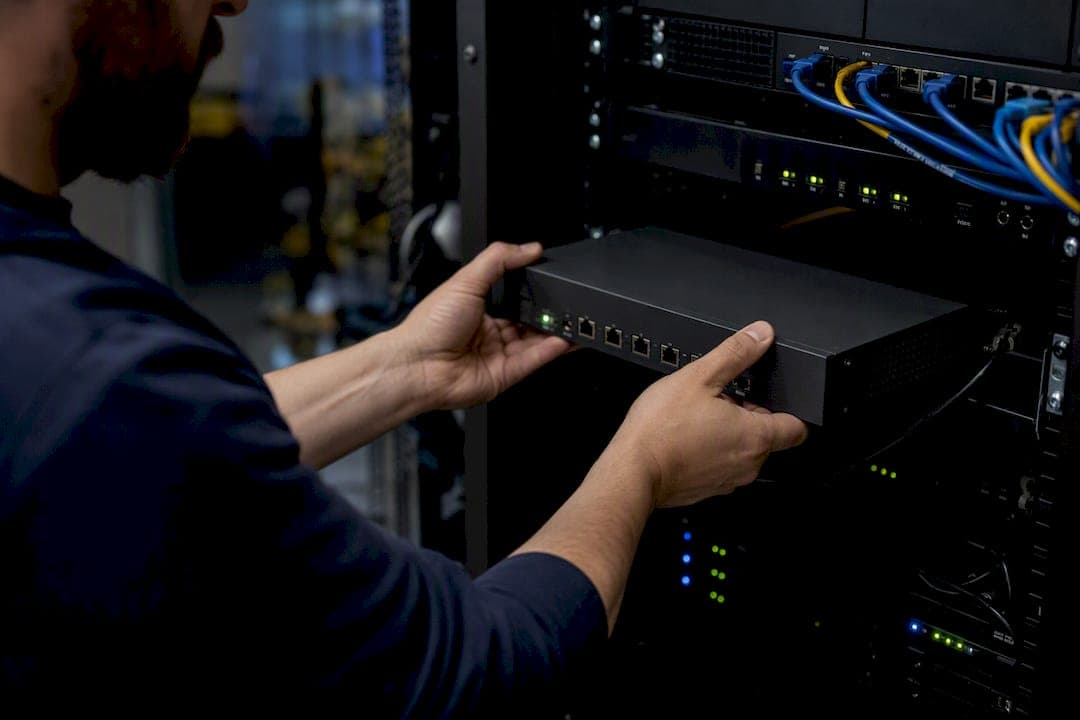
Yes: DNS filtering gives most small and medium businesses immediate protection from malicious and unwanted domains by blocking risky lookups before a connection ever establishes. It works at the resolver level, so infected sites and command-and-control servers get cut off before a browser can load a single line of code.
Once it's running, expect three things fairly quickly:
- Fewer phishing and malware incidents reaching employee devices
- No noticeable slowdown, since blocking happens in milliseconds during the DNS lookup
- Coverage extended to unmanaged laptops, personal phones, and guest Wi-Fi that your firewall alone might miss
How you deploy it, cloud resolver, agent, or on-prem, changes the setup work but not the core protection. That comparison comes later in this guide.
Key Takeaways
DNS filtering blocks malicious domains at the resolver level, and a staged pilot with DoH enforcement determines whether that protection actually holds up in production.
| Point | Details |
|---|---|
| Blocks threats pre-execution | DNS filtering stops phishing and malware domains before a connection or download starts. |
| Choose deployment by workforce | Office-only teams can start with a cloud resolver; remote or hybrid teams need agents from day one. |
| Pilot before full enforcement | Run log-only mode for one to two weeks and pre-populate allowlists to avoid false-positive disruptions. |
| Mitigate DoH deliberately | Enforce browser DNS settings via MDM/GPO or block known DoH endpoints to stop encrypted bypasses. |
| Layer with other controls | Pair DNS filtering with EDR, backups, and training, since it doesn't inspect page content or encrypted payloads. |
| Managed support closes gaps | Symmnet handles agent rollout, DoH policy, and log integration as part of its managed IT and cybersecurity services. |
Table of Contents
- What Is DNS Filtering for Business?
- What Security Benefits Does DNS Filtering Deliver for SMBs?
- Which Deployment Model Fits Your Business?
- Does Your Business Actually Need DNS Filtering Now?
- How Do You Pilot and Roll Out DNS Filtering Safely?
- What Should You Monitor Once DNS Filtering Is Live?
- What Can't DNS Filtering Protect Against?
- How Symmnet Supports DNS Filtering Deployment
- Why Most SMB DNS Filtering Advice Gets the Order Wrong
- Get DNS Filtering Set Up Without Adding to Your Workload
- Frequently Asked Questions
- Sources
What Is DNS Filtering for Business?
Every time a device visits a website, it first asks a DNS resolver to translate the domain name into an IP address, the way a phonebook translates a name into a phone number. DNS filtering inserts a checkpoint into that lookup.
Here's what happens at that checkpoint:
- The resolver checks the requested domain against block lists, allow lists, and category rules (gambling, adult content, known malware hosts).
- A clean domain resolves normally and the connection proceeds.
- A flagged domain gets blocked outright or redirected to a warning page, a process called sinkholing.
The catch: DNS filtering operates at the domain level, not the URL path. It can block malicious and unwanted websites at the resolver so connections never establish, but it can't see what happens on individual pages within an already-allowed domain.
What Security Benefits Does DNS Filtering Deliver for SMBs?
The core value is stopping threats before they execute rather than cleaning up after. DNS filtering blocks the domains behind phishing pages, malware downloads, and command-and-control (C2) traffic that ransomware uses to phone home, often before an antivirus tool ever gets a chance to react.
There's a second, less obvious benefit: DNS query logs double as an early warning system. A spike in requests to a newly registered domain or a known malicious IP range can flag a compromised device days before other tools notice.
For SMB budgets, the math works out favorably too:
- No deep packet inspection hardware required, since filtering happens at the query level, not the payload level
- Scales across dozens or hundreds of devices without added latency
- Covers BYOD laptops and guest Wi-Fi that would otherwise sit outside firewall policy
DNS filtering has become one of the highest signal-to-noise controls MSPs recommend to small businesses, largely because it delivers network-wide coverage without the maintenance burden of more complex tools. It also directly addresses DNS-specific threats like hijacking and spoofing, which sit outside the reach of standard endpoint software. If your team wants a broader picture of what it's defending against, this guide to common cybersecurity threats is a useful companion read.
Which Deployment Model Fits Your Business?
You have three realistic options, and most SMBs end up mixing two of them.
A cloud resolver is the fastest to stand up. Point your router or DHCP server at the provider's DNS addresses and every device on that network is protected within minutes. The catch is that it only covers traffic passing through your office network. A laptop that leaves the building goes unprotected unless you add something else.

Agent-based filtering installs a lightweight client on each device, which keeps protection active whether someone is at a coffee shop or working from home. It requires more setup and ongoing management, since you're pushing installs and updates to every endpoint, but it's the only model that reliably enforces policy on roaming devices.
An on-prem resolver gives you the most control, including custom internal DNS zones for private applications, but it also means you own the patching, uptime, and hardware maintenance.
Then there's DoH and DoT. Encrypted DNS protocols let browsers bypass your filtered resolver entirely by routing lookups straight to a provider like Google or Cloudflare. Mitigation options include:
- Enforcing browser DNS settings through MDM or Group Policy
- Blocking known DoH endpoints at the firewall
- Deploying agents that intercept DNS before the browser can reroute it
Pro Tip: Check your browsers' default DoH settings after any filtering rollout. Chrome and Firefox both enable it automatically in many regions, which can quietly undo your filtering without triggering a single alert.
Remote-heavy teams almost always need an agent or hybrid approach, since cloud resolvers alone leave roaming devices unprotected once they step outside the office network.

Does Your Business Actually Need DNS Filtering Now?
Run through this quickly:
- Risk signals. Have you had a phishing incident in the past year? Do more than a third of your staff work remotely? Is guest Wi-Fi open to visitors or contractors?
- Operational readiness. Who owns policy changes and allowlist requests? Does anyone review logs weekly, or will they sit unread?
- Budget shape. Per-user cloud subscriptions suit lean teams; flat-rate managed plans suit businesses that want a single vendor handling setup and tuning.
- Match to deployment. Office-only, low-turnover teams can start with a cloud resolver. Remote or hybrid teams need agents from day one. Regulated industries with internal systems often justify an on-prem resolver.
If two or more risk signals apply, treat this as a near-term priority rather than a someday project.
How Do You Pilot and Roll Out DNS Filtering Safely?
Rushing a full rollout is how you end up with a help desk full of "the internet is broken" tickets. Work through it in stages instead.
- Start in log-only mode. Let the system observe traffic for one to two weeks without blocking anything, so you can see what would have been flagged.
- Pick a pilot group. Isolate a department or VLAN and pre-populate an allowlist for critical vendors, payment processors, and internal tools before flipping on enforcement.
- Lock down port 53. Add a firewall rule blocking outbound DNS traffic on port 53 to anything other than your approved resolver, closing the bypass that lets devices skip your filtering entirely. This firewall guide walks through the rule logic in more detail.
- Configure a walled garden for captive portals. Guest Wi-Fi login pages and hotel-style authentication flows need specific domains reachable before filtering kicks in, or guests will never see the login screen at all.
- Set a rollback plan. Know exactly how to disable enforcement fast if something critical breaks, and keep the pilot running two to four weeks before wider deployment.
Pro Tip: Test your payment processor and any cloud accounting software specifically during the pilot. These are the most common false-positive victims, and an unexpected block on your invoicing platform will get escalated to you within the hour.
What Should You Monitor Once DNS Filtering Is Live?
Deployment is the easy part. The ongoing value comes from what you do with the data afterward.
Log every blocked query, the source device, destination domain, and category, and retain at least 90 days for investigation purposes. Forward those logs to your SIEM or EDR platform so a blocked DNS request can be correlated with other signals, like an endpoint alert or an unusual login, rather than sitting in isolation.
Build a governance process for exceptions too:
- Temporary allowlist entries should expire automatically after a set period
- Permanent exceptions need a named owner and a documented business reason
- Review the exception list quarterly, since forgotten entries are a common way old vulnerabilities creep back in
Track a few simple KPIs: blocked-query volume by category, repeat offenders among devices, and time-to-resolution for false-positive tickets. DNS filtering's cost-effectiveness as a recurring control comes largely from how easily it scales while still generating actionable logs, but only if someone actually looks at them.
What Can't DNS Filtering Protect Against?
DNS filtering stops a connection from forming, but it has no visibility into what happens on a page once a domain is already allowed, and it can't inspect encrypted payloads moving over an approved connection.
That means a legitimate but compromised website, or a malicious file hosted on an allowed cloud storage domain, can still get through. Layer in these controls to close the gaps:
- URL filtering or TLS inspection for path-level visibility DNS alone can't provide
- Endpoint detection and response (EDR) to catch threats that land despite DNS-level blocking, since DNS filtering reduces exposure but doesn't replace antivirus or EDR
- Backups and disaster recovery as the last line of defense if ransomware slips through anyway
- Security awareness training, since a convincing phishing email can still trick an employee into typing credentials on an allowed domain
Small teams don't need every layer at once. Prioritize DNS filtering and EDR first, then add backups and training within the same budget cycle. Network segmentation, separating guest Wi-Fi and production systems, also limits how far any single breach can spread.
How Symmnet Supports DNS Filtering Deployment
Rolling out DNS filtering well takes more than flipping a setting. Symmnet's managed IT services handle agent deployment across roaming devices, enforce DoH policy through MDM and Group Policy, and pipe DNS logs into the same monitoring stack used for 24/7 system monitoring and endpoint protection.
For manufacturers and regulated businesses, that also means:
- Coordinating firewall and DNS policy changes without disrupting production networks
- Feeding DNS logs into existing compliance and audit documentation
- Managing exceptions and allowlists so nobody has to chase down a forgotten override six months later
Why Most SMB DNS Filtering Advice Gets the Order Wrong
Most guides on this topic lead with feature comparisons: category counts, dashboard polish, reporting depth. That's backwards for a small business. The decision that actually determines success is sequencing, not vendor selection.
Businesses that skip the log-only pilot and jump straight to full enforcement are the ones who end up disabling DNS filtering within a month because it broke their payment processor or locked out a guest network. That's not a failure of the technology. It's a failure of rollout discipline.
The conventional wisdom also underweights DoH. Plenty of SMBs deploy a cloud resolver, declare victory, and never realize that Chrome or Firefox has quietly rerouted lookups around their filtering within weeks. If you only take one thing from this guide, take this: budget as much planning time for the pilot and DoH enforcement as you do for picking the filtering platform itself.
Where a managed provider earns its keep isn't the initial setup. It's the unglamorous middle, the exception governance, the log review, the quarterly allowlist audit, that most internal teams let slide after the first busy quarter.
Get DNS Filtering Set Up Without Adding to Your Workload
Running a phased DNS filtering rollout, tuning allowlists, and watching logs every week is a real time cost for a business without a dedicated security team. Symmnet handles that entire lifecycle as part of its managed IT and cybersecurity services, from agent deployment for remote staff to firewall rule changes and DoH enforcement, so nothing falls through the cracks after the initial pilot excitement wears off.

That matters most in industries like manufacturing and aerospace, where a blocked vendor portal or a missed captive-portal exception can stall production, not just annoy an office worker. Symmnet's fixed-price managed plans fold DNS filtering into the same monitoring stack already covering endpoint security and compliance documentation, so you get one team accountable for the whole picture instead of juggling a separate filtering vendor. For manufacturing sites specifically, this SMB network security guide pairs well with DNS filtering when segmenting guest and production traffic. If your production network runs precision equipment, processes like fiber laser cutting show how deeply IT and shop-floor operations intersect.
Start with a free security assessment from Symmnet to see where DNS filtering fits into your current setup and what gaps it would close first.
Frequently Asked Questions
Is DNS filtering enough security on its own for a small business? No. It blocks malicious domains effectively, but it should sit alongside endpoint protection, backups, and security awareness training, not replace them.
Does DNS filtering slow down internet speed? Filtering adds negligible latency since it works during the DNS lookup, a step that happens in milliseconds before any page content loads.
Can DNS filtering protect remote and BYOD devices? Only with an agent-based or hybrid deployment. A cloud resolver alone protects office traffic but leaves devices unprotected once they leave the network.
What does DNS filtering typically cost for a small business? Pricing usually follows a per-user or per-device subscription model, with flat-rate managed options available through providers that bundle it into broader IT services.
Will DNS filtering block legitimate business tools by mistake? Occasionally, which is why a log-only pilot and a pre-populated allowlist for payment processors and core software matter before full enforcement.
How does DNS filtering help with compliance? It supports frameworks like HIPAA and helps document network security controls for audits, though it should be paired with formal policy and access logging for full compliance coverage.
Sources
For deeper technical detail, see Cloudflare's explainer on DNS filtering and this deployment and DoH mitigation guide.
- What is DNS filtering? | Secure DNS servers
- Best DNS filtering deployment and DoH guidance (technical reference)
- DNS Filtering: The Security Control MSPs Skip | DVG Systems