

Proactive IT support services prevent incidents before they disrupt your business and convert unpredictable emergency spending into a fixed, manageable monthly cost. The model works by combining continuous monitoring, automated patching, endpoint security, and tested backups into a single recurring managed service. If you are ready to stop reacting to outages and start preventing them, request a free IT assessment from Symmnet to identify your current gaps and get a prioritized action plan.
Table of Contents
- What do proactive IT support services actually include?
- What do SMBs actually gain from proactive vs. reactive IT?
- How do you transition from reactive to proactive IT support?
- How do you choose the right proactive IT partner?
- Why Symmnet is a strong choice for SMB proactive IT support
- Key Takeaways
- The case for proactive IT is stronger than most SMBs realize
- Ready to move from reactive to proactive IT?
- Useful resources and further reading
What do proactive IT support services actually include?
Most SMBs picture "IT support" as a helpdesk that answers calls when something breaks. Proactive managed IT is a different operating model entirely. Freshworks frames it around four pillars: continuous monitoring, automated maintenance, predictive analytics, and strategic planning. Here is what that looks like in practice for a small business:
- 24/7 monitoring and NOC. Remote monitoring and management (RMM) tools watch servers, endpoints, and network devices around the clock, generating alerts before users notice a problem.
- Patch management. Operating system and third-party application patches are scheduled and verified on a defined cadence, not applied whenever someone remembers.
- Endpoint detection and response (EDR). Managed EDR replaces basic antivirus with behavioral threat detection that can isolate a compromised device before malware spreads.
- Managed firewall and network security. Firewall rules, VPN configurations, and network segmentation are actively maintained and documented.
- Backup and disaster recovery. Data is backed up on a 3-2-1 model and, critically, restores are tested on a scheduled basis with defined recovery time objectives (RTO) and recovery point objectives (RPO).
- Helpdesk and remote support. A single point of contact with defined severity levels and escalation paths handles day-to-day user issues.
- Cloud service management. Microsoft 365 administration, license management, and security configuration are included for most SMB packages.
- Asset and configuration management. A current inventory of devices, software, and configurations is maintained so nothing falls through the cracks during an incident.
Pro Tip: Ask any prospective provider for restore-test logs and patch-compliance reports before you sign. Providers who maintain these routinely are demonstrably proactive; those who cannot produce them are selling a promise, not a service.
Standard SMB packages typically include business-hours or 24/7 helpdesk, RMM, patch management, EDR, and backup. Advanced security operations center (SOC) services and compliance consulting are usually priced as add-ons, so confirm scope in writing before committing.

What do SMBs actually gain from proactive vs. reactive IT?
The direct claim: proactive IT management reduces unplanned incidents and makes IT costs predictable. Both outcomes matter enormously to a small business where a single outage can halt production or delay a client deliverable.
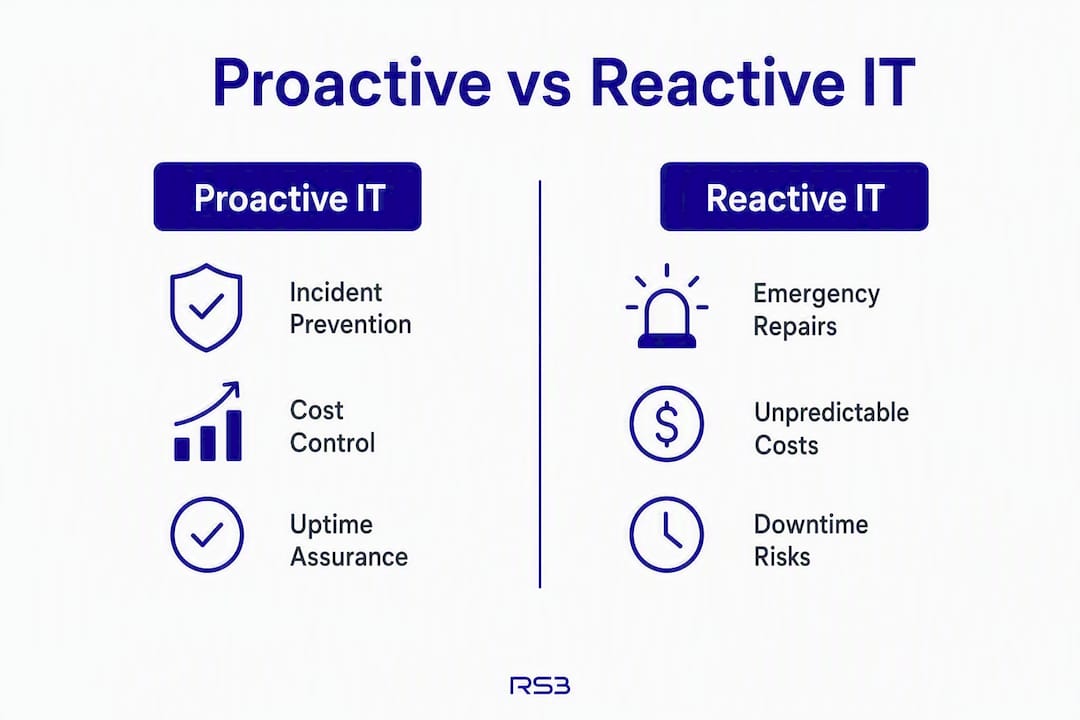
Organizations transitioning to proactive models often see immediate visibility and measurable incident reduction within the first one to six months of service. Over a multi-year horizon, research indicates ROI can be significantly positive when considering downtime costs, emergency labor, and productivity loss.
The measurable benefits for SMBs include:
- Reduced downtime and incident frequency. Monitoring catches failing hardware and degraded network performance before they cause outages.
- Lower emergency and overtime costs. Scheduled maintenance costs a fraction of after-hours emergency repair rates.
- Improved security posture. Timely patching and EDR make your environment a harder target. For manufacturing and regulated industries, this also supports IT compliance requirements tied to CMMC, ITAR, or FDA mandates.
- Capacity for strategic work. When your team is not fighting fires, they can focus on growth-oriented projects.
- Longer hardware lifecycle. Consistent maintenance extends the useful life of endpoints and servers.
KPIs worth tracking from day one: mean time to repair (MTTR), monthly ticket volume, time-to-patch for critical vulnerabilities, backup restore success rate, and uptime percentage. These numbers tell you whether your provider is actually preventing incidents or just responding to them faster.
How do you transition from reactive to proactive IT support?
A phased approach works best for SMBs. Trying to deploy every service simultaneously creates disruption; a structured rollout delivers early wins that build internal confidence and justify the investment.
- Month 1: Assessment and visibility. The provider conducts an asset discovery, reviews admin access, and identifies urgent risks. You gain full visibility into your environment, often for the first time. Monitoring goes live and generates a baseline of alert volume and incident frequency.
- Month 2: Stabilize endpoints and identity. MFA is rolled out across email, finance tools, and admin accounts. Device baselines are set, local admin rights are restricted, and a patch schedule is established. A backup restore test is completed and documented.
- Month 3: Measurable operations. Severity levels and response targets are agreed upon. A monthly KPI report is drafted. Ticket volume typically begins to decline as automated patching and monitoring catch issues earlier. Cloudswitched's phased roadmap confirms that automated patching and verification reduce downtime noticeably by this stage.
- Months 4–6: EDR and security hardening. Endpoint detection and response is fully deployed. Firewall rules and network segmentation are reviewed and documented. Vulnerability scanning is added to the monthly workflow.
- Months 6–12: Strategic governance. Quarterly Business Reviews (QBRs) become the governance cadence, aligning technology investments with business goals and lifecycle planning. Without QBRs, proactive monitoring risks becoming passive observation rather than a strategic asset.
Who owns what: The provider drives discovery, tooling deployment, and reporting. Internal staff own access approvals, business-context decisions (which systems are revenue-critical), and communication to end users. Governance checkpoints include monthly KPI reviews, quarterly restore-test confirmations, and patch-compliance reports reviewed at each QBR.
How do you choose the right proactive IT partner?

The short answer: choose a provider that guarantees monitoring coverage, can show tested backup logs, publishes clear SLAs, and runs structured QBRs. Everything else is secondary.
Evaluation checklist
- SLAs and response times. Confirm response targets by severity level. A P1 revenue-impacting outage should receive a prompt response and a workaround within a few hours. "Respond within one hour" with no restore target is not an SLA.
- 24/7 NOC coverage. Ask specifically how out-of-hours support is staffed. "24/7" can mean "someone reads an email" unless it is tied to on-call engineering.
- Security stack. Managed EDR, firewall management, MFA enforcement, and vulnerability scanning should be standard, not optional extras. Review Symmnet's critical security controls for a practical baseline.
- Backup and recovery guarantees. Ask for the last restore-test log and confirm RTO/RPO targets are written into the contract.
- Tooling and data ownership. Clarify who owns the licenses for RMM, EDR, and backup software. You should own your data, logs, and configurations so you can exit without losing documentation.
- Industry and compliance experience. For manufacturing, aerospace, or FDA-regulated businesses, ask for specific examples of compliance work, not generic references.
- Reporting. A monthly service report with trend data and a QBR schedule are non-negotiable governance signals.
Typical SMB pricing shapes
| Pricing model | Typical range | What is usually included |
|---|---|---|
| Entry managed plan | $199/year | Basic monitoring, patch alerts, limited helpdesk |
| Per-user monthly (Tier 2) | $75–$125/user/month | Full RMM, EDR, patch management, helpdesk, backup |
| Fixed monthly retainer | Custom quote | All of the above plus compliance, QBRs, 24/7 NOC |
Entry-level figures are drawn from Vision Computers' SMB pricing examples: $199/year for a basic plan and $75–$125/user/month for full Tier 2 managed services. Fixed retainer pricing varies by scope and headcount.
Red flags to watch for
- Vague monitoring claims with no alert catalog or runbook documentation
- No proof of restore testing (a backup that has never been tested is not a backup)
- Emergency response billed per incident on top of a monthly fee
- Automatic contract renewal clauses with long notice periods and termination penalties
- Subcontractor arrangements with no disclosure of who accesses your systems
Also ask about network infrastructure readiness before onboarding. Weak cabling or unmanaged switches can undermine even the best monitoring stack.
Why Symmnet is a strong choice for SMB proactive IT support
Symmnet (Symmetry Network Management) is built specifically for small U.S.-based businesses that need enterprise-grade IT management without the overhead of an internal IT team. The service model pairs 24/7 monitoring and NOC coverage with fixed monthly pricing, so your IT budget is predictable from day one.
Key trust signals that set Symmnet apart:
- 24/7 system monitoring and NOC. Alerts are acted on by engineers, not routed to a ticket queue for next-day review.
- Fixed monthly pricing. No per-incident billing, no surprise invoices after an emergency.
- Defined SLA commitments. Response and restore targets are written into the agreement by severity level.
- Industry-specific compliance experience. Symmnet works with manufacturers, aerospace suppliers, professional services firms, and FDA-regulated co-packers. That means familiarity with CMMC, ITAR, and FDA 21 CFR Part 11 requirements, not a generic compliance checkbox. For manufacturing clients specifically, the manufacturing IT security guidance Symmnet publishes reflects real operational experience.
- U.S.-based support. All helpdesk and engineering support is based in the United States, with local presence in Southern California.
- Free security assessment. Symmnet offers an initial assessment that identifies backup gaps, patch compliance issues, and security exposures, with a prioritized action list delivered at the end.
The managed IT services scope includes endpoint security, firewall management, Microsoft 365 administration, backup and disaster recovery, network segmentation, and compliance documentation. Clients in regulated industries also receive audit-ready documentation support.
Key Takeaways
Proactive IT support services prevent incidents, control costs, and give SMBs the IT reliability they need to compete without building an internal IT department.
| Point | Details |
|---|---|
| Prevention beats reaction | Proactive monitoring catches issues before they cause outages, reducing unplanned incidents within the first one to six months. |
| ROI is measurable | Research indicates ROI can be significantly positive when considering downtime costs, emergency labor, and productivity loss over a multi-year horizon. |
| Phased rollout works best | A structured 1–12 month transition (assessment, stabilization, EDR, QBRs) delivers early wins without disrupting operations. |
| Demand evidence, not promises | Ask for restore-test logs, patch-compliance reports, and sample SLA language before signing any managed IT contract. |
| Symmnet fits SMB needs | Symmnet offers 24/7 monitoring, fixed monthly pricing, and industry-specific compliance support tailored to small U.S. businesses. |
The case for proactive IT is stronger than most SMBs realize
Most small businesses underestimate how much their reactive approach is costing them, not just in emergency repair bills, but in the slower, harder-to-see costs: staff productivity lost to recurring issues, security gaps that widen between incidents, and hardware that degrades faster without consistent maintenance.
The conventional wisdom says proactive IT is a luxury for larger organizations with bigger budgets. The opposite is true. SMBs absorb the impact of a serious incident far more severely than an enterprise with a full IT department and redundant systems. A ransomware event or a failed backup at a 30-person manufacturer does not just create a bad week; it can threaten the business entirely.
What most guides miss is that the value of proactive IT is not just in preventing the dramatic incidents. It is in the compounding effect of consistent maintenance: patches applied on schedule, backups verified monthly, configurations documented before someone leaves. That discipline is what separates businesses that recover quickly from those that do not. The QBR cadence matters for the same reason. Without structured quarterly reviews, even a technically solid monitoring program drifts into passive observation, and the provider stops thinking about your business goals and starts just managing tickets.
The right proactive IT partner aligns their incentives with your uptime. That alignment is what you are actually buying.
Ready to move from reactive to proactive IT?
Symmnet's free security assessment gives you a clear picture of where your IT environment stands today: backup coverage, patch compliance, endpoint security gaps, and the highest-priority risks to address first. There are no obligations and no vague findings. You receive a prioritized action list you can act on immediately, whether you work with Symmnet or not.

Small businesses in manufacturing, aerospace, professional services, and regulated industries can request a managed IT assessment directly through Symmnet's services page. For businesses in Southern California, local on-site support is available. Contact Symmnet at symmnet.com to schedule your assessment or speak with an engineer about your current environment.
Useful resources and further reading
- Proactive vs. Reactive IT Support | Cloudswitched — Covers the phased transition roadmap, expected KPIs, and ROI estimates for SMBs moving to managed proactive IT.
- What Is Proactive IT Support? | Freshworks — Defines the four pillars of proactive IT (monitoring, automation, predictive analytics, strategic planning) with metrics and tooling context.
- IT Audit Preparation | NinjaOne — Explains restore-test logs and patch-compliance reports as the most reliable audit artifacts for evaluating IT service quality.
- Managed IT Checklist for Small Businesses | Vision Computers — Practical SMB checklist with pricing examples for entry-level and Tier 2 managed plans.
- Essential Guide to QBRs | Gainsight — Frames Quarterly Business Reviews as strategic planning sessions that align technology investments with business goals.
- Managed IT Support Checklist for SMEs | Tasrie IT Services — Vendor-neutral checklist covering service desk, endpoint security, backup, identity, and governance with evidence templates.
- Manufacturing IT Security Tips | Symmnet — Practical guidance on proactive IT and cybersecurity controls for small manufacturers.
- IT Compliance Guide for Manufacturing | Symmnet — Covers compliance documentation, audit preparation, and regulatory requirements for regulated SMBs.