

Nearly 43% of cyberattacks target small businesses, yet most owners assume they're too small to matter to a hacker. That assumption is exactly what attackers count on. The role of IT in small business today goes far beyond keeping computers running. It shapes how you communicate, serve customers, protect revenue, and compete against larger rivals. This article walks you through what modern IT actually does for small firms, why cybersecurity is your biggest operational risk, and how to build a technology strategy that supports real business growth.
Table of Contents
- Key Takeaways
- The role of IT in small business operations today
- Why managed IT services make sense for small firms
- Cybersecurity: the risk small businesses cannot ignore
- Aligning IT strategy with business growth
- Choosing the right IT approach for your business
- My take on IT as a strategic investment
- How Symmnet helps small businesses take control of IT
- FAQ
Key Takeaways
| Point | Details |
|---|---|
| IT is strategically critical | Technology now drives communication, sales, security, and compliance across every department. |
| Managed IT beats break-fix | Proactive monitoring reduces downtime and delivers predictable costs versus emergency repair bills. |
| Cyberattacks target small firms | With only 14% of small businesses adequately defended, the risk of a breach is urgent and real. |
| MFA stops most credential attacks | Multi-factor authentication combined with a password manager can prevent over 80% of breaches. |
| Partner for expertise and scale | Managed service providers give small businesses access to specialist skills at a fraction of hiring costs. |
The role of IT in small business operations today
Many small business owners think of IT as the department you call when a printer breaks. In practice, technology now functions as the engine room of the entire operation. When that engine stalls, orders slow down, customer communications fail, and employee productivity drops fast.
Here is what IT genuinely supports across a small company:
- Business process automation: Software tools handle invoicing, scheduling, inventory tracking, and payroll workflows that once required dedicated staff hours. Automating these tasks frees your team to focus on work that actually requires human judgment.
- Remote work and collaboration: Cloud platforms let teams collaborate across locations in real time. Whether your staff works from a warehouse floor, a home office, or a client site, IT determines whether that coordination works smoothly or breaks down.
- Customer engagement and sales: Your website, CRM system, e-commerce platform, and digital marketing tools are all IT infrastructure. The importance of IT in business becomes obvious the moment your payment portal goes down during a sales cycle.
- Data security and regulatory compliance: Depending on your industry, you may be subject to HIPAA, CMMC, or state-level privacy laws. IT systems enforce access controls, log activity, and generate the audit trails regulators expect to see.
- Financial visibility: Accounting platforms integrated with your operations give you real-time data on cash flow, cost of goods, and profitability. Without reliable IT, that visibility disappears.
The businesses that treat IT as a strategic function rather than a utility bill consistently outperform those that do not. That gap is only growing.
Why managed IT services make sense for small firms
Most small businesses cannot afford a full internal IT team. That is not a weakness. It is simply a resource reality, and managed IT services exist precisely to address it.
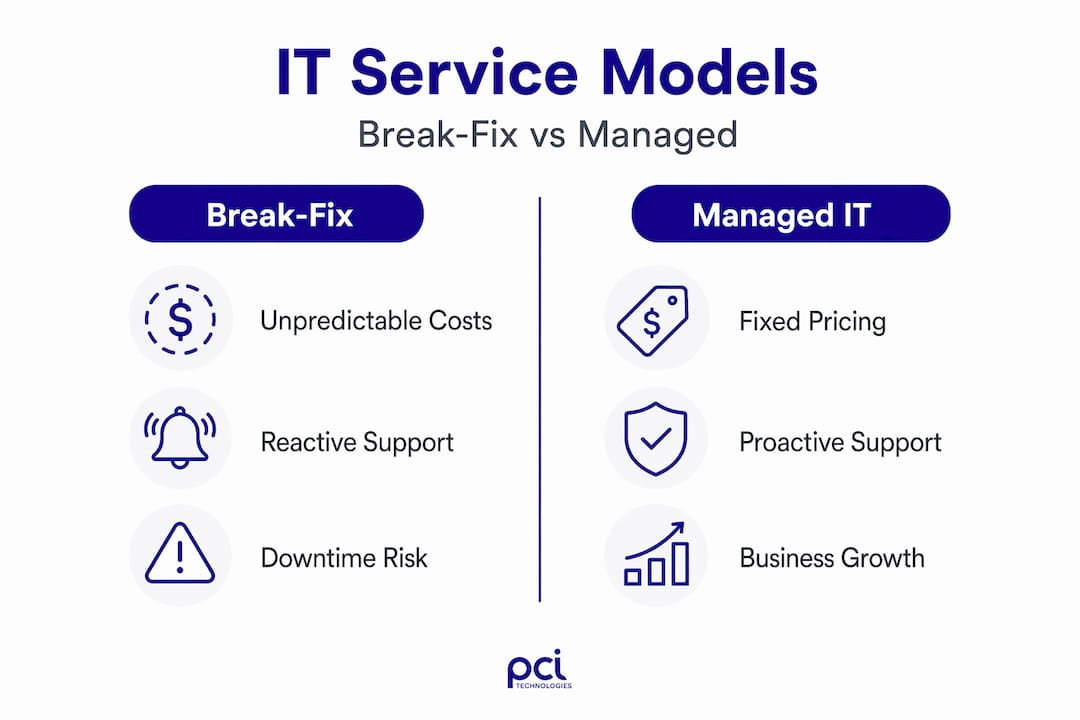
The traditional break-fix model works like this: something breaks, you call a technician, pay an hourly rate, and hope the problem stays fixed. The problem is that the technician profits when things go wrong, so there is no structural incentive to prevent problems. Proactive managed IT flips that model entirely, focusing on root cause analysis and prevention rather than reactive repairs.
Here is how the two models compare directly:
| Factor | Break-fix model | Managed IT model |
|---|---|---|
| Cost structure | Unpredictable, per-incident billing | Fixed monthly fee per user |
| Incentive | Profit from failures | Profit from preventing failures |
| Response time | After damage occurs | Proactive, often before you notice an issue |
| Expertise access | Single technician | Full team including security specialists |
| Scalability | Starts over with each engagement | Scales with your business |
Managed IT services typically run between $100 and $300 per user per month for small businesses. That predictability alone changes how you budget for technology. Compare that to what one hour of unplanned downtime costs in lost productivity, missed sales, and staff idle time, and the math becomes clear.
There is also the talent problem. 42% of companies report difficulty finding qualified IT staff, and hiring a mid-level IT manager can cost $80,000 to $120,000 annually. A managed service provider gives you access to a full team of specialists, including cloud architects, cybersecurity analysts, and compliance experts, for far less.
Pro Tip: Ask any managed IT provider whether their contract includes Hardware-as-a-Service. Some providers offer full device lifecycle management under a single monthly fee, which eliminates unexpected capital expenditures when equipment needs replacing.
Cybersecurity: the risk small businesses cannot ignore
Small business owners often treat cybersecurity as an IT problem. It is actually a business continuity problem. A single successful attack can shut down operations, destroy customer trust, and trigger regulatory penalties all at once.
The numbers are stark. Ransomware hits 88% of SMB cyber incidents, and phishing causes more than 90% of data breaches. Your employees are the most targeted entry point, not your firewall.
Here are the foundational controls every small business should have in place:
- Multi-factor authentication (MFA): Enabling MFA across your email, cloud accounts, and business applications can prevent over 80% of credential-based attacks. It is available at no extra cost on Microsoft 365 and Google Workspace and takes less than an hour to activate.
- Password management: A business-grade password manager eliminates weak, reused passwords across your team. This single tool addresses one of the most common attack vectors with minimal training required.
- Automated, off-site backups: 68% of small businesses still lack written disaster recovery plans. Automated backups stored off-site mean that even if ransomware encrypts your local data, you restore operations rather than close permanently.
- Incident response planning: Document what your team does in the first hour after detecting a breach. Refer to a practical response guide so you are not making critical decisions under pressure with no framework.
- Employee security training: Regular phishing simulations and short training sessions dramatically reduce the risk of a human error becoming a catastrophic breach.
- Cyber insurance: Coverage provides a financial backstop when controls fail. Learn why cyber insurance matters before you need it, not after an incident.
"Cybersecurity is a strategic business concern, not just a technical issue. Businesses must document their critical assets first and prioritize controls accordingly." — NIST guidance for small businesses
A practical cybersecurity budget for a company with 10 to 50 employees runs between $3,000 and $10,000 annually. That covers endpoint protection, email security, password management, and training. The NIST Cybersecurity Framework 2.0 organizes this work into six functions: Govern, Identify, Protect, Detect, Respond, and Recover. Implementing roughly 30 specific actions from that framework delivers 80% of its total risk reduction value.
Aligning IT strategy with business growth
Technology does not create growth on its own. What it does is remove the bottlenecks that slow growth down. When you align IT decisions with your business objectives, the benefits of technology for small businesses become concrete and measurable.
Consider what this looks like in practice:
- Automating repetitive tasks: If your team spends three hours a day on manual data entry, the right software integration eliminates that overhead and reallocates those hours to higher-value work.
- Using data to understand customers: A CRM combined with basic analytics tells you which customers are most profitable, which products drive repeat purchases, and where your sales process stalls. That knowledge directly informs where you invest next.
- Cloud tools for productivity and agility: Cloud-based platforms let you add users, expand storage, or launch new locations without waiting weeks for hardware procurement. Digital transformation for small businesses does not require a large IT department. It requires the right cloud architecture.
- Building an IT roadmap: An IT roadmap is simply a 12 to 24 month plan that connects technology investments to business milestones. If you plan to open a second location next year, your roadmap should reflect the network, security, and software requirements needed before that opening date.
Pro Tip: Before purchasing any new software, map the workflow it needs to support. Many small businesses pay for tools that duplicate existing functionality or require more integration work than anticipated. Clarity on the problem comes first, then the solution.
One often-overlooked aspect of how IT helps small firms compete is speed. When your systems are reliable, decisions move faster. Orders get processed the same day. Customer questions get answered immediately. That responsiveness, powered by solid IT infrastructure, builds the kind of reputation that earns referrals.

Choosing the right IT approach for your business
The right IT strategy looks different for a 12-person manufacturing shop than it does for a 45-person professional services firm. But the evaluation process follows a consistent logic regardless of industry.
Start with an honest assessment of where you are today:
- What systems are you currently running, and when were they last updated?
- How many hours per month does your team lose to IT-related issues?
- Do you have documented security policies, or are practices informal and inconsistent?
- Are you subject to any industry-specific compliance requirements?
Once you understand your current state, you can evaluate IT investments against the cost of the problems they solve. A $200 per month monitoring service that prevents one $5,000 downtime event per year pays for itself in two months. That framing shifts IT spending from overhead to risk management.
When evaluating managed IT providers, ask specifically about their experience with businesses in your industry. IT management in small enterprises with regulatory obligations, such as aerospace, manufacturing, or healthcare, requires knowledge of compliance frameworks that a general IT provider may not have. Look for proven cybersecurity steps that the provider applies consistently across their client base, not just a general promise of support.
Finally, treat IT health as an ongoing practice, not a one-time project. Schedule quarterly reviews of your systems, security posture, and vendor relationships to catch problems before they become crises.
My take on IT as a strategic investment
I've worked with enough small business owners to know that the ones who treat IT as a cost to minimize are often the same ones scrambling after a breach or a system failure. The break-fix model made sense in a world where technology was simpler and threats were less sophisticated. That world is gone.
What I've seen repeatedly is this: businesses that invest in proactive IT management stop firefighting and start planning. Their teams spend less time waiting for systems to come back online and more time serving customers. The technology stops being the conversation and starts enabling the conversation.
I've also seen the other side. A small manufacturer loses three days of production because ransomware encrypts their operations data and they have no backup. A professional services firm faces a regulatory audit they cannot pass because their access logs were never configured properly. These are not hypothetical scenarios. They happen to businesses that assumed IT was someone else's problem.
My honest advice: stop thinking about IT as a department and start thinking of it as infrastructure, the same way you think about your physical building, your equipment, or your supply chain. You would not let your building go without maintenance. Your technology deserves the same attention.
— Michael
How Symmnet helps small businesses take control of IT
Symmnet's managed IT services are built specifically for small U.S.-based businesses that need reliable technology management without the overhead of a full internal team. From 24/7 system monitoring and endpoint security to firewall management and compliance support, Symmnet handles the technical complexity so you can focus on running your business.
For businesses in regulated industries like manufacturing or aerospace, Symmnet brings industry-specific knowledge that general IT providers cannot match. The fixed pricing model gives you cost predictability, and the U.S.-based support team means you get a real person when something needs attention. If you want to understand where your IT and security posture stands today, Symmnet's free assessment identifies gaps and gives you a clear starting point for improvement.
FAQ
What is the role of IT in small business?
IT supports every core function of a small business, including operations, customer service, security, and compliance. It is the infrastructure that determines how efficiently your team works and how well your business can defend against threats.
How much should a small business spend on cybersecurity?
A practical cybersecurity budget for a business with 10 to 50 employees runs between $3,000 and $10,000 per year, or roughly 7 to 10% of the total IT budget, covering endpoint protection, email security, and employee training.
What is the difference between break-fix IT and managed IT services?
Break-fix IT charges you per incident after problems occur, while managed IT services charge a fixed monthly fee and focus on preventing problems through proactive monitoring and maintenance.
How does MFA protect a small business?
Multi-factor authentication prevents over 80% of credential-based attacks by requiring a second form of verification beyond a password. It is available at no extra cost on platforms like Microsoft 365 and Google Workspace.
When should a small business consider a managed service provider?
If your team regularly experiences IT disruptions, lacks a documented security policy, or faces compliance requirements your current setup cannot support, partnering with a managed service provider is the most cost-effective path forward.