

Cloud security is defined as the set of policies, technologies, and controls that protect cloud-based data, applications, and infrastructure from cyberattacks. According to TechTarget, this includes securing data centers, servers, networks, and virtual machines hosted in cloud environments. For small and mid-sized businesses, understanding cloud security is no longer optional. Cyber threats are accelerating, compliance requirements are tightening, and the cost of a breach far exceeds the cost of prevention. This guide breaks down what cloud security means, how it works, and what your business needs to do about it.
What is cloud security and why does it matter for SMBs?
Cloud security is the discipline of protecting everything your business stores, processes, or runs in the cloud. Salesforce defines the core components as encryption for data in transit and at rest, access control, threat detection, and governance features such as compliance and identity management. Each of these components addresses a specific attack surface that exists the moment you move workloads off a local server and into a shared cloud environment.
The importance of cloud security for SMBs comes down to exposure and accountability. When you use platforms like Microsoft 365, Google Workspace, or AWS, your data lives on infrastructure you do not own. That creates a responsibility gap that many small business owners do not realize exists until something goes wrong. Protecting sensitive business data in that environment requires deliberate action on your part, not just trust in the provider.

Compliance is the other driver. Industries like manufacturing, aerospace, and professional services face regulations such as CMMC, HIPAA, and SOC 2 that require documented controls over how data is stored, accessed, and monitored. Cloud security provides the technical and procedural foundation to meet those requirements. Without it, your business faces both regulatory penalties and reputational damage.
What are the core elements and shared responsibility in cloud security?
Cloud security does not rest on a single tool or setting. It is built from several layered controls working together.
The primary technical controls include:
- Encryption: Data must be encrypted both when stored (at rest) and when moving between systems (in transit). This prevents unauthorized access even if data is intercepted.
- Identity and access management (IAM): Controls who can access what, using principles like least privilege and multi-factor authentication (MFA).
- Threat detection: Continuous monitoring of activity logs to identify suspicious behavior before it becomes a breach.
- Compliance and governance: Policies and audit trails that demonstrate your security posture to regulators and auditors.
The concept that most SMBs misunderstand is the shared responsibility model. Cloud providers like Microsoft Azure, Amazon Web Services, and Google Cloud secure the underlying infrastructure: physical hardware, hypervisors, and network fabric. You are responsible for everything built on top of that. This means your data, your user accounts, your application configurations, and your access policies are your problem, not the provider's.
This boundary shifts depending on the service model. In Infrastructure as a Service (IaaS), you manage the operating system and everything above it. In Platform as a Service (PaaS), the provider handles more, but identity and data remain your responsibility. In Software as a Service (SaaS), the provider manages the application, but you still control who has access and what permissions they hold.
Misunderstanding where provider responsibility ends is the most common pitfall in cloud security, particularly in PaaS environments where traditional controls simply do not apply.
Pro Tip: Map your cloud services to their service model (IaaS, PaaS, or SaaS) and document which security controls you own for each. This single exercise reveals more gaps than most formal audits.
How does cloud security address emerging threats and rapid exploitation?
The threat environment your business faces in 2026 is materially different from what it was two years ago. The exploitation window has shrunk from weeks to just days between vulnerability disclosure and active attack. Threat actors now use AI to scan for exposed configurations, generate phishing content, and automate credential attacks at a scale that manual defenses cannot match.
"With shrinking exploit windows and AI-accelerated attacks, organizations must adopt automated identity-based controls and forensic-ready defenses." — Google Cloud Threat Horizons Report
This acceleration changes what effective cloud security looks like in practice. Reactive security, where you respond after an alert fires, is no longer sufficient. By the time a misconfigured storage bucket or an exposed API key appears in a weekly report, it may already have been exploited. The types of cybersecurity threats targeting SMBs now include AI-generated spear phishing, automated credential stuffing, and supply chain attacks that enter through trusted cloud integrations.
Automated defenses close this gap. Identity-based controls, such as conditional access policies that block logins from unfamiliar locations, operate in real time without human intervention. Forensic readiness, meaning the ability to reconstruct what happened after an incident, requires log retention and structured evidence collection built into your cloud environment before an attack occurs. Waiting until after a breach to think about logs is too late.
Pro Tip: Enable cloud-native logging (AWS CloudTrail, Microsoft Defender for Cloud, or Google Cloud Audit Logs) from day one. Retroactive log collection is impossible, and regulators increasingly require audit trails going back 12 months or more.
What frameworks and best practices guide effective cloud security?
Frameworks give your cloud security program structure. Without one, you end up with a patchwork of controls that cover some risks and miss others entirely.
The Cloud Security Alliance (CSA) Cloud Controls Matrix (CCM) is the most widely recognized governance framework for cloud environments. The CCM organizes security into 17 domains with 197 control objectives, covering everything from infrastructure security and virtualization to supply chain management and incident response. It maps directly to compliance standards like SOC 2, ISO 27001, and NIST, which makes it useful for SMBs that need to satisfy multiple regulatory requirements simultaneously.
Cloud Security Posture Management (CSPM) is the operational counterpart to frameworks like CCM. CSPM continuously monitors cloud configurations across IaaS, PaaS, and SaaS environments to identify misconfigurations and compliance drift in real time. It generates audit reports and maps findings to control frameworks, which dramatically reduces the manual effort required to stay audit-ready.
The table below contrasts the two approaches:
| Approach | Primary function | Best used for |
|---|---|---|
| CSA Cloud Controls Matrix | Governance framework with 197 control objectives across 17 domains | Structuring your security program and mapping to compliance standards |
| Cloud Security Posture Management (CSPM) | Continuous automated monitoring of cloud configurations | Detecting misconfigurations and maintaining real-time compliance visibility |
Key benefits of using recognized frameworks include:
- Faster audit preparation because controls are pre-mapped to standards
- Clearer accountability across your team for each security domain
- Reduced risk of overlooking entire categories of exposure
Making cloud security audit-ready requires evidence workflows that map findings to frameworks like CSA CCM or SOC 2. Without that mapping, you have security activity but no proof of compliance.
How can SMBs implement and maintain cloud security?
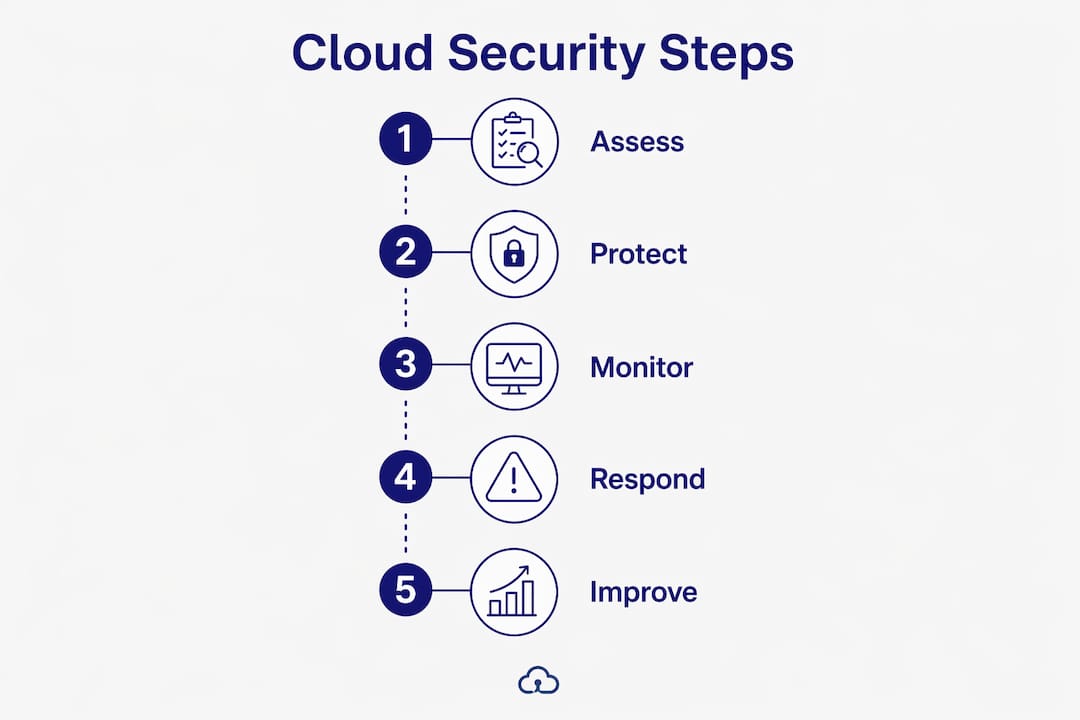
Translating cloud security concepts into daily practice is where most SMBs struggle. The following steps reflect what actually works for businesses without a dedicated security team.
-
Audit your identity and access controls. Review every user account in your cloud platforms. Remove accounts for former employees, enforce MFA across all users, and apply least-privilege access so each account can only reach what it needs. IAM misconfigurations are the leading entry point for cloud breaches.
-
Encrypt data at rest and in transit. Most major cloud platforms enable encryption by default, but verify this for every service you use. Pay particular attention to storage buckets, databases, and file shares, where default settings are sometimes less restrictive than they appear.
-
Implement continuous monitoring and log management. Continuous configuration validation is a modern cloud security essential. Point-in-time assessments miss the configuration drift that happens between reviews. Set up automated alerts for privilege escalation, unusual login patterns, and changes to security group rules.
-
Define and document your cloud security policies. Understanding cloud security policies means writing down who can access what, how data is classified, and what the response procedure is when an alert fires. Policies without documentation cannot be audited or enforced consistently.
-
Assess your cloud environment against a recognized framework. Use the CSA CCM or your industry-specific compliance standard as a checklist. Identify gaps, assign owners, and set remediation timelines. This is the difference between reactive patching and a managed security program.
For SMBs in manufacturing or aerospace, cloud security for manufacturers carries additional weight because operational data and intellectual property often sit in the same cloud environment as administrative systems. Segmenting those workloads reduces the blast radius of any single compromise.
Cloud security requires continuous approaches distinct from traditional on-premises security. Ongoing monitoring and automation are not optional extras. They are the baseline for any business operating in the cloud in 2026.
Pro Tip: Schedule a quarterly cloud security review that covers three things: active user accounts, open firewall rules, and any new services added to your environment. Most breaches trace back to something that was added and never reviewed.
Key takeaways
Effective cloud security requires continuous monitoring, clear ownership of the shared responsibility model, and governance frameworks that map directly to your compliance obligations.
| Point | Details |
|---|---|
| Cloud security definition | Cloud security protects data, applications, and infrastructure in cloud environments through policies, technologies, and controls. |
| Shared responsibility model | Cloud providers secure infrastructure; you are responsible for data, identities, and configurations. |
| Shrinking threat window | Exploitation now happens within days of disclosure, making automated defenses a necessity, not a preference. |
| Governance frameworks | The CSA CCM and CSPM tools give SMBs structured, audit-ready approaches to managing cloud risk. |
| Continuous over point-in-time | Quarterly audits miss real-time configuration drift; automated monitoring is the current standard. |
Why I think most SMBs are one misconfiguration away from a serious breach
After working with small businesses across manufacturing, professional services, and aerospace, the pattern I see most often is not a lack of investment in security. It is a misplaced assumption about where the cloud provider's responsibility ends. Business owners sign up for Microsoft 365 or AWS, see the security features listed on the provider's website, and reasonably conclude that their data is protected. It is, at the infrastructure level. But the application layer, the user accounts, the sharing settings, and the access policies are entirely in your hands.
The second mistake I see is treating cloud security as a project with a completion date. You deploy MFA, run a vulnerability scan, check the box, and move on. Six months later, a contractor account that was never deprovisioned becomes the entry point for a credential attack. Cloud environments change constantly. New services get added, permissions get expanded for convenience, and configurations drift from their original state. The only way to stay ahead of that is continuous monitoring, not periodic reviews.
What I tell every SMB owner is this: you do not need a 20-person security team. You need clear ownership of your shared responsibilities, automated monitoring that alerts you to changes in real time, and a trusted partner who understands both the technology and your industry's compliance requirements. That combination is achievable for any small business, and it is far less expensive than recovering from a breach.
— Michael
How Symmnet helps SMBs secure their cloud environments
Symmnet provides managed IT and cybersecurity services built specifically for small U.S.-based businesses that need cloud security without the overhead of an internal IT team. Symmnet's services cover identity and access management, 24/7 system monitoring, firewall management, and compliance support for regulations including CMMC, HIPAA, and SOC 2. For businesses in manufacturing, aerospace, and professional services, Symmnet delivers the continuous monitoring and forensic readiness that modern cloud threats demand. If you are ready to close the gaps in your cloud security posture, explore Symmnet's managed IT services or request a free assessment to identify where your environment is most exposed.
FAQ
What is the cloud security definition in simple terms?
Cloud security is the collection of policies, technologies, and controls that protect data, applications, and infrastructure hosted in cloud environments from unauthorized access and cyberattacks.
How does cloud security work in practice?
Cloud security works through layered controls including encryption, identity and access management, continuous monitoring, and governance policies. These controls operate across the shared boundary between what the cloud provider secures and what the customer must secure.
What are the most common cloud security threats for SMBs?
The most common threats include misconfigured storage and access settings, compromised credentials, AI-accelerated phishing attacks, and supply chain vulnerabilities introduced through third-party cloud integrations.
What is the shared responsibility model in cloud security?
The shared responsibility model means cloud providers secure the underlying infrastructure while customers are responsible for their data, user identities, application configurations, and access controls. The exact boundary shifts depending on whether you use IaaS, PaaS, or SaaS.
What are cloud security best practices for small businesses?
The core practices are enforcing MFA on all accounts, applying least-privilege access, enabling continuous monitoring and log retention, encrypting data at rest and in transit, and mapping your controls to a recognized framework like the CSA Cloud Controls Matrix.