

A quiet network is not always a healthy one. Cyber threats targeting small businesses in manufacturing, aerospace, and professional services are rising fast, and the damage often goes undetected until operations stall or a compliance audit reveals gaps you cannot explain. Knowing how to monitor network activity is one of the most practical steps you can take to protect your business before a threat becomes a crisis. This guide walks you through every stage, from understanding what to measure to setting up alerts that actually catch problems.
Table of Contents
- Understanding network monitoring essentials
- Preparing your network for monitoring: tools and baseline setup
- Executing network activity monitoring and setting alerts
- Verifying monitoring effectiveness and troubleshooting common issues
- Sustaining visibility: advanced strategies for continuous network monitoring
- A small business insider's perspective on network monitoring effectiveness
- Enhance your network monitoring with Symmetry Network Management
- Frequently asked questions
Key Takeaways
| Point | Details |
|---|---|
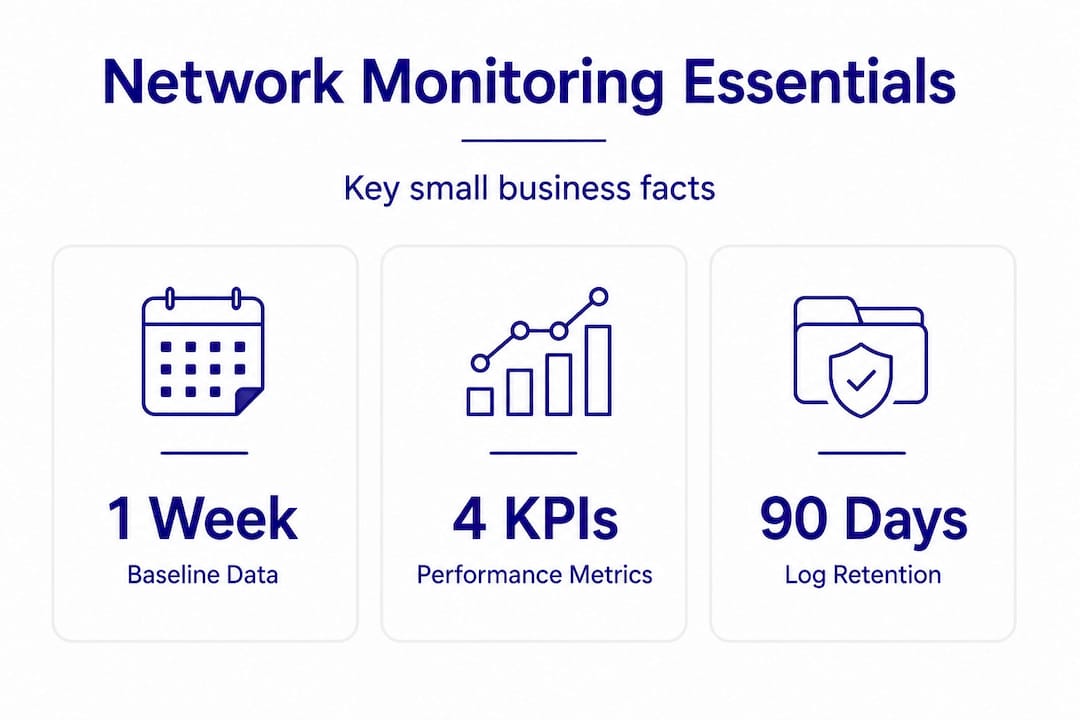
| Baseline network data | Collect baseline data for at least one week to know your normal network behavior before setting alerts. |
| Monitor key KPIs | Track bandwidth, latency, packet loss, and errors to identify performance and security issues early. |
| Configure secure protocols | Use SNMPv3 authentication to prevent common monitoring failures and ensure data integrity. |
| Implement real-time alerts | Set thresholds based on baseline and detect anomalies swiftly to prevent security incidents. |
| Centralize and retain logs | Store logs centrally and retain at least 90 days to support investigations and comply with regulations. |
Understanding network monitoring essentials
Network monitoring is the practice of continuously observing your network's devices, traffic, and performance to detect problems and threats before they cause damage. For small businesses, this is not a luxury. It is the foundation of both cybersecurity and operational reliability.
Before you can monitor effectively, you need to know what you are watching for. The metrics that matter most are called key performance indicators (KPIs), and the following four are non-negotiable for any business running critical systems:
- Bandwidth utilization: The percentage of your network capacity currently in use. Spikes often signal data exfiltration or a poorly configured device consuming resources.
- Latency: The delay in data transmission across the network. Network monitoring software should track latency under 150ms to prevent bottlenecks.
- Packet loss: The rate at which data packets fail to reach their destination. Anything above 1% signals a serious problem in manufacturing or aerospace environments where machine communication is time-sensitive.
- Error rates: The frequency of transmission errors on network interfaces. High error rates point to hardware failures, cabling issues, or deliberate interference.
The stakes differ by industry. In manufacturing, network issues can halt production lines. In aerospace, they can interrupt communication with suppliers or violate regulatory requirements under ITAR (International Traffic in Arms Regulations). In professional services, a slow or compromised network puts client data at risk and creates liability. Understanding securing manufacturing networks helps contextualize why each KPI connects directly to operations, not just IT performance.
Network monitoring also directly supports compliance. Frameworks like NIST, CMMC (Cybersecurity Maturity Model Certification), and HIPAA require demonstrable visibility into network activity. Without monitoring, you cannot prove what happened, when it happened, or that you responded appropriately.
Having seen why network monitoring is crucial, let's explore what you need to prepare before you begin monitoring.
Preparing your network for monitoring: tools and baseline setup
Jumping into monitoring without preparation is like installing smoke detectors without checking if the batteries work. The first step is selecting the right tools and protocols, then establishing what "normal" looks like on your network.
Key protocols and tools to know:
- SNMP (Simple Network Management Protocol): Collects data from routers, switches, and servers. Always use SNMPv3, which includes authentication and encryption. Configuring SNMPv3 authentication prevents 95% of basic monitoring failures.
- NetFlow and sFlow: These protocols capture traffic flow data from routers and switches, showing you not just that traffic exists but where it is going, what protocols it uses, and how much bandwidth it consumes.
- Network monitoring platforms: Tools like PRTG, SolarWinds, and Zabbix collect SNMP and flow data and display it in dashboards. Open-source options work well for smaller budgets.
Baseline data is your reference point. Without it, you cannot distinguish an attack from a busy Monday morning. Gather baseline network data for at least one week before setting any alerts at 80% utilization thresholds. For manufacturers running shift-based operations, two weeks is better because it captures the difference between a day shift and a night shift.
Pro Tip: Do not set your baseline during an unusual period, such as end-of-quarter reporting or a product launch week. Your baseline should reflect the most typical operating conditions your business experiences.

| Tool/Protocol | Primary function | Best for | Baseline requirement |
|---|---|---|---|
| SNMPv3 | Device health polling | Routers, switches, servers | Continuous after setup |
| NetFlow/sFlow | Traffic flow analysis | Bandwidth and usage tracking | 1 to 2 weeks minimum |
| PRTG / Zabbix | Centralized dashboards | Full network visibility | 1 week before alert setup |
| Syslog | Event log collection | Security and compliance auditing | Ongoing from day one |
Explore practical network monitoring tips for additional guidance on choosing tools that fit your infrastructure size and compliance requirements.
Now that you have prepared your network and gathered baseline data, let's dive into executing monitoring and setting alerts.
Executing network activity monitoring and setting alerts
With your tools configured and baseline data collected, you are ready to activate monitoring and make it work for you. Here is a step-by-step approach to monitoring network traffic and setting effective alerts.
- Enable SNMP polling on all critical devices. Start with routers, core switches, firewalls, and servers. Configure polling intervals of five minutes for most devices and one minute for high-priority links.
- Deploy flow exporters on key network links. Enable NetFlow on your internet-facing router and any links connecting your operational technology (OT) or industrial control systems (ICS) to your main network.
- Connect all data sources to your monitoring platform. Import device lists, confirm data is flowing, and verify that dashboards populate correctly before moving to alert configuration.
- Set threshold-based alerts using your baseline. Setting alerts at 80% utilization thresholds prevents bandwidth bottlenecks from becoming full outages. Use your baseline to confirm that 80% is genuinely above normal for each link.
- Create anomaly detection rules. Look for patterns such as a device sending data at 3 a.m. when it is normally idle, or a workstation suddenly generating far more traffic than usual. Real-time anomaly detection is where most threats appear as traffic spikes, making this step critical for quick response.
- Configure notification routing. Alerts should go to the right person immediately. Critical alerts go to your IT administrator or managed services contact. Bandwidth warnings may go to a shared inbox for review.
Pro Tip: Avoid setting too many alerts at once. Start with five to ten high-confidence rules tied directly to your KPIs, then expand as you learn how your network behaves during different business conditions.
Monitoring network traffic in real time gives you something historical reports cannot: the ability to catch a threat while it is still happening. Review cybersecurity steps for SMBs to understand how monitoring fits into a broader security posture for businesses in your sector.
With your monitoring system active and alerts configured, it's vital to verify effectiveness and troubleshoot issues promptly.
Verifying monitoring effectiveness and troubleshooting common issues
Setting up monitoring is step one. Confirming it actually works is step two, and it is the step most small businesses skip.
Start with log retention. Without standardized log retention and weekly reviews, 70% of intrusion signs are missed. SIEM (Security Information and Event Management) integration is not optional for compliance-driven industries. A SIEM collects logs from across your network and correlates them to surface patterns that no single alert would catch alone.
Review alerts weekly, at minimum. Look for alert fatigue, which is when your team starts ignoring alerts because too many are firing. This usually means your thresholds are miscalibrated or your baseline was set during an atypical period.
Common issues and their fixes:
| Problem | Likely cause | Solution |
|---|---|---|
| Too many false positive alerts | Baseline set during unusual traffic period | Reset baseline during typical operations |
| SNMP data not populating | SNMPv3 misconfiguration or firewall blocking | Verify community strings and firewall rules |
| Flow data showing incomplete traffic | Exporter not enabled on all key links | Enable NetFlow on remaining devices |
| Alerts not reaching the right contacts | Notification routing misconfigured | Audit alert destinations and test delivery |
| Gaps in log data | Agent or syslog server failure | Confirm all sources are actively sending |
For manufacturers specifically, establishing a baseline over 30 days avoids false positives caused by shift-based traffic variation. A three-shift operation looks completely different at 7 a.m. versus 11 p.m., and your alerts should reflect that reality. Use your network security checklist to confirm your verification steps cover all critical monitoring components.
After ensuring your monitoring system is properly verified and tuned, let's explore how to sustain visibility with strategic approaches.
Sustaining visibility: advanced strategies for continuous network monitoring
Once your monitoring system is running and tuned, the goal shifts from setup to sustainability. This is where many small businesses plateau, but it is also where the biggest long-term security gains are made.
Centralized, encrypted logging is the backbone of sustained visibility. When logs from firewalls, servers, switches, and endpoints all feed into one system, you can investigate incidents across your entire infrastructure without piecing together data from five different places. Centralized logging with SIEM analysis and off-site log retention for at least 90 days is required for compliance in communications infrastructure under CISA's 2025 joint guidance.
Off-site log storage protects against a threat that often goes unnoticed: log tampering. A sophisticated attacker who gains access to your network may also attempt to delete or alter local logs. Off-site copies prevent that from succeeding.
Network mapping and device inventory are often overlooked in smaller businesses. You cannot monitor what you do not know exists. A live device inventory, updated automatically by your monitoring platform, ensures that new devices added to your network are captured immediately.
Key practices for long-term monitoring success:
- Update your network map every time a new device, server, or segment is added
- Review and update alert thresholds quarterly or after significant business changes
- Use your monitoring data to prioritize which devices need patches first, focusing on those most exposed to external traffic
- Store logs off-site with encryption and access controls that limit who can modify or delete them
Pro Tip: Your monitoring data is also an asset during a security audit or compliance review. A well-maintained log history with SIEM correlation reports can significantly reduce the time and cost of demonstrating compliance to auditors.
"Visibility is not something you achieve once. It is something you maintain deliberately, and the businesses that do it consistently are the ones that catch threats before they become incidents."
For additional guidance on building this foundation, visit securing manufacturing networks and explore how the same principles apply across industrial and professional environments.
A small business insider's perspective on network monitoring effectiveness
Most guides on how to monitor network activity focus on tools and thresholds. What they rarely address is the behavioral failure that causes monitoring programs to collapse: skipping the baseline.
Here is the uncomfortable truth. Alert fatigue is almost always self-inflicted. When businesses rush to deploy monitoring without establishing a proper baseline, every routine traffic spike looks like a threat. The team starts muting alerts. Eventually, they stop checking them altogether. When a real intrusion occurs, it passes through unnoticed, which is far worse than not having monitoring at all.
Skipping baseline establishment leads directly to this outcome. The fix is not a better tool; it is patience. Spend the time collecting real traffic data across multiple business cycles before you configure a single alert.
The second insight worth sharing: real-time anomaly detection delivers more value per dollar than any other monitoring feature for a small business. Historical reports are useful, but they tell you what already happened. A real-time spike alert on an outbound connection to an unfamiliar IP address at 2 a.m. tells you something is happening right now.
SNMPv3 authentication is another area where businesses consistently cut corners. Using SNMPv1 or SNMPv2 because "it was already configured" is a genuine security risk. SNMP without authentication can be queried by anyone on your network, including an attacker who has already breached one device.
Finally, if your business runs multiple shifts, segment your baselines accordingly. Peak hours and off-hours look nothing alike on a network, and a single blended baseline produces alerts that satisfy neither condition well. Exploring practical SMB network monitoring gives you a clearer picture of how to structure this segmentation for your specific environment.
Enhance your network monitoring with Symmetry Network Management
Knowing how to check network connections and track network activity is one thing. Sustaining that visibility around the clock while running a business is another. Many small businesses in manufacturing, aerospace, and professional services reach a point where monitoring needs exceed what an internal team can manage alone.

Symmetry Network Management provides managed IT services built specifically for businesses like yours. From 24/7 network monitoring and real-time anomaly detection to compliance support and firewall management, the team handles the technical work so you can stay focused on operations. Whether you are based in the greater Los Angeles area and need West Covina IT services or require South El Monte IT services, Symmetry's fixed-price model gives you expert support without the unpredictability of hourly billing. Contact Symmetry Network Management today for a free assessment and find out where your network visibility gaps are before an attacker does.
Frequently asked questions
What is the minimum recommended log retention period for network monitoring?
Organizations should retain audit logs across enterprise assets for a minimum of 90 days to enable effective monitoring and incident investigation. This threshold supports both internal security reviews and external compliance audits.
How long should I gather baseline network data before setting alerts?
Gather baseline network data for at least one week before configuring alerts, and up to 30 days for environments with shift-based operations. A longer baseline period produces more accurate thresholds and fewer false positives.
What are key performance indicators to monitor for network health?
Bandwidth utilization, latency, packet loss, and error rates are the four core KPIs. Network monitoring software should track latency under 150ms and packet loss below 1% to maintain reliable performance across critical systems.
Why is real-time anomaly detection important for small businesses?
Most security threats appear as sudden traffic spikes rather than gradual changes, making real-time detection far more effective than reviewing historical reports after the fact. Catching anomalies as they happen gives your team the best chance to respond before damage occurs.
How does centralized logging improve compliance monitoring?
Centralized logging with SIEM enables comprehensive log analysis across all network sources, making it possible to detect threats faster and generate the compliance reports regulators require. It also prevents gaps in visibility that occur when logs are stored separately across multiple systems.