

Encryption is defined as the process of converting readable data into an encoded format that only authorized parties can access using a decryption key. For small and mid-sized businesses, the role of encryption is not optional. It is the primary technical control that prevents unauthorized users from reading stolen or intercepted data. Encryption protects information in two states: data at rest (stored on devices or servers) and data in transit (moving across networks). Regulatory bodies including NIST, the FTC, and GDPR-aligned frameworks all recognize encryption as a foundational safeguard. Without it, a single stolen laptop or intercepted email can expose your customers, your finances, and your legal standing.
What is the role of encryption in protecting SMB data?
Encryption converts your data into unreadable code. Without the correct key, that code is useless to anyone who intercepts or steals it. That simple mechanism is what separates a catastrophic breach from a contained incident.
Small and mid-sized businesses face a disproportionate share of cyberattacks. 96% of ransomware victims identified in the 2026 Verizon Data Breach Investigations Report are small to mid-sized businesses. That number reflects a deliberate targeting strategy: attackers know SMBs typically have weaker defenses than large enterprises.
Encryption directly limits the damage ransomware and data theft can cause. When files are encrypted before an attacker reaches them, the attacker cannot read or sell the data. That removes the leverage behind extortion threats. Without readable data, there is no ransom to pay and no customer records to publish.

Two SMB scenarios illustrate this clearly. First, a stolen laptop. If the device uses full-disk encryption, the thief sees nothing but scrambled data. Second, intercepted email. If your email uses transport encryption, a man-in-the-middle attack captures only ciphertext. In both cases, encryption converts a potential disaster into a non-event.
The importance of encryption becomes especially clear when you map it against the most common SMB threats: phishing, credential theft, and ransomware. Encryption does not stop an attacker from getting in, but it does stop them from profiting once they are inside.
- Full-disk encryption protects all data on a device if it is lost or stolen.
- File-level encryption secures specific sensitive documents, such as payroll records or contracts.
- Email encryption prevents interception of confidential communications.
- Network encryption (VPN, WPA3) protects data moving across internal and external networks.
What encryption types and standards should SMBs use?
Encryption comes in two main forms: symmetric and asymmetric. Understanding the difference helps you choose the right tool for each situation.
Symmetric encryption uses a single key to both encrypt and decrypt data. It is fast and well-suited for encrypting large volumes of data at rest, such as files on a hard drive or a database. Asymmetric encryption uses a key pair: a public key to encrypt and a private key to decrypt. It is the standard for securing communications, including email and HTTPS web traffic.
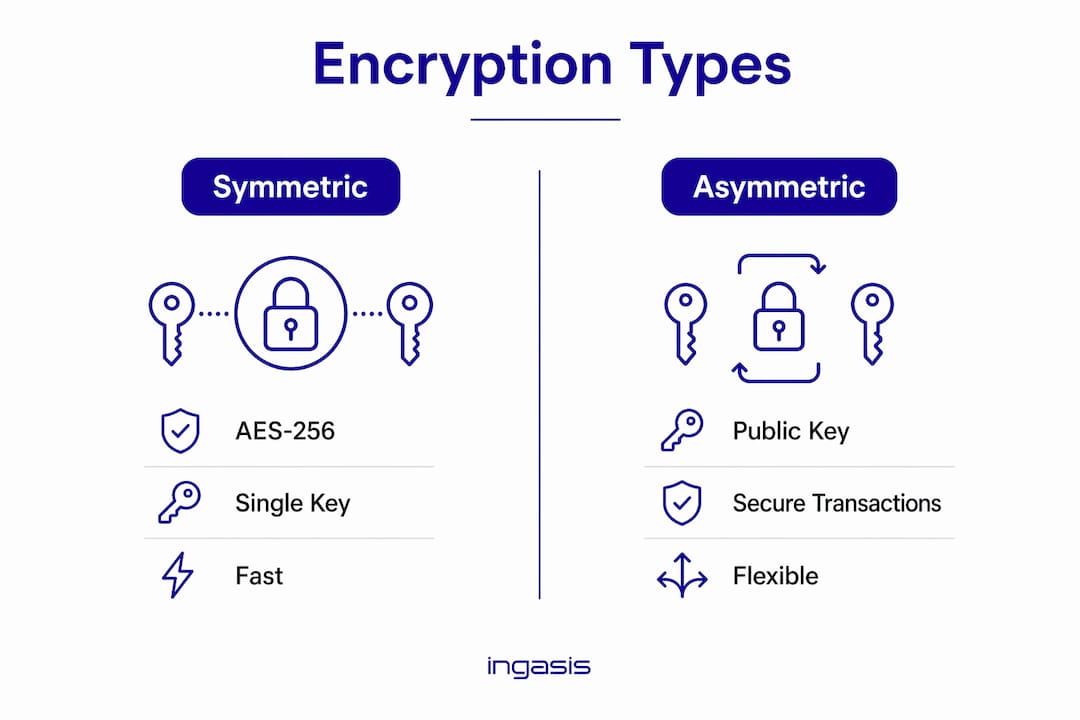
The most widely adopted standard for symmetric encryption is AES-256. AES-256 encryption protects classified U.S. government data and meets the technical safeguard requirements of HIPAA, the FTC Safeguards Rule, and most state privacy laws. Choosing AES-256 as your baseline means you are aligned with the same standard used by federal agencies.
| Encryption type | Method | Common SMB use case |
|---|---|---|
| Symmetric (AES-256) | Single shared key | Full-disk encryption, file encryption, database protection |
| Asymmetric (RSA, ECC) | Public/private key pair | Email encryption, SSL/TLS, secure file sharing |
| Transport layer (TLS) | Protocol-level encryption | Website traffic, cloud application connections |
| Wi-Fi encryption (WPA3) | Network-level encryption | Office wireless networks, remote access points |
Pro Tip: When evaluating encryption tools, confirm they explicitly support AES-256 or TLS 1.2 and above. Tools that only list "military-grade encryption" without naming the standard may not meet HIPAA or FTC compliance requirements.
Encryption tools do not need to be expensive or complex. Windows BitLocker and macOS FileVault are built directly into their operating systems and support AES-256. For SMBs without a dedicated IT team, these are the most practical starting points. A complete encryption guide can help you map each tool to the right use case before you deploy.
How does encryption fit into compliance and breach notification laws?
Encryption functions as a legal safe harbor under several major U.S. regulations. That means if encrypted data is stolen, you may not be required to notify affected individuals or regulators. That exemption can save your business from significant legal and reputational costs.
Encrypted data breaches typically do not trigger mandatory breach notification under most state laws. The logic is straightforward: if the stolen data cannot be read, no harm has occurred to the individuals whose information was taken.
| Regulation | Encryption requirement | Breach notification exemption |
|---|---|---|
| HIPAA | Required as a technical safeguard for ePHI | Yes, if data is encrypted per NIST standards |
| FTC Safeguards Rule | Mandates encryption of customer financial data | Reduces scope of reportable incidents |
| CCPA | Strongly recommended | Yes, encrypted data is excluded from breach definition |
| State breach laws (most U.S. states) | Recommended or required | Yes, encrypted data typically exempt |
The FTC Safeguards Rule requires encryption of customer financial data as one of nine mandated security controls. It also requires employee training on those controls. Non-compliance carries civil penalties and reputational damage that far exceed the cost of implementing encryption.
HIPAA's technical safeguard standards reference NIST guidelines and treat AES-256 as the accepted implementation. If your business handles protected health information, encryption is not a recommendation. It is a requirement. The same applies to any SMB in financial services operating under the FTC Safeguards Rule.
The practical takeaway is this: encryption does not just protect your data. It protects your business from the legal consequences of losing that data.
How should SMBs implement encryption effectively?
Implementing encryption does not require a large IT budget or a dedicated security team. The most effective approach starts with the tools already available on your devices and networks.
- Enable full-disk encryption on every device. BitLocker on Windows and FileVault on Mac are built-in and free. Enable them on every laptop and desktop in your organization. This is the single highest-impact step most SMBs can take immediately.
- Use encrypted email for sensitive communications. Standard email is not encrypted by default. Services that support S/MIME or end-to-end encryption protect messages containing financial data, contracts, or personal information.
- Encrypt your Wi-Fi network using WPA3. WPA3 and WPA2-AES are the current standards for wireless network encryption. If your router still uses WPA or WEP, update it. Older protocols are vulnerable to well-documented attacks.
- Require VPN use for remote access. A VPN encrypts all traffic between a remote employee and your network. This is non-negotiable for any team member working from home or a public location.
- Create a key management policy. Document who holds encryption keys, how keys are stored, and what happens when an employee leaves. Lost keys mean lost data. A written policy prevents that scenario.
- Train employees on encryption and password hygiene. Awareness training is a low-cost, high-impact control. Employees who understand why encryption matters are less likely to disable it or bypass it for convenience.
Pro Tip: Pair encryption with multi-factor authentication (MFA) and regular encrypted backups. Encryption protects data from theft; MFA limits unauthorized access; backups protect against ransomware. Together, these three controls address the most common SMB attack scenarios.
IT security best practices for SMBs consistently place encryption alongside MFA and endpoint protection as the core of a defensible security posture. Starting with these three controls gives you a strong foundation before adding more complex measures.
Key Takeaways
Encryption is the most cost-effective technical control an SMB can deploy, protecting data from theft, reducing legal liability, and supporting compliance with HIPAA, the FTC Safeguards Rule, and CCPA.
| Point | Details |
|---|---|
| Encryption is a legal safeguard | Encrypted data is typically exempt from breach notification requirements under HIPAA, CCPA, and most state laws. |
| SMBs are the primary ransomware target | 96% of ransomware victims are small to mid-sized businesses, making encryption a critical defense layer. |
| AES-256 is the compliance standard | AES-256 meets HIPAA, FTC Safeguards Rule, and federal data protection requirements for sensitive data. |
| Built-in tools cover the basics | BitLocker and FileVault are free, built-in, and sufficient for full-disk encryption on most SMB devices. |
| Encryption requires policy, not just software | Key management, employee training, and written procedures determine whether encryption actually works in practice. |
Why SMBs underestimate encryption until it's too late
Most business owners I speak with treat encryption as a large-enterprise concern. They assume it requires a dedicated IT team, expensive software, or specialized expertise. That assumption is wrong, and it is costing small businesses real money.
No company is too small for encryption or data regulations. A 10-person accounting firm holds more sensitive financial data than many mid-sized companies. A small manufacturer in aerospace or defense may handle export-controlled technical files. The data value does not scale with company size, but the attack risk does.
What I have seen repeatedly is that businesses treat encryption as something to add later, after they have "real" security problems. By then, a breach has already happened. The reputational and financial costs of a single unencrypted data loss event routinely exceed what a full year of encryption tools would have cost.
The other misconception is that encryption is purely a technical measure. It is not. It is a legal instrument. When encrypted data is stolen, your notification obligations shrink dramatically. That is not a minor benefit. For a small business, avoiding a mandatory breach notification to thousands of customers can mean the difference between surviving an incident and losing the business entirely.
My advice is to start with what you already have. Enable BitLocker or FileVault today. Set up a VPN for remote workers this week. Those two steps alone put you ahead of the majority of SMBs that have done nothing. Encryption is not a project to schedule for next quarter. It is a control you can activate before you finish reading this article.
— Michael
How Symmnet helps SMBs deploy and maintain encryption
Small businesses that need encryption in place but lack internal IT resources have a clear path forward with Symmnet. Symmetry Network Management provides managed IT and cybersecurity services built specifically for small U.S.-based businesses in manufacturing, aerospace, professional services, and related industries.

Symmnet handles encryption deployment, endpoint security, compliance support, and 24/7 monitoring under a fixed pricing model. That means no surprise costs and no gaps in coverage. If your business needs to meet HIPAA, FTC Safeguards Rule, or state privacy law requirements, Symmnet's team can assess your current posture and implement the right controls. Contact Symmnet for a free security assessment and find out exactly where your data protection stands today.
FAQ
What is the role of encryption in data security?
Encryption converts readable data into an unreadable format that only authorized parties can access using a decryption key. It protects data both at rest and in transit, preventing unauthorized access even if a device is stolen or a network is compromised.
Does encryption protect SMBs from ransomware?
Encryption limits ransomware damage by ensuring that data attackers access is unreadable without the key. It also removes the extortion leverage attackers rely on when threatening to publish stolen data.
Is encryption required for HIPAA and FTC compliance?
HIPAA requires encryption as a technical safeguard for electronic protected health information, and the FTC Safeguards Rule mandates encryption of customer financial data. Both regulations treat AES-256 as the accepted standard.
What encryption tools should a small business use?
BitLocker for Windows and FileVault for macOS provide free, built-in full-disk encryption using AES-256. For email, services supporting S/MIME or end-to-end encryption protect sensitive communications without requiring specialized hardware.
Does encrypting data exempt a business from breach notification?
Encrypted data is typically exempt from mandatory breach notification requirements under HIPAA, CCPA, and most U.S. state breach laws. This safe harbor applies when the encryption meets recognized standards such as AES-256 per NIST guidelines.