

Data backup is defined as the process of copying and storing critical business data in separate locations so it can be recovered after loss, corruption, or attack. For small business owners and IT managers, understanding what is data backup goes beyond a simple definition. It means knowing which methods protect your data best, how recovery metrics shape your strategy, and why the 3-2-1-1-0 backup rule from CISA now sets the baseline for ransomware resilience. The industry term for the broader discipline is "backup and recovery," and both halves matter equally.
What is data backup and why does it matter for your business?
Data backup is the tactical process of creating secure copies of files, databases, and system configurations. Backup and recovery together form the operational safety net that keeps a business running after a disaster. Without a tested recovery plan, a backup copy is just an untested assumption.
The role of backup and recovery becomes clear when you consider what is at stake. A ransomware attack, a hardware failure, or even an accidental file deletion can halt operations for hours or days. Recovery Point Objective (RPO) and Recovery Time Objective (RTO) are the two standardized metrics that define how much data loss and downtime your business can tolerate. RPO sets the maximum acceptable age of recovered data. RTO sets the maximum time your systems can be offline before the business suffers serious harm.

These two metrics are not set by your IT budget. They are set by a business impact analysis that maps each system to its revenue and operational value. A manufacturer running a production line has a very different RPO than a professional services firm archiving client records. Knowing your numbers before you choose a backup method is the difference between a plan that works and one that fails at the worst possible moment.
What are the primary data backup methods and how do they differ?
Backup types carry distinct tradeoffs in speed, storage cost, and recovery complexity. Choosing the wrong method for your workload means either wasting storage or facing a slow, complicated restore when time is critical.
| Backup type | What it copies | Restore speed | Storage use | Best for |
|---|---|---|---|---|
| Full | All data every time | Fastest | Highest | Weekly baseline, archive |
| Incremental | Changes since last backup | Slowest (chains) | Lowest | Daily or hourly cycles |
| Differential | Changes since last full | Moderate | Moderate | Mid-week recovery balance |
| Continuous data protection | Every change in real time | Near-instant | High | Mission-critical systems |
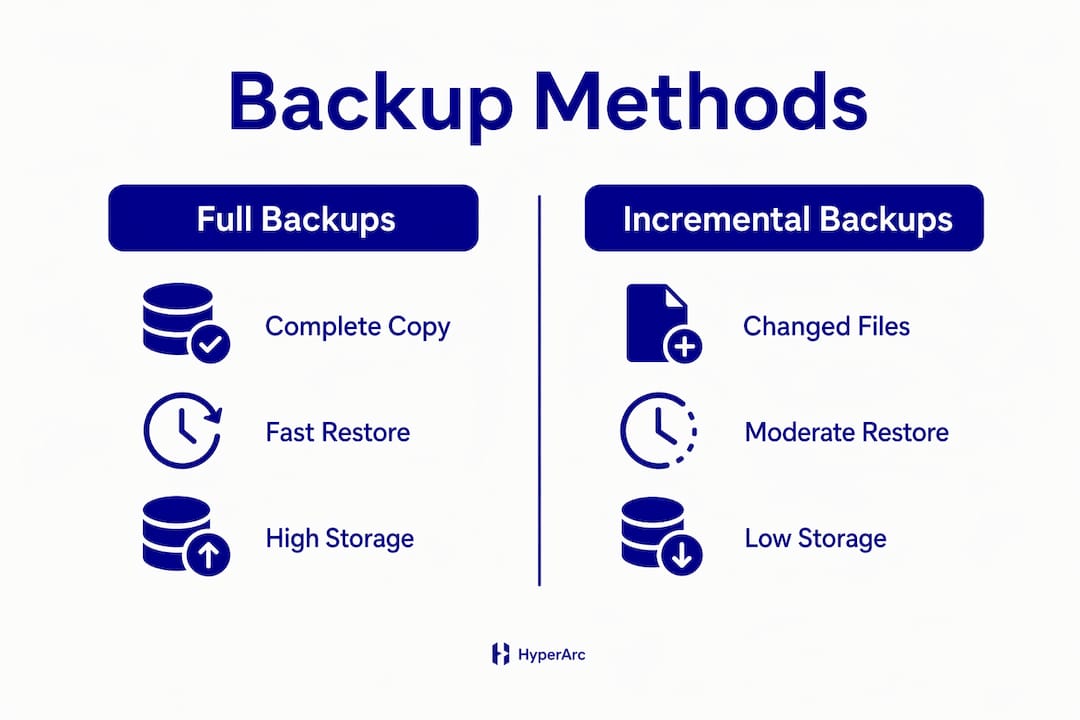
Full backups are the easiest to restore from because all data lives in one set. The tradeoff is time and storage cost, which makes running them daily impractical for most small businesses. Incremental backups solve the storage problem by capturing only what changed since the last backup, but restoring requires chaining together the last full backup plus every incremental since. Differential backups split the difference: they capture all changes since the last full backup, so a restore needs only two sets instead of many.
Continuous data protection (CDP) records every write in real time, giving you the ability to roll back to almost any point in time. CDP is the right choice for databases and financial systems where even one hour of lost transactions is unacceptable. Hybrid backup strategies combine local backups for speed with cloud copies for offsite protection, and they are increasingly the standard for small businesses that need both fast recovery and geographic redundancy.
Pro Tip: Run full backups weekly, incremental backups daily, and store at least one copy offsite or in the cloud. This combination keeps storage costs manageable while giving you a clean restore path.
How do recovery objectives shape your backup strategy?
RPO and RTO are not abstract metrics. They translate directly into how often you back up, what technology you use, and which data you prioritize. A business with an RPO of four hours must run backups at least every four hours for its critical systems. A business with an RTO of two hours must store backups in a location where restoration can begin immediately, not after waiting for a tape to arrive from an offsite vault.
Classifying data by criticality based on a business impact analysis is the most efficient way to align backup frequency with actual business risk. Not all data deserves the same protection level. Consider these tiers:
- Tier 1 (critical): Active customer databases, financial records, production files. Back up continuously or hourly. RTO measured in minutes.
- Tier 2 (important): Internal communications, project files, HR records. Back up daily. RTO measured in hours.
- Tier 3 (archival): Completed project archives, old invoices, compliance records. Back up weekly or monthly. RTO measured in days.
Backing up everything at the same frequency wastes storage budget and obscures what actually matters. A manufacturing firm that treats its CAD files and its break room scheduling app as equally critical will overspend on storage and still miss the data that stops the production line. The business impact analysis forces you to answer one question: if this system went down right now, how long before it costs us real money?
Pro Tip: Document your RPO and RTO for each system in a simple spreadsheet. Review it every six months or after any major change to your operations. Your backup schedule should update whenever those numbers change.
What are best practices for secure, resilient, and testable backups?
Secure backups require more than copying files to a second drive. Modern threats, particularly ransomware, specifically target backup infrastructure to eliminate your recovery options before demanding payment. Ransomware attackers target backup systems first to destroy recovery routes, which makes immutable backups an essential control rather than an optional upgrade.
An immutable backup uses WORM (Write Once, Read Many) technology to prevent any modification or deletion of backup data for a defined retention period. Even if an attacker gains administrative access to your environment, they cannot alter or erase an immutable copy. This is the "1 immutable" component of the CISA 3-2-1-1-0 rule.
The full 3-2-1-1-0 framework works as follows:
- 3 copies of your data in total, including the production copy.
- 2 different media types, such as local disk and cloud storage, to avoid a single point of failure.
- 1 copy offsite, stored in a geographically separate location from your primary systems.
- 1 immutable copy that cannot be modified, deleted, or encrypted by ransomware.
- 0 errors, verified by regular, documented restoration testing.
"Untested backups are not backups. They are assumptions. CISA and NIST both require restoration of data at least seven days old and full recovery drills to confirm that backups actually work when needed."
Backup software accounts are a frequent ransomware target, so enforce multi-factor authentication on every backup service account. Store encryption keys separately from the backup data itself. If an attacker captures both the encrypted backup and the key, the encryption provides no protection. Encrypt data both in storage and in transit, and review access controls on backup systems at least quarterly. For more on protecting data in transit and at rest, the encryption security guide from Symmnet covers the technical controls in detail.
How do organizations apply backup strategies for business continuity?
Backup and business continuity are related but not the same thing. Backup is a tactical copy process; business continuity is a strategic operational plan that defines how your organization keeps functioning during and after a disruption. A backup without a continuity plan is like having a spare tire with no jack.
Documented contingency plans that include file-naming conventions and media rotation schedules reduce recovery time significantly, especially when the staff who normally manage backups are unavailable during an incident. Documentation is not bureaucracy. It is the instruction set your team follows at 2:00 AM when the primary system is down and the person who built it is unreachable.
A practical backup continuity checklist for small businesses includes:
- Define RPO and RTO for every critical system before selecting backup technology.
- Assign a named owner for each backup job, with a documented backup schedule.
- Store at least one copy in a geographically separate location. Offsite storage location must account for geographic risk, access speed, physical security, and environmental controls.
- Test vendor recovery guarantees before you need them. A vendor's stated recovery time means nothing until you verify it with an actual restore.
- Run full restore drills at least twice per year, not just error-log checks.
- Document the results of every test, including what failed and what was fixed.
| Continuity element | Why it matters |
|---|---|
| Written backup policy | Guides recovery when key staff are unavailable |
| Named backup owner | Prevents gaps in responsibility |
| Offsite copy | Protects against site-level disasters |
| Restore drill results | Proves backups actually work |
| Vendor SLA verification | Confirms recovery guarantees are real |
Testing your backup is the step most small businesses skip, and it is the one that determines whether everything else was worth doing. An error-free backup log does not confirm that your data is restorable. Only a full restore drill does.
Key Takeaways
A tested, immutable, and documented backup strategy is the single most effective defense against data loss, ransomware, and extended downtime for small businesses.
| Point | Details |
|---|---|
| Define RPO and RTO first | Set recovery metrics from business impact analysis before choosing any backup method. |
| Follow the 3-2-1-1-0 rule | Keep 3 copies, on 2 media types, with 1 offsite, 1 immutable, and 0 unverified errors. |
| Match backup type to workload | Use full backups weekly, incremental daily, and CDP for mission-critical systems. |
| Secure backup accounts | Enforce MFA and separate encryption keys to prevent ransomware from destroying recovery options. |
| Test restores, not just logs | Run full restore drills at least twice per year and document every result. |
Why I stopped trusting backup logs and started running drills
The most dangerous assumption in IT management is that a green checkmark in a backup log means your data is safe. I have seen that assumption fail in the worst possible circumstances. A small manufacturer ran daily incremental backups for two years. The logs showed zero errors. When ransomware hit, the restore process revealed that a configuration change six months earlier had silently excluded the most critical production database from the backup scope. The logs were clean. The data was gone.
Ransomware actors now attack backup infrastructure before they encrypt production data. That shift changes everything. An immutable backup is no longer a premium feature for enterprise IT teams. It is the minimum viable protection for any business that cannot afford to lose its data. The 3-2-1-1-0 rule exists precisely because the old 3-2-1 rule assumed attackers would not reach your backups. That assumption is no longer valid.
My practical advice for small business IT managers: treat your backup policy as a living document, not a one-time setup. Review it after every major system change, every new application deployment, and every security incident. Run a full restore drill twice a year and document what breaks. The drill will always reveal something. That is the point. Finding the gap during a drill costs you an afternoon. Finding it during an actual incident costs you the business.
— Michael
How Symmnet supports your backup and recovery readiness
Protecting your business data requires more than software. It requires a tested strategy, documented policies, and someone who verifies that recovery actually works before a crisis forces the question.

Symmnet provides managed IT and backup services built specifically for small U.S.-based businesses in manufacturing, aerospace, and professional services. The team designs backup strategies aligned with your RPO and RTO, implements immutable and offsite storage, and runs documented restore drills so you know your data is recoverable. Symmnet also enforces MFA and access controls on backup infrastructure to close the security gaps ransomware actors exploit first. If you want to know where your current backup plan falls short, Symmnet offers a free assessment to identify gaps before they become incidents.
FAQ
What is data backup in simple terms?
Data backup is the process of copying your business files and systems to a separate location so they can be restored if the originals are lost, corrupted, or attacked. The copy is only useful if it has been tested and can actually be restored.
What is the 3-2-1-1-0 backup rule?
The 3-2-1-1-0 rule requires three total copies of your data, stored on two different media types, with one copy offsite, one immutable copy that cannot be altered, and zero errors verified through regular restoration testing. CISA updated this standard to address ransomware threats that target backup infrastructure directly.
How often should a small business back up its data?
Backup frequency depends on your Recovery Point Objective. Critical systems such as customer databases and financial records typically require hourly or continuous backups, while less critical data can be backed up daily or weekly.
What is the difference between backup and business continuity?
Backup is the tactical process of copying and storing data. Business continuity is the broader operational plan that defines how your organization keeps functioning during a disruption. Both must align on recovery timeframes to be effective.
Why is testing backups so important?
Untested backups frequently fail during actual recovery attempts because configuration errors, scope gaps, or software issues go undetected in error logs. CISA and NIST both require full restoration drills, including recovery of data at least seven days old, to confirm true restore readiness.