
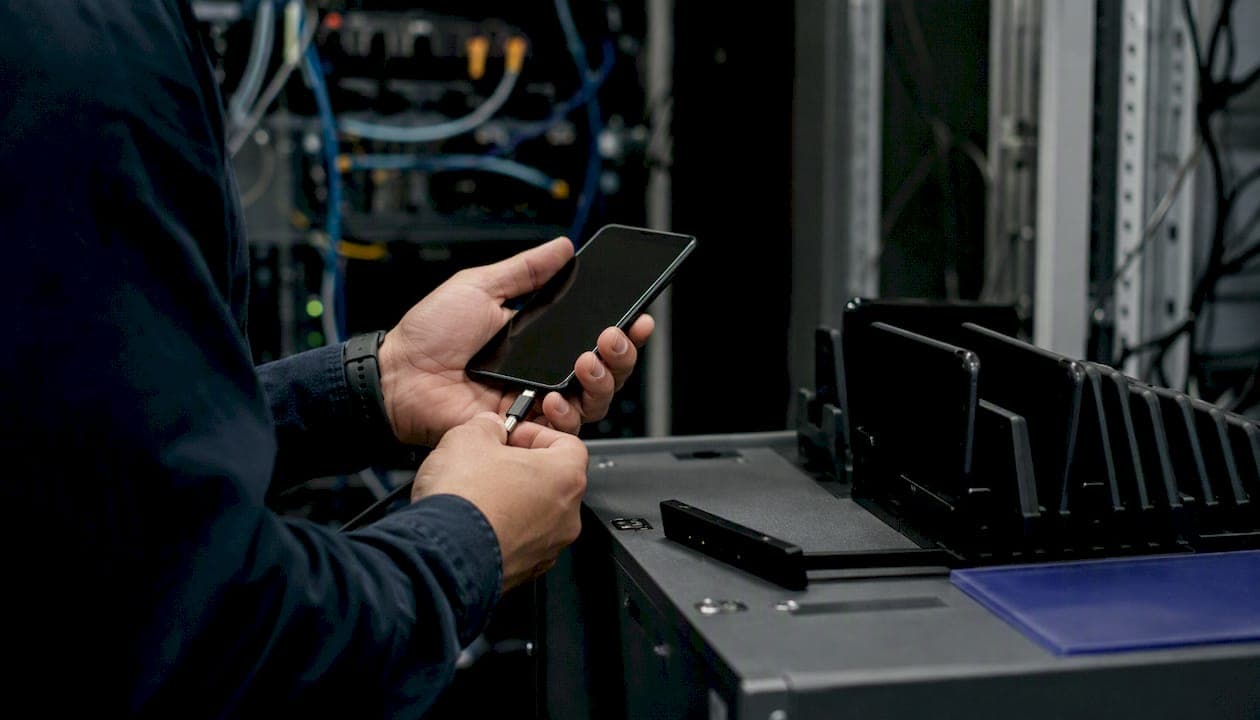
A mobile device management policy is a concise, enforceable set of rules that lets your organization safely authorize, configure, monitor, and remove mobile endpoints — covering corporate-owned, COPE, and BYOD devices — while preserving employee privacy and meeting U.S. compliance requirements.
This guide delivers everything you need to act today:
- A copy-paste one-page MDM policy template you can adopt or adapt immediately
- Section-by-section recommended wording with rationale for each clause
- A technical controls mapping aligned to NIST SP 800-124 Rev.2, the authoritative federal standard for enterprise mobile device security
- A phased rollout checklist with pilot KPIs
- Copy-ready policy snippets for enrollment, encryption, remote wipe, and offboarding
Start by copying the one-page template in the next section, then run a two-week enrollment pilot with a small group of users before expanding organization-wide.
Key Takeaways
A well-enforced mobile device management policy requires coupling clear written rules with technical controls that make compliance automatic, not optional.
| Point | Details |
|---|---|
| Start with the one-page template | Copy the template in this guide, insert your organization name and dates, and get executive approval before the pilot begins. |
| Enrollment must be a hard gate | Configure Conditional Access to block unmanaged devices from email and cloud apps; a policy without this enforcement is unenforceable. |
| MFA is the highest-impact single control | Requiring MFA on all mobile corporate access reduces account compromise risk and should be enabled before any other control. |
| BYOD requires MAM, not full MDM | Use a containerized work profile and selective wipe for personal devices; full MDM on BYOD creates legal exposure and user resistance. |
| Symmnet for managed implementation | Symmnet provides MDM deployment, Conditional Access configuration, and compliance documentation on a fixed monthly retainer for small U.S. businesses. |
Table of Contents
- Your copy-paste one-page MDM policy template
- Section-by-section policy guidance with sample wording
- How policy requirements map to MDM/EMM technical controls
- BYOD vs. corporate-owned devices: what U.S. privacy law requires
- A realistic rollout plan for small U.S. organizations
- Lost/stolen device playbook and enforcement workflow
- Copy-ready policy clause snippets
- Roles, responsibilities, and review schedule
- What small businesses actually get wrong about MDM policy
- Symmnet handles MDM policy implementation so your team does not have to
- Sources
Your copy-paste one-page MDM policy template
The template below is ready to use. Insert your organization name, effective date, and any industry-specific restrictions (CUI, HIPAA, ITAR) where indicated. The SANS Mobile Device Management Policy template served as a structural reference; this version is adapted for small U.S. organizations.
[ORGANIZATION NAME] Mobile Device Management Policy Version: 1.0 | Effective Date: [DATE] | Owner: IT Manager / CISO Approved by: [NAME, TITLE] | Next Review: [DATE + 12 months]
1. Purpose. This policy establishes requirements for the secure enrollment, configuration, use, and decommissioning of mobile devices that access [Organization Name] systems, data, or networks.
2. Scope. Applies to all employees, contractors, and third parties using any mobile device — corporate-owned, COPE, or personally owned (BYOD) — to access organizational resources.
3. Device types. Corporate-owned devices are fully managed via MDM. COPE devices are organization-issued but permit limited personal use under MDM management. BYOD devices are enrolled under Mobile Application Management (MAM) with a containerized work profile; full MDM enrollment is not required unless the device accesses Controlled Unclassified Information (CUI) or regulated data.
4. Minimum security baseline. All enrolled devices must maintain: OS version no older than current minus one major release; screen lock activating within five minutes of inactivity; device encryption enabled; and a PIN, password, or biometric meeting organizational complexity requirements.
5. Enrollment. All devices accessing corporate email, cloud services, or internal applications must be enrolled in the MDM/MAM platform before access is granted. Enrollment requires a signed consent form acknowledging monitoring capabilities and remote wipe authority.
6. Acceptable use. Devices must not be jailbroken or rooted. Users must install only approved applications on corporate-owned devices. BYOD users must not disable the work profile container.
7. Remote actions. IT may perform a selective wipe of corporate data on BYOD devices and a full wipe on corporate-owned devices in response to loss, theft, or confirmed compromise. Selective wipe is the default action for BYOD.
8. Incident reporting. Users must report a lost or stolen device to IT within two hours of discovery. IT will initiate containment within four hours of the report.
9. Enforcement. Violations may result in access suspension, disciplinary action, or termination in accordance with HR policy. Exceptions require written approval from the IT Manager and a documented compensating control.
10. Review. This policy is reviewed annually or after any material change to the device environment or applicable regulations.
Day-one implementation checklist
- Configure MDM/MAM platform and define enrollment profiles for each device type
- Enable Conditional Access to block unmanaged devices from email and cloud apps
- Identify pilot group (10–20 users across device types)
- Distribute consent forms and collect signed acknowledgments before enrollment
- Capture a baseline device inventory (device model, OS version, ownership type)
- Verify encryption and screen-lock compliance on all enrolled devices
- Confirm remote wipe capability is tested and documented
- Schedule a 30-day policy review after pilot completion
Pro Tip: Add a downloadable PDF version of this template as an attachment on your intranet. Link it from your onboarding checklist so new hires encounter it on day one, not after their first security incident.
Section-by-section policy guidance with sample wording
Converting the one-page template into a full, auditable policy means expanding each clause with rationale and precise language. The following guidance covers every element auditors and compliance frameworks expect, with recommended wording drawn from SANS policy examples and mapped to NIST SP 800-124 Rev.2 controls.
Purpose and scope
Sample wording: "This policy governs the secure deployment, use, and disposal of mobile devices that connect to [Organization] networks or access organizational data, in alignment with NIST SP 800-124 Rev.2."
A clear purpose statement anchors every other clause. Auditors look for explicit scope language that names device ownership models and third-party access. If your organization handles CUI or operates under CMMC, name those frameworks here so the policy's authority is unambiguous. For manufacturers and aerospace firms, compliance in manufacturing operations often requires this linkage to be explicit.
Definitions
Define: mobile device, corporate-owned, COPE (Corporate-Owned, Personally Enabled), BYOD, MDM (Mobile Device Management), MAM (Mobile Application Management), EMM (Enterprise Mobility Management), selective wipe, full wipe, jailbreak/root, and CUI if applicable. Definitions prevent disputes during enforcement and give HR and legal a shared vocabulary.
Roles and responsibilities
Name the policy owner (typically IT Manager or CISO), approver (executive or board), and operational roles (IT operations, security lead, HR, helpdesk). Each role needs a one-sentence responsibility statement. A full roles table appears in the Roles and Review Schedule section below.
Device classification and enrollment
Sample wording: "All devices must be enrolled in the organization's MDM or MAM platform prior to accessing corporate resources. Enrollment is a condition of access, not an optional step."
NIST SP 800-124 Rev.2 recommends centralized management as the foundation of any mobile security program. Enrollment is where that management begins. For BYOD, MAM enrollment with a work profile is the preferred approach because it limits organizational visibility to the work container only.
Minimum configuration standards
Sample wording: "Enrolled devices must run an OS version no older than the current major release minus one, enable full-disk encryption, activate a screen lock within five minutes, and use a PIN or biometric of at least six characters or equivalent complexity."
This clause is directly enforceable through MDM compliance policies. Map each requirement to a measurable compliance check in your MDM platform so you can report percentage compliance to auditors.
Application controls
Sample wording: "Corporate-owned devices may only install applications from the organization-approved app catalog or the platform's managed app store. Sideloading and third-party app stores are prohibited."
For BYOD, restrict this requirement to the work profile container. Outside the container, users retain full personal app freedom. This boundary is what makes BYOD politically viable.
Network access
Sample wording: "Devices must use the organization's VPN or a Zero Trust Network Access (ZTNA) solution when accessing internal resources from untrusted networks. Wi-Fi connections to corporate networks require certificate-based authentication."
Pair this clause with Conditional Access policies in your identity platform. Unmanaged devices should be blocked from email and cloud apps at the identity layer, not just at the network perimeter. See the network segmentation best practices that support this layered approach.
Privacy and consent
Sample wording: "For BYOD devices, the organization collects only device compliance status, OS version, and work-profile application data. Personal applications, personal data, and location outside of active incident response are not monitored."
Written consent is required before enrollment. The consent form must describe exactly what the MDM platform can see and do, including remote wipe scope. This is not just good practice; it is a legal requirement in several U.S. states.
Incident response
Sample wording: "Users must report a lost or stolen device to the IT helpdesk within two hours. IT will suspend the device account, revoke active tokens, and initiate a selective or full wipe within four hours of the report."
Enforcement and exceptions
Sample wording: "Policy violations are subject to progressive discipline per the Employee Handbook. Exceptions require written approval from the IT Manager, a documented compensating control, and a defined expiration date."
Pro Tip: Keep a live exceptions register in your ticketing system. Auditors frequently ask for it, and a missing register is a finding even when the exceptions themselves were reasonable.
Review cadence
Annual review is the minimum. Trigger an out-of-cycle review after any significant incident, a major OS platform change, or a new regulatory requirement. Document the review date, reviewer, and any changes made.
How policy requirements map to MDM/EMM technical controls
Every policy statement needs a corresponding technical control that enforces it and a metric that proves it is working. The table below provides a vendor-agnostic mapping based on NIST SP 800-124 Rev.2 recommendations and practical interpretations from JumpCloud's NIST MDM guidance.
| Policy Requirement | MDM/EMM Control | Verification Metric |
|---|---|---|
| Device encryption required | Enforce disk encryption via MDM compliance profile | % of enrolled devices reporting encryption enabled |
| Screen lock within 5 minutes | Push passcode policy via MDM configuration profile | % of devices compliant with lock timeout |
| OS version minimum (current minus one) | MDM compliance rule; block access if OS is out of date | % of devices on supported OS version |
| Jailbreak/root detection | MDM jailbreak/root detection flag; quarantine non-compliant devices | Number of jailbroken/rooted devices detected per month |
| Approved apps only (corporate devices) | Managed app catalog; block sideloading via MDM restriction profile | Number of unapproved app installations blocked |
| Certificate-based Wi-Fi/VPN | Deploy certificates via MDM SCEP/NDES profile | % of devices with valid certificate enrolled |
| MFA required for all corporate access | Conditional Access policy in identity platform | % of sign-ins using MFA; number of MFA bypass attempts |
| Remote wipe capability | MDM remote wipe and selective wipe commands tested | Time from report to wipe initiation (target: under 4 hours) |
| Device inventory maintained | MDM device inventory report | % of active users with enrolled device on record |
| Incident response SLA | Helpdesk ticket workflow with time-stamp tracking | Mean time to containment for lost/stolen device reports |
Security hardening checklist
- Enable jailbreak and root detection on all MDM profiles; quarantine non-compliant devices automatically
- Enforce OS update deadlines: 30 days for security patches, 60 days for major OS releases
- Deploy Mobile Threat Defense (MTD) for devices accessing sensitive or regulated data
- Require certificate-based authentication for corporate Wi-Fi and VPN; avoid shared PSK credentials
- Configure Conditional Access to evaluate device compliance status at every sign-in, not just at enrollment
- Restrict Bluetooth and NFC on corporate-owned devices in high-security environments
- Enable app-level encryption for MAM-managed apps on BYOD devices
For manufacturing environments where devices may connect to operational technology networks, encryption controls for manufacturing add another layer of specificity to the baseline above.
BYOD vs. corporate-owned devices: what U.S. privacy law requires
The ownership model you choose shapes every technical and legal decision downstream. Here is how the three models compare in practice.
Corporate-owned devices give IT full MDM control: configuration, app management, location tracking, and full remote wipe. Users have minimal privacy expectations on these devices, and consent language is straightforward. This model is required for any device that handles CUI, ITAR-controlled data, or PHI under HIPAA.
COPE devices are organization-issued but permit limited personal use. Full MDM management applies, but the policy should clearly state what personal use is permitted and what is monitored. The consent form needs to be explicit about the monitoring scope.
BYOD devices are the most complex. The right approach is MAM with a containerized work profile rather than full MDM enrollment. As SecReadyNow's BYOD security guidance notes, containerization and selective wipe preserve user privacy while still protecting corporate data. Full MDM on a personal device is a significant privacy intrusion and creates legal exposure in states with strong employee privacy protections.
Privacy-preserving controls for BYOD
- Use MAM/work profile to isolate corporate apps and data from personal apps
- Limit telemetry collection to compliance status, OS version, and work-profile app data only
- Never collect personal location data outside of an active incident response with documented authorization
- Apply selective wipe as the default remote action; document that full wipe is only used on corporate-owned devices
- Disclose all MDM capabilities in plain language in the consent form before enrollment
U.S. consent requirements
Several U.S. states, including California, Illinois, and New York, have statutes that affect employee monitoring and data collection on personal devices. Written consent before enrollment is the minimum standard across all jurisdictions. The consent form should describe: what data the MDM platform collects, what remote actions IT can perform, how long data is retained, and who has access to it. Have legal counsel review the consent language before deployment, particularly if your workforce spans multiple states.
The LakeRidge BYOD compliance template provides a practical enforcement checklist and audit evidence retention guidance that aligns with these requirements.
A realistic rollout plan for small U.S. organizations
Most small organizations underestimate the admin time required to roll out an MDM policy. The phased approach below keeps the project manageable and delivers measurable risk reduction at each stage.
Phase 1: Planning (weeks 1–4)
- Finalize the policy document and get executive approval
- Select and configure your MDM/MAM platform
- Build device enrollment profiles for each ownership type
- Draft the consent form and have legal review it
- Identify pilot group: 10–20 users representing each device type and department
- Communicate the upcoming rollout to all staff with a clear timeline
Phase 2: Pilot (weeks 5–10)
- Enroll pilot group and collect signed consent forms
- Enable Conditional Access to block unmanaged devices from email and cloud apps for pilot users only
- Capture baseline device inventory: model, OS version, ownership type, compliance status
- Monitor helpdesk ticket volume from pilot users and document issues
- Measure pilot KPIs: enrollment rate, compliance rate, time to wipe (test), helpdesk load
- Adjust enrollment profiles and consent language based on pilot feedback
Pro Tip: Blocking unmanaged devices from email with Conditional Access during the pilot provides important risk reduction. Users who cannot access email on an unmanaged device enroll quickly. This single gate, applied to a pilot group, proves the concept before you scale it.
Phase 3: Ramp (weeks 11–22)
- Expand enrollment department by department, starting with highest-risk roles
- Run training sessions covering acceptable use, incident reporting, and the consent process
- Enforce Conditional Access organization-wide once enrollment reaches your target threshold
- Track weekly compliance rate and escalate non-compliant devices through the helpdesk
Phase 4: Enforcement and audit (ongoing)
- Generate monthly compliance reports from the MDM platform
- Review exceptions register quarterly
- Conduct annual policy review and update version number
- Retain audit evidence: enrollment records, consent forms, compliance reports, incident logs
Cost considerations for SMBs
MDM/EMM licensing typically runs on a per-device, per-month model. Admin labor for initial configuration and ongoing management is often the larger cost for small teams. Training, consent form distribution, and helpdesk support during rollout add to the first-year budget. For organizations without dedicated IT staff, a managed service that includes MDM deployment and monitoring can reduce both cost and risk compared to a DIY approach. The manufacturing cybersecurity checklist offers a practical budget-planning reference for SMBs in regulated industries.
Lost/stolen device playbook and enforcement workflow
Speed is the critical variable when a device goes missing. A clear, documented procedure reduces the window between loss and containment.
Lost or stolen device procedure
- User reports the loss to the IT helpdesk within two hours of discovery, by phone or the designated incident channel. Email is not acceptable as the primary report method if the device is the email client.
- IT suspends the user account in the identity platform within 30 minutes of receiving the report, preventing further authentication.
- IT revokes active tokens and sessions for all cloud and corporate applications associated with the device.
- IT initiates remote wipe: selective wipe for BYOD devices, full wipe for corporate-owned devices. The wipe command is logged with a timestamp.
- IT rotates credentials: the user's password and any service account credentials accessible from the device are reset.
- IT notifies the security lead if the device had access to sensitive, regulated, or CUI data. Legal is notified if a breach notification obligation may apply.
- Post-incident review is conducted within five business days: document what data was at risk, whether the wipe was confirmed, and what process improvements are needed.
Escalation matrix
- IT helpdesk: receives the initial report, initiates containment, and logs the incident
- IT Manager / Security Lead: notified within one hour if the device accessed sensitive data; owns the post-incident review
- HR: notified if the loss involves potential policy violation or employee misconduct
- Legal / Compliance: notified within 24 hours if regulated data (PHI, CUI, PII) was on the device and breach notification may be required
Enforcement workflow for policy violations
- First violation (minor): documented verbal or written warning; user completes a refresher training module
- Second violation or serious first violation: temporary access suspension pending remediation; IT Manager documents the finding
- Repeated or willful violations: escalated to HR for disciplinary action per the Employee Handbook
- Exception requests: submitted in writing to the IT Manager with a business justification and proposed compensating control; approved exceptions are logged with an expiration date and reviewed quarterly
Copy-ready policy clause snippets
Each snippet below is one to three sentences. Copy the relevant clauses directly into your policy document and adapt the bracketed items for your organization.
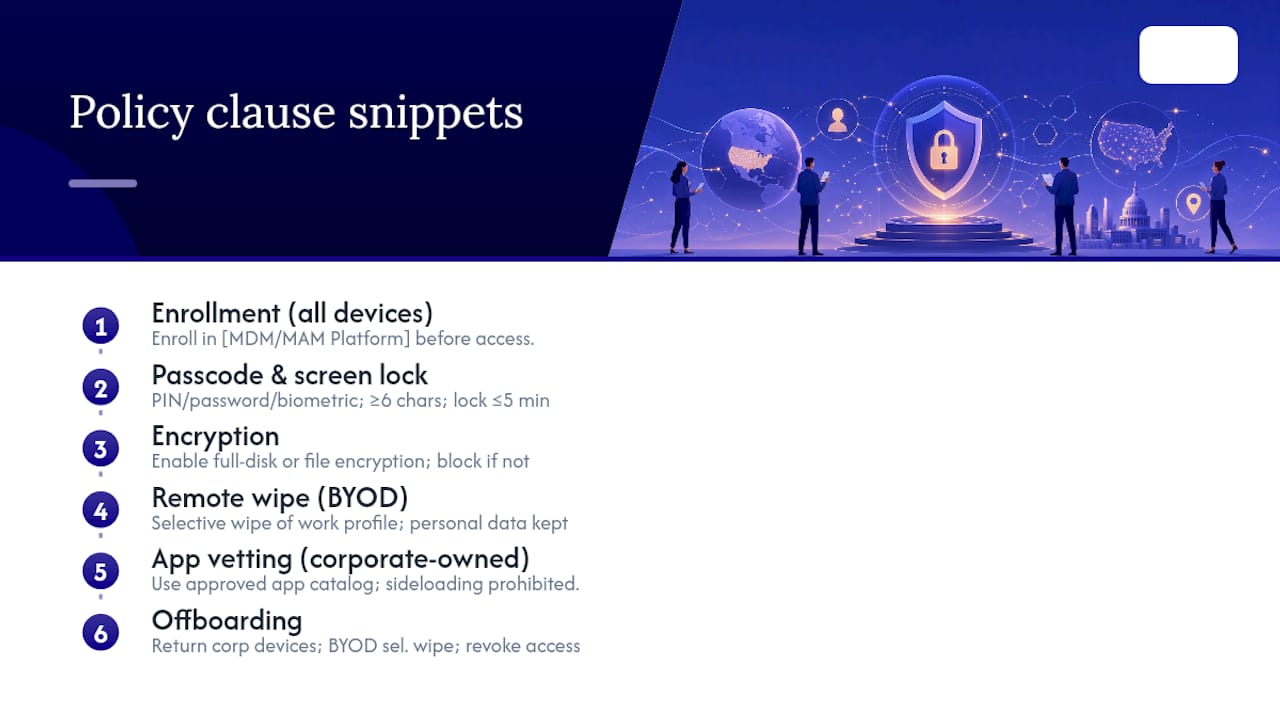
Enrollment clause (all device types): "All mobile devices accessing [Organization] email, cloud services, or internal applications must be enrolled in the [MDM/MAM Platform] prior to access. Enrollment is a condition of access and requires a signed Employee Device Consent Form."
Adaptation note: For CMMC or CUI environments, add: "Devices that access Controlled Unclassified Information must be enrolled under full MDM management, not MAM-only."
Passcode and screen lock clause: "Enrolled devices must be protected by a PIN, password, or biometric of at least six characters or equivalent complexity. The screen must lock automatically after no more than five minutes of inactivity."
Adaptation note: HIPAA-covered entities should reference the HIPAA Security Rule's technical safeguard requirements alongside this clause.
Encryption clause: "All enrolled devices must have full-disk or file-based encryption enabled. Devices that do not meet this requirement will be blocked from corporate resources until compliance is confirmed."
Adaptation note: For manufacturing environments handling export-controlled data, reference your ITAR or EAR obligations here.
Remote wipe clause (BYOD): "For personally owned devices enrolled under MAM, [Organization] may perform a selective wipe that removes only corporate applications and data from the work profile container. Personal data outside the container will not be affected. The employee acknowledges this capability by signing the Device Consent Form."
App vetting clause (corporate-owned): "Applications on corporate-owned devices must be installed from the [Organization]-approved app catalog. Installation of applications from third-party sources or sideloading is prohibited and will trigger a compliance alert."
Offboarding clause: "Upon separation from [Organization], the employee must return all corporate-owned devices within [X] business days. For BYOD devices, IT will perform a selective wipe of the work profile container on or before the employee's last day. The employee's MDM enrollment will be revoked and access credentials will be disabled."
Sample policy footer:
Policy Title: Mobile Device Management Policy | Version: 1.0 | Effective Date: [DATE] Approved by: [NAME], [TITLE] | Date Approved: [DATE] Next Review Date: [DATE + 12 months] Document Owner: IT Manager / CISO Signature: _________________________ Date: _____________
Roles, responsibilities, and review schedule
A policy without named owners is a document, not a control. The table below defines who does what.
| Role | Responsibilities |
|---|---|
| Policy Owner (IT Manager / CISO) | Maintains the policy, initiates reviews, approves exceptions, and owns the exceptions register |
| Executive Approver | Signs the policy at each version; accountable for organizational compliance |
| IT Operations | Configures and manages the MDM/MAM platform; executes enrollment, wipe, and compliance reporting |
| Security Lead | Reviews compliance reports, investigates incidents, and advises on technical control updates |
| HR | Enforces disciplinary provisions; retains signed consent forms in employee records |
| Legal / Compliance | Reviews consent language, advises on breach notification obligations, and approves multi-state policy language |
| Helpdesk | Receives incident reports, initiates the lost/stolen device workflow, and supports enrollment |
Review cadence and versioning
Annual review is the baseline. Trigger an out-of-cycle review after: a lost/stolen device incident involving regulated data; a major OS platform update that affects compliance baselines; a change in applicable law or regulation; or a significant change in device fleet composition (e.g., adding BYOD after a corporate-only policy).
Version numbering follows a simple format: major version for substantive policy changes (1.0, 2.0), minor version for clarifications or wording updates (1.1, 1.2). Retain all prior versions for a minimum of three years to support audit trails. The LakeRidge compliance guidance recommends retaining signed employee acknowledgments alongside version records as audit evidence.
Employee acknowledgments
Collect a signed acknowledgment from every employee at initial enrollment and at each major policy revision. Store acknowledgments in the HR system or a dedicated compliance repository. The acknowledgment should state the policy version, the date signed, and the employee's name and role. During an audit, the ability to produce a complete acknowledgment log for all active users is often the difference between a clean finding and a corrective action.
What small businesses actually get wrong about MDM policy
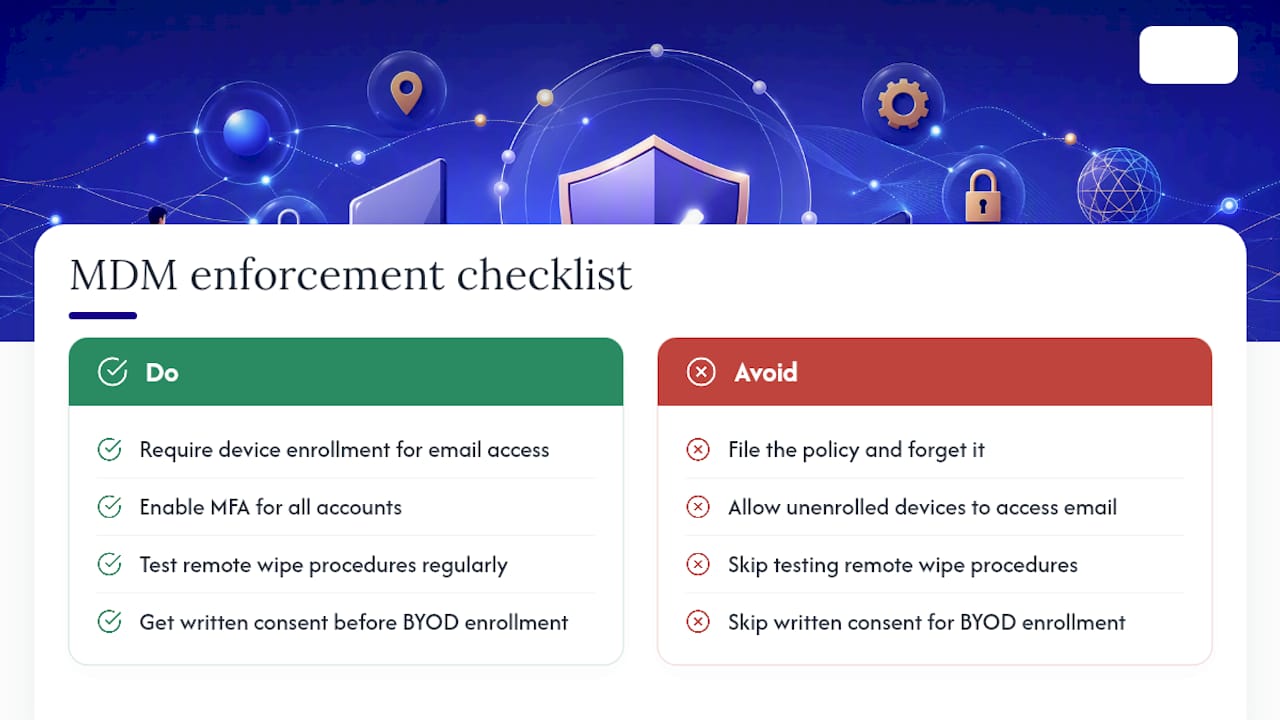
Most small organizations approach an MDM policy the same way they approach a fire drill: they create the document, file it, and assume the work is done. The policy sits in a shared drive, enrollment never becomes a hard gate for email access, and the first lost device reveals that the remote wipe procedure was never tested.
The real gap is not the policy language. It is the enforcement architecture. A policy that says "all devices must be enrolled" means nothing if Conditional Access is not configured to block unenrolled devices from email. The document and the technical control must be coupled, or the policy is theater.
For small businesses with limited IT staff, the temptation is to write a policy that sounds thorough but requires minimal ongoing administration. That is the wrong trade-off. A shorter, simpler policy with three enforced technical controls, such as enrollment as a gate for email, MFA on all accounts, and tested remote wipe, delivers more actual security than a 20-page document with no enforcement mechanism.
Microsoft's security research makes the case plainly: enabling MFA is one of the highest-impact actions an organization can take to reduce account compromise risk. That single control, applied to every mobile sign-in, does more than most of the other clauses in a typical MDM policy combined. Start there, then build the rest of the policy around it.
The other underestimated element is the consent process. Organizations that skip written consent before BYOD enrollment create legal exposure and erode employee trust when they eventually do perform a wipe. Getting consent right at the start is far less painful than explaining a selective wipe to an employee who did not know it was possible.
Symmnet handles MDM policy implementation so your team does not have to
Small businesses in manufacturing, aerospace, and professional services face a specific challenge: the compliance requirements are real, the regulatory scrutiny is increasing, and the internal IT capacity to implement and maintain an MDM program is often limited to one or two people wearing multiple hats.

Symmnet's managed IT services include MDM deployment and configuration, Conditional Access setup, 24/7 device monitoring, and compliance documentation, all on a fixed monthly retainer with no per-project surprises. For organizations that need to produce an auditable MDM policy and a working enforcement architecture without hiring additional staff, Symmnet provides the technical depth and the documentation support to get there. The 5 critical security controls page outlines the baseline Symmnet recommends for every small business client, and MDM enrollment with Conditional Access is on that list. Request a free assessment to identify where your current device posture falls short and what it would take to close the gap.
Sources
- Guidelines for Managing the Security of Mobile Devices in the Enterprise (NIST SP 800-124 Rev. 2)
- Mobile Device Management Policy — SANS Information Security Policy
- ECC 2-6-2: Build a BYOD Policy for Compliance - LakeRidge
- One simple action you can take to prevent 99.9 percent of account attacks - Microsoft Security Blog