

A user access review is a scheduled check of who has access to a system, why they have it, and whether that access still matches their job. The goal is simple: confirm every account reflects least privilege, and produce a paper trail proving it. Run right, a review catches the ex-employee still logged into your accounting software, the contractor whose project ended six months ago, and the manager who accumulated admin rights across three role changes and never lost any of them.
Your immediate next step doesn't require a policy document or a new tool. It requires a scope decision and a name.
- Pick your two or three highest-risk systems: financial software, your customer database, or anything holding regulated data.
- Assign one named owner per system who will pull the access list and drive the review to completion.
- Set a deadline, even an informal one, because reviews without deadlines don't finish.
That's the starting move. Everything below explains how to turn it into a repeatable, audit-ready program.
Key Takeaways
A user access review confirms who has access to which systems, why they have it, and whether excess access gets removed, with documented evidence to prove it happened.
| Point | Details |
|---|---|
| Start with high-risk systems | Scope your first review around financial systems, customer data, and production controls, not everything at once. |
| Translate permissions into plain English | Reviewers approve faster and more accurately when group names describe actual access, not system codes. |
| Set a default-removal deadline policy | Non-response by the deadline should trigger automatic revocation, not extended access. |
| Match cadence to risk | Quarterly for privileged accounts, semi-annual for standard access, satisfies most framework expectations. |
| Consider a managed program | Symmnet builds review scoping, packaging, and evidence archiving into its managed IT services for SMBs. |
Table of Contents
- What Are the Different Types of User Access Reviews?
- Why Do Access Reviews Matter for Security and Compliance?
- What Systems and Accounts Should the First Review Cover?
- What Data Do You Need to Collect for a Review?
- How Do You Run a User Access Review Step by Step?
- How Often Should You Run Access Reviews?
- How Do You Turn Findings Into Audit-Ready Evidence?
- What Common Mistakes Make Access Reviews Fail?
- How Do Access Reviews Map to SOC 2, PCI-DSS, HIPAA, ISO, and NIST?
- How Does Symmnet Help Small Businesses Run Access Reviews?
- What Does Success Look Like After Three Review Cycles?
- Get an Audit-Ready Access Review Program Without Adding Headcount
- Where Can You Find Authoritative Guidance on Access Reviews?
- Sources
What Are the Different Types of User Access Reviews?
User access reviews go by several names in vendor documentation and compliance frameworks, including access certification and entitlement review. They all describe the same core activity: someone with authority looks at a list of who has access to what, and decides whether that access is still justified. Small businesses tend to run one of three models, and picking the wrong one is a common reason review programs stall.
- Periodic reviews. These run on a fixed calendar, often quarterly or semi-annually, and cover a defined population of users and systems. Most compliance frameworks default to this model because it's predictable and easy to document.
- Event-driven reviews. These trigger off a specific action: an employee leaves, a role changes, a vendor relationship ends, or a new system goes live. They catch the access that periodic reviews miss between cycles.
- Continuous reviews. These use automated monitoring to flag anomalies in near real time, such as a dormant account suddenly logging in or a user accessing a system outside their normal pattern, then route the flag to a human for a decision.
For an SMB with a lean IT team, continuous monitoring sounds attractive but usually requires identity governance tooling most small companies haven't bought yet. The practical starting point is a periodic review for your critical systems, layered with event-driven triggers for joiners, movers, and leavers. That combination catches the bulk of risk without demanding a platform investment you're not ready to make. Continuous monitoring becomes worth the cost once your user count or system count grows past what a quarterly manual review can reasonably cover.
Why Do Access Reviews Matter for Security and Compliance?
Access reviews matter because unreviewed permissions accumulate risk quietly, and most businesses only discover the damage after something goes wrong. Four patterns show up in nearly every organization that hasn't run a review in over a year.
Orphaned accounts persist after employees leave, often because offboarding checklists miss less obvious systems, such as a marketing tool or a shared vendor portal. Privilege creep happens when employees change roles and pick up new access without losing the old, so a person who moved from sales to operations still has access to sales commission data. Separation-of-duties violations occur when one person can both create and approve a financial transaction, a setup that auditors flag immediately. MFA gaps show up when reviews reveal accounts with elevated access that never had multifactor authentication turned on.
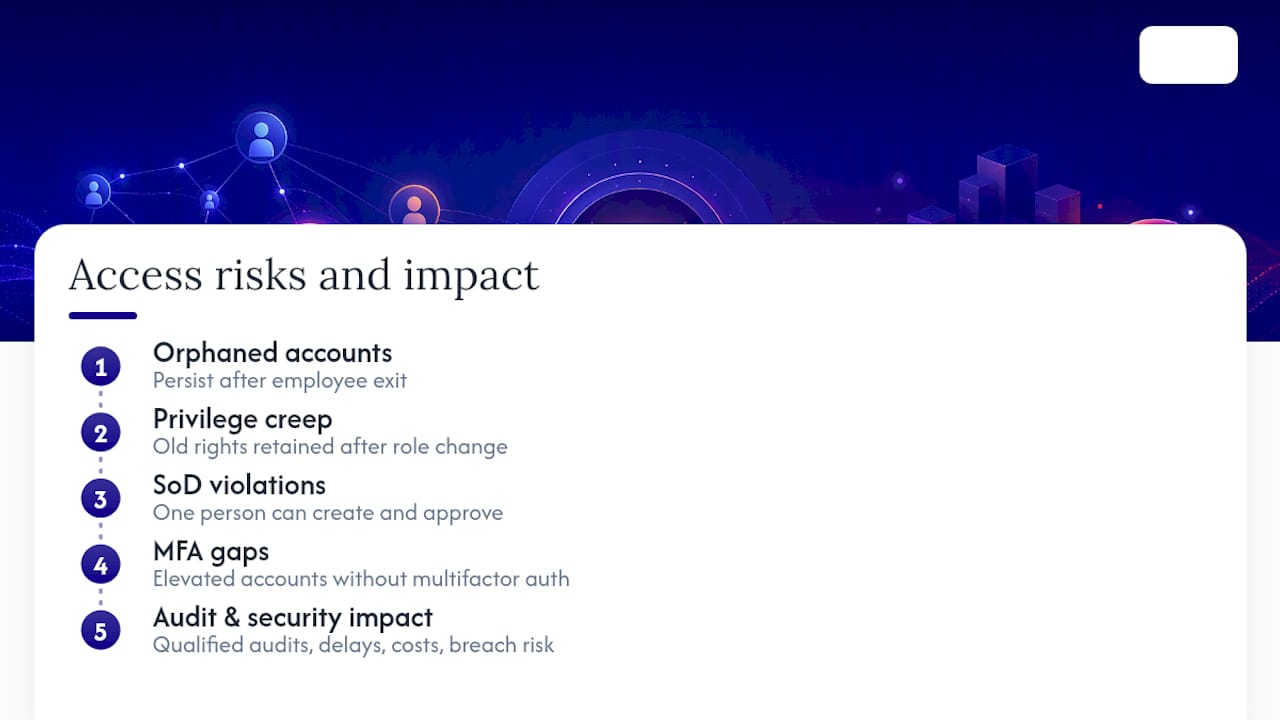
Missing or absent access reviews is one of the most frequently cited audit deficiencies auditors report, according to practitioner analysis from ISACA. That single finding can cascade into a qualified audit opinion, a delayed SOC 2 report, or a failed PCI assessment, depending on your industry.
Beyond compliance, access reviews save money and catch incidents. Removing unused licenses during a review often uncovers software you're paying for but no longer need. Reviews also surface access anomalies before they become breaches, since a manager scanning a permission list is more likely to notice "why does this contractor have admin rights" than an automated tool tuned for known threats.
The frameworks that require documented reviews aren't being bureaucratic for its own sake. NIST SP 800-53 Revision 5 builds access control review requirements directly into its AC-1 and AC-2 controls, expecting organizations to document both the review frequency and the remediation actions taken. That expectation exists because access, left unchecked, is the path of least resistance for both external attackers and internal mistakes.
What Systems and Accounts Should the First Review Cover?
Your first access review should cover the systems that would cause the most damage if compromised, not every system you own. Trying to review everything at once is the single fastest way to abandon the program before it produces anything useful.
Start with what a security consultant would call your crown jewels: the customer database, financial systems like your accounting platform or payroll software, and any production controls tied to manufacturing or service delivery. If a breach or a bad actor in one of these systems would make the local news or trigger a client notification requirement, it belongs in round one.
Within those systems, different account classes need different treatment:
- Privileged accounts (admins, IT staff, system owners) carry the highest risk per account and deserve individual scrutiny rather than batch approval.
- Service accounts run automated processes and rarely have a human owner checking in on them, which makes them a common blind spot; assign each one a named business owner during the review.
- Contractor and vendor accounts should carry expiration dates tied to the contract term, not indefinite access that outlives the engagement.
- Shared or generic accounts (like a shared "warehouse" login) should be flagged for elimination where possible, since they make it impossible to tie an action to an individual.
For manufacturing environments specifically, this scoping exercise often overlaps with broader network hygiene. A manufacturing cybersecurity checklist can help identify which production systems carry the highest exposure before you build your access review scope around them.
Once the first review is complete, expand the scope gradually. Add mid-tier systems in the next cycle, and treat the initial review as a template rather than a one-time event. Practical SMB access control checklists recommend role-based assignments and explicit expiration dates for temporary access as the two changes that scale best as your system count grows.
What Data Do You Need to Collect for a Review?
A usable access review package starts with a clean export, not a raw dump of system logs. Reviewers, usually managers who aren't IT specialists, need to look at a list and make a fast, confident decision. If the export looks like a database schema, they'll rubber stamp it, and rubber-stamping defeats the entire purpose.
Pull the following fields for every account in scope:
| Field | Why It Matters to a Reviewer |
|---|---|
| User ID and full name | Confirms the account maps to a real, current employee or entity |
| Department and manager | Routes the account to the correct reviewer |
| Role or job title | Establishes what access should look like |
| System permissions/groups | The actual access being certified |
| Last login date | Flags dormant accounts for automatic scrutiny |
| Account owner (for service accounts) | Assigns accountability for non-human accounts |
| Creation date | Helps identify long-lived access that predates current policy |
The field that trips up most first-time reviewers is "system permissions/groups." Exporting a raw group name like SVR_FIN_RW_L3 tells a department manager nothing. Translate it before the package reaches them: "Read/write access to financial server, Level 3" is something a non-technical reviewer can evaluate in five seconds. This translation step is tedious the first time and nearly automatic every cycle after, once you've built a mapping table.
Handle service accounts, shared credentials, and orphaned entries as a separate track within the same package rather than mixing them into the general employee list. These accounts have no natural "manager" to review them, so route them to the IT or system owner directly and require an explicit justification for each one that stays active. A user access control guide for small businesses covers how to establish ownership rules for these account types before your first review cycle even begins.
Pro Tip: Build the group name translation table once, store it centrally, and update it whenever a new system or role is added. That single spreadsheet will save more reviewer hours than any other prep step.
How Do You Run a User Access Review Step by Step?
A defensible access review follows six stages, and skipping any one of them is what turns a review from audit evidence into a liability. Here's the cycle broken down into a checklist you can adapt for this quarter.
- Scope the review. Define which systems and which population of users are in scope for this cycle. Document the scope itself, since auditors will ask what was excluded and why.
- Collect the data. Export current access from each system in scope, using the fields covered in the section above. Time-stamp the export, since the date matters for evidence.
- Assign reviewers. Route standard access to the user's direct manager. Route privileged and admin access to a dual-approval process involving both the manager and a security or IT lead.
- Certify each entry. Reviewers make one of three decisions per account: approve, modify, or revoke. No entry should go unreviewed.
- Remediate findings. Execute every revoke and modify decision, and log the change with a ticket number or change record.
- Archive the evidence. Store the completed review, the reviewer decisions, and the remediation log somewhere retrievable for the length of your audit retention policy.
That six-step loop works whether you're running it in spreadsheets or through dedicated software, and periodic access review programs built around this structure consistently produce the population listings, sample selections, and remediation evidence that auditors request.
Reviewer assignment rules deserve extra attention, because getting this wrong is one of the most common reasons reviews get rubber-stamped:
- Standard user access goes to the person's direct manager, who actually knows what the employee's job requires.
- Privileged and administrative access requires two sign-offs, typically the manager plus IT or security leadership, since a single approver creates a separation-of-duties gap.
- Access tied to financial systems should never be self-certified by the account holder, even if that person happens to also be a manager.
Deadlines and default policy matter just as much as who signs off. Set a firm review window, generally two weeks for a mid-sized population, and enforce a default-removal policy: if a reviewer doesn't respond by the deadline, the access gets revoked, not extended. This single rule solves the most common way reviews die a slow death, where non-responses pile up and nobody wants to be the one forcing the issue. Automation tools can pre-filter which accounts need scrutiny and flag anomalies, but a human still has to make the final certification decision for the record to hold up under audit.
Remediation SLAs close the loop. A reasonable target is 5 business days from certification decision to completed removal for standard access, and 48 hours for anything privileged or tied to regulated data. Track how often you hit that target. It becomes one of your most useful program metrics, covered later in this article.
| Step | What Gets Documented |
|---|---|
| Scope | Systems and user population included, with exclusions noted |
| Collect | Export date, source system, field list |
| Assign | Reviewer name, approval tier (single or dual) |
| Certify | Decision per account: approve, modify, revoke |
| Remediate | Change ticket, completion date, who executed it |
| Archive | Storage location, retention period |
How Often Should You Run Access Reviews?
The right cadence depends on how much damage a compromised account in that system could cause, not a single blanket rule applied across your whole environment. Most SMBs land on a tiered schedule once they stop trying to review everything on the same calendar.
- Quarterly for privileged and administrative accounts, since PCI-DSS guidance treats reviews at least every six months as the floor, and many auditors now expect quarterly certification for high-risk access as the practical standard.
- Semi-annually for standard user accounts across core business systems, which satisfies most framework minimums without overloading reviewers.
- Annually, only where you can justify low risk. A read-only reporting tool with no sensitive data might reasonably sit on an annual cycle, but document the reasoning.
Layer event-driven triggers on top of that calendar rather than waiting for the next scheduled cycle. A joiner, mover, or leaver event should trigger an immediate access review for that individual, not a wait-and-see approach until the quarterly cycle catches up. A security incident, even a minor one, should trigger a targeted review of the systems involved. Adopting a new SaaS tool should trigger a review of who gets default access before the tool goes live company wide, not after.
When an auditor asks why you chose your specific cadence, the answer needs to reference risk, not convenience. Write a one-page policy stating which account tiers get which frequency and why, tied to the sensitivity of the data or system involved. That document, more than the reviews themselves, is often what satisfies an auditor that your program is deliberate rather than accidental. A security policy framework that documents review frequency alongside ownership and remediation procedures gives you a single reference point instead of scattered informal rules.
How Do You Turn Findings Into Audit-Ready Evidence?
Findings only count as remediation once they're executed, logged, and stored somewhere an auditor can find them without you scrambling. This is the stage where most access review programs quietly lose their credibility, because the certification happened but the follow-through didn't.
Every revoke or modify decision needs to land in a change log or ticketing system, not just a checkmark in a spreadsheet. The ticket should reference the specific account, the access removed or changed, and a completion timestamp. If your help desk software already generates tickets for access changes, route review remediation through that same system rather than inventing a parallel process.
Your audit trail needs to answer four questions for every reviewed account, and missing any one of them weakens the evidence:
- Who approved the certification decision, by name and role.
- When the decision was made, with a timestamp.
- What justification was given, especially for any account that was approved despite looking unusual.
- What change record documents the resulting action, whether that's a ticket number, a system log entry, or a signed form.
That evidence chain is exactly what audit and compliance guidance points to when describing what auditors sample during a review: completed reviewer decisions paired with remediation logs, not just a list of who had access on a given date.
Three metrics turn a one-off review into a measurable program. Removal count tells you how much excess access existed, and a high count in your first cycle isn't a failure, it's a baseline. Time-to-remediate tracks how many days pass between a revoke decision and its completion, and this number should shrink with each cycle as the process matures. Exception trends, meaning the same account or system flagged repeatedly across cycles, point to a broader process gap, like a role definition that's too broad or an onboarding template granting more access than the job requires.
Track these three numbers cycle over cycle, and you'll have a defensible story to tell leadership about whether the program is actually reducing risk or just generating paperwork.
What Common Mistakes Make Access Reviews Fail?
Five failure patterns account for most access review programs that stall out after one or two cycles, and each one has a specific, low-effort fix.
- Unreadable permission lists. Reviewers see cryptic group names and either reject everything or approve everything out of confusion. Fix it by translating every group name into plain language before the package reaches a manager.
- Review-by-everything instead of review-by-exception. Asking a manager to certify 200 line items produces fatigue and rubber-stamping. Filter the list to what actually needs attention: unused access, recent role changes, privileged accounts, and temporary access still active past its expected end date.
- No default policy for non-response. When reviewers ignore the request, access lingers indefinitely. Set removal as the automatic outcome for anything not certified by the deadline.
- No named owner for the process. Reviews without an accountable owner slip through the cracks the moment someone gets busy. One person should own the calendar, the reminders, and the escalation.
- No follow-through on findings. A completed review that never triggers actual account changes is worse than no review, since it creates a paper trail showing the risk was known and left unaddressed.
Pro Tip: Cutting a reviewer's list down to only flagged exceptions, rather than every account they own, is the single change most likely to turn a dreaded quarterly chore into a five-minute task.
To show program value to leadership, report on completion rate (percentage of reviews finished by deadline), removal count, and time-to-remediate. Those three numbers, tracked over several cycles, make the case for continued investment far better than a description of the process itself.
How Do Access Reviews Map to SOC 2, PCI-DSS, HIPAA, ISO, and NIST?
Each major framework asks for slightly different evidence, and knowing the exact deliverable saves you from over-preparing for one control while missing another entirely.
| Framework | Specific Expectation | Evidence Auditors Want |
|---|---|---|
| NIST SP 800-53 (AC-1/AC-2) | Documented access control policy with defined review frequency | Written policy, review schedule, remediation records |
| PCI-DSS (Req. 7.2.5) | Review of access to cardholder data at least every six months | Review population, sign-offs, remediation for excess access |
| HIPAA Security Rule | Administrative safeguards including access control review | Access review records tied to systems holding ePHI |
| ISO 27001 (Control 5.18) | Documented process for managing and reviewing access rights | Review records, exception handling, policy documentation |
NIST's framework is control-based rather than prescriptive about frequency, which means you set your own cadence but must document it and the resulting remediation, a structure built directly into AC-1 and AC-2. PCI-DSS is the most specific of the group: Requirement 7.2.5 sets a hard floor of every six months for cardholder data access, and most QSAs treat quarterly as the de facto expectation for anything privileged.
HIPAA's administrative safeguards require documented control and review of access rights for systems holding electronic protected health information, but the rule doesn't specify an exact frequency, leaving that judgment call to the covered entity, which means your documented rationale matters as much as the review itself. ISO 27001's Control 5.18 focuses on the process itself: exception handling, defined review cycles, and evidence that access rights get adjusted when they no longer match need.
For regulated manufacturing environments layering multiple frameworks at once, packaging the sample population, reviewer sign-offs, and remediation records consistently across every framework saves significant audit prep time. A USP grade compliance checklist built for QA teams shows how audit-ready documentation practices translate across regulated industries beyond pure IT security. An IT compliance guide for manufacturing walks through how these evidence requirements typically stack for that sector specifically.
How Does Symmnet Help Small Businesses Run Access Reviews?
Symmnet builds access review support directly into its managed IT and cybersecurity services for small businesses in manufacturing, aerospace, and professional services. That means the review process doesn't sit as a separate project bolted onto your existing IT relationship. It runs as part of the ongoing compliance and audit documentation work already covered under a managed retainer.
- 24/7 monitoring that surfaces dormant or anomalous accounts before they become review-cycle surprises.
- Compliance and audit documentation support tailored to industry-specific regulatory requirements.
- Network segmentation expertise that narrows the scope of high-risk systems needing the tightest review cadence.
- Fixed pricing, so an access review program doesn't turn into an open-ended consulting bill.
A managed access review typically starts with a scoping conversation to identify the highest-risk systems, followed by a data collection phase where technical permissions get translated into plain-English reviewer packages. From there, the managed team routes certification decisions to the right approvers, tracks remediation to completion, and archives the evidence in a format ready for a SOC 2, PCI-DSS, or HIPAA audit.
A free assessment identifies where access sprawl, unreviewed permissions, and documentation gaps currently sit in your environment, then maps out exactly what a defensible review program would need to close them.
The outcome for the customer is a clear starting scope, a named point of contact, and a realistic first-cycle timeline, rather than a vague promise to "improve security" with no measurable plan attached.
What Does Success Look Like After Three Review Cycles?
The biggest misconception about access reviews is that the first cycle is supposed to go smoothly. It won't, and that's fine. The first review usually surfaces an uncomfortable number of orphaned accounts and stale permissions, and that's the point: you're establishing a baseline, not passing a test.
By the third cycle, the shape of the program changes noticeably. Exception counts drop because the obvious cleanup already happened in cycles one and two. Reviewers move faster because they've seen the format before and trust that flagged items actually get resolved. The packaging itself becomes repeatable, since the group name translations and export templates built in cycle one carry forward with minor updates.
Three KPIs tell you whether the program is maturing or just repeating the same problems:
- Completion rate, the percentage of reviews finished by deadline, should climb toward 100% by the third cycle if the process is working.
- Removal count should decline over time, not because reviewers are getting lazier, but because there's genuinely less excess access left to find.
- Mean time to remediate should shrink as ticketing and remediation become routine rather than a scramble.
What surprises most IT managers is how much the review process itself improves morale, not just security posture. Employees stop accumulating access they don't need, managers stop feeling blindsided by audit requests, and the whole exercise stops feeling like a compliance tax and starts looking like basic operational hygiene.
— Michael
Get an Audit-Ready Access Review Program Without Adding Headcount
Running a defensible access review program on top of daily IT demands is exactly where small businesses fall behind, not because the process is complicated, but because nobody has the hours to own it consistently. Symmnet builds access review support into its managed IT and cybersecurity services, so the scoping, data collection, reviewer coordination, and evidence archiving happen as part of your existing relationship instead of a separate project you have to staff yourself.

Symmnet's managed IT services cover the full loop: 24/7 monitoring to flag dormant accounts, compliance documentation tailored to manufacturing, aerospace, and professional services regulations, and fixed pricing so an access review program never turns into an unpredictable line item. The free assessment identifies exactly where your current access controls fall short and what a realistic first review cycle would look like for your environment. Reach out to schedule that assessment and get a scoped starting point for your next access review cycle.
Where Can You Find Authoritative Guidance on Access Reviews?
These primary sources back the frequency guidance, control requirements, and evidence standards referenced throughout this article, and each one is worth bookmarking for the next time an auditor asks you to justify a decision.
- NIST SP 800-53 Revision 5 defines the AC-1 and AC-2 controls that require documented access review frequency and remediation, forming the backbone of most federal and enterprise security frameworks.
- PCI-DSS Requirement 7.2.5 sets the specific six-month floor for cardholder data access reviews that payment processors and their vendors must meet.
- HHS HIPAA guidance outlines the administrative safeguards covered entities must follow to protect electronic health information, including access control review.
- ISO 27001 Control 5.18 governs access rights management for organizations pursuing or maintaining ISO certification.
- ISACA Journal publishes practitioner-level analysis on common audit deficiencies, including the frequency with which missing access reviews surface as a finding.
Sources
- NIST SP 800-53r5 draft controls markup
- PCI DSS Quick Reference Guide (PCI QRG)
- HHS — HIPAA
- Periodic access reviews: process, compliance and audits — LegalClarity